Top Tip: Elementor is rarely a one-time decision. WordPress sites often start using it to solve an immediate problem, then refine how it is used as project complexity and workflows evolve. This article looks at Elementor through that lens — not as a feature list or recommendation, but as a pattern that tends to emerge over time.
🎯 Who This Guide Is For: This guide is for WordPress users who are already using Elementor, or actively considering it, and want to understand how its role changes as a site grows. It is especially relevant for site owners, developers, and teams managing evolving content, expanding functionality, or increasing design complexity over time, and who want to make informed decisions without locking themselves into rigid workflows.
⏸ Who This Guide May Not Be Ideal For: This guide may be less useful for readers looking for immediate setup instructions, feature comparisons, or quick recommendations. It is also not aimed at projects with fixed, short-term requirements or those that intentionally avoid visual editing as part of their long-term WordPress strategy.
Understanding Elementor Beyond First Use
Elementor as WordPress sites grow is often evaluated very differently than it is during initial setup. While Elementor is commonly introduced as a visual page builder for WordPress, that description only captures its early use. Over time, what matters more is how well it continues to fit as content expands and site requirements become more defined.
Many users form their first impression of Elementor while building a small number of pages. As WordPress sites grow, that impression can change. Sometimes Elementor feels more valuable as layouts are reused and workflows stabilize. In other cases, questions start to emerge about structure, consistency, or long-term management. This reassessment is a normal part of site growth.
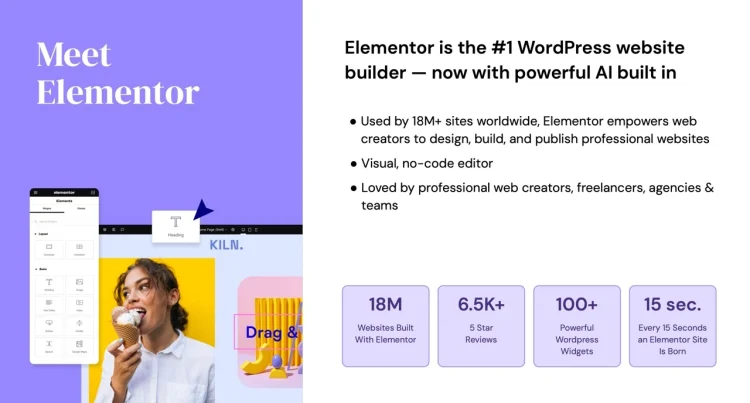
This article looks at Elementor from that longer-term perspective. Instead of comparing features or promoting specific setups, it focuses on how Elementor tends to fit as WordPress sites grow and mature, and how its role can shift as everyday workflows become more complex.
Top Tip: When your view of Elementor changes, it usually reflects how your WordPress site has grown, not a sudden limitation of the tool.
The stages discussed below are not steps to follow. They are reference points intended to help you evaluate your own experience and explore how Elementor fits your website workflow. If you are interested in a broader overview of what Elementor is and does, take a look at What Elementor Really Is
Stage 1: Getting Started with Elementor
Most WordPress sites begin using Elementor for practical reasons rather than long-term strategy. The goal is usually simple: gain visual control over page layouts without needing to modify theme files or write code from scratch. At this stage, Elementor is often adopted as a problem-solver, not a system.
For new site owners, Elementor’s front-end editor reduces friction. Pages are built visually, changes are immediate, and the relationship between content and layout becomes easier to understand. This can be especially helpful for users who prefer Elementor’s visual editing approach over the default WordPress editor when working with design
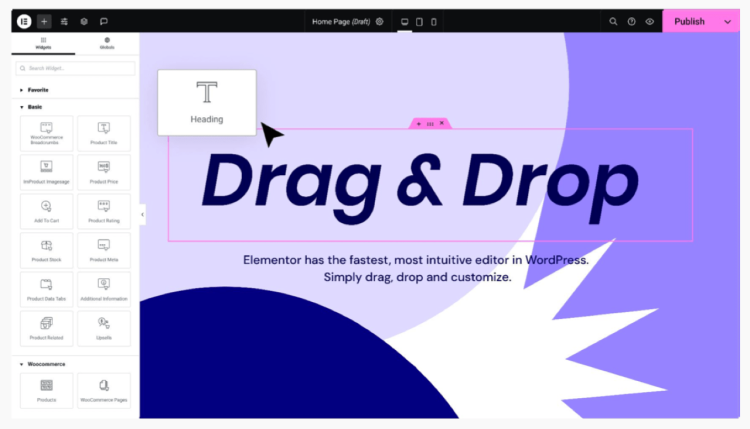
At this point, most users rely on Elementor Free. Page designs are typically handled one page at a time, with little concern for reuse or global consistency. The focus is on learning the editor, understanding sections and widgets, and gaining confidence rather than optimising workflows.
This stage is common for personal sites, early business websites, and projects where requirements are still forming. Elementor’s value here is not speed alone, but clarity. Users can see how changes affect the page without switching between editors, previews, and theme settings.
Top Tip: In the early stage, focus on understanding structure rather than perfection. Learning how sections, columns, and widgets relate to each other pays off later.
As long as pages remain simple and updates are infrequent, Elementor Free is often enough. The limitations of this approach usually don’t appear immediately. They tend to surface only after content grows, layouts repeat, or design consistency starts to matter more.
Stage 2: When Repetition and Friction Appear
As a WordPress site grows, patterns begin to repeat. New pages are added, layouts start to look similar, and design decisions made earlier quietly spread across the site. This is often the point where Elementor shifts from feeling purely helpful to feeling slightly repetitive.
At this stage, Elementor is still doing its job, but the way it is being used starts to reveal limitations in workflow rather than capability. Changes that once felt quick now require updating multiple pages. Small design tweaks become time-consuming because they are being applied manually.
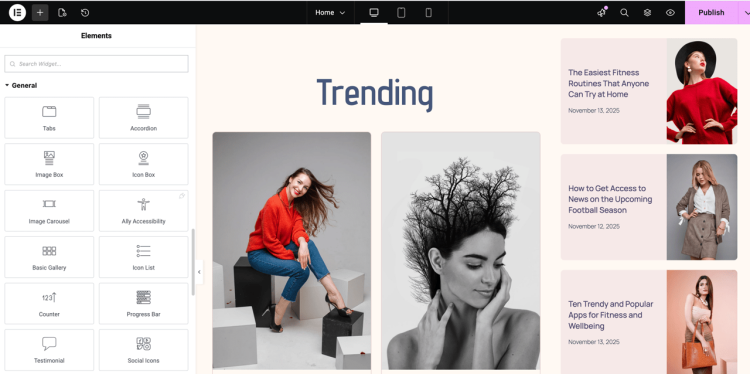
Common friction points appear gradually. Headers, call-to-action sections, or layout blocks are copied and pasted across pages. Styling stays mostly consistent, but only because the same work is repeated again and again. The site still works, but maintaining it starts to feel less efficient.
This is also where design drift can creep in. Small differences in spacing, typography, or colours appear over time, especially when multiple pages are updated independently. Nothing is broken, but the site begins to feel harder to manage.
Top Tip: Repetition isn’t a problem by itself. It’s a signal that your site is maturing and starting to benefit from shared structure.
For many users, this is the moment when questions start to form. Is this still the best way to work? Should layouts be reused more systematically? Are we using Elementor in the right way, or is the site simply asking for a more structured approach?
These questions are normal. They don’t mean Elementor has stopped fitting your site. More often, they indicate that the site has moved into a new stage where consistency and efficiency matter more than individual page design.
Stage 3: Scaling with Elementor Pro
Stage three usually begins when repetition becomes a workflow problem rather than a minor inconvenience. The site is active, content is growing, and maintaining consistency across pages starts to require deliberate effort. This is where many users begin to see why Elementor Pro exists.
Elementor Pro is often misunderstood as a feature upgrade. In practice, it functions more as a scaling layer. Instead of focusing on individual pages, it introduces ways to manage layouts, design elements, and structure strategically.
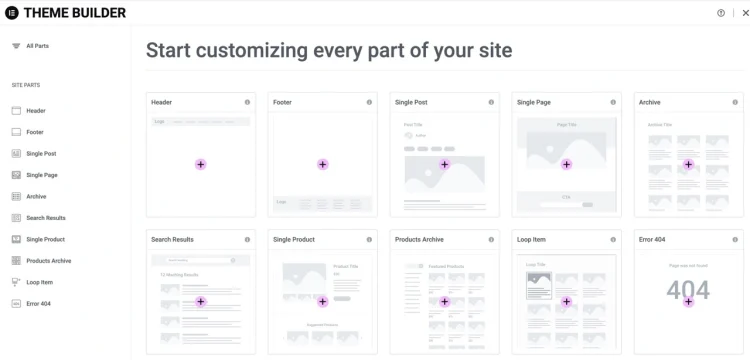
One of the most noticeable shifts at this stage is the move from copying layouts to defining them once. Templates allow shared sections, headers, footers, and page structures to be reused consistently. When changes are needed, they can be made centrally rather than page by page.
This approach doesn’t just save time. It also reduces design drift. Typography, spacing, and layout decisions become easier to maintain because they are applied systematically instead of manually.
For content-heavy sites and growing businesses, this often marks a turning point. Elementor stops being a page builder used occasionally and starts functioning as a layout system that supports ongoing updates and expansion.
Top Tip: Elementor Pro tends to pay off when you’re solving consistency problems, not when you’re chasing individual features.
WooCommerce sites often reach this stage sooner. Product pages, category layouts, and supporting content benefit from shared templates, especially as inventories grow. Elementor Pro makes it easier to control how dynamic content is displayed without redesigning each page individually.
Importantly, adopting Elementor Pro at this stage doesn’t require rebuilding existing pages. It typically layers on top of what’s already there, allowing sites to evolve without disrupting content or structure.
See how Elementor Pro supports larger and growing WordPress sites
Stage 4: Hybrid and advanced Elementor workflows
By the time sites reach this stage, Elementor is no longer just a visual convenience. It becomes part of a broader workflow that blends design decisions with more technical requirements. Layout consistency is largely under control, but new needs begin to emerge.
At this point, many site owners want more than visual control alone. They may need to segment the site based on context, reuse layouts selectively, or apply different presentation rules to different types of content. This is often where display conditions starts to play a role.
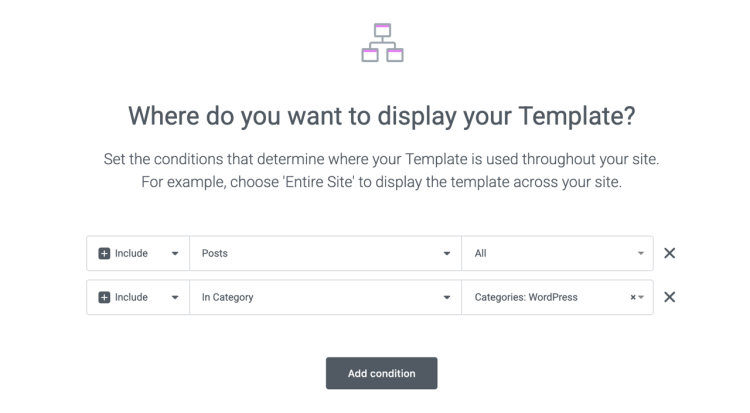
Display conditions allows layouts to be applied based on where and how content appears across the site. Pages, blog posts, product pages, archives, and compatible custom post types can each follow different layout rules, without changing how content is created in WordPress. The site adapts its presentation based on intent and context, not just content type.
Alongside this, Elementor supports hybrid workflows that combine visual design with more technical implementation. Advanced users may integrate existing WordPress features, custom CSS, JavaScript, or shortcodes directly into layouts. Elementor accommodates this by allowing visual structure and custom behaviour to coexist.
For many teams, this balance becomes essential. Designers focus on layout and consistency, while developers handle logic, integrations, and enhancements. Display conditions helps connect these roles by ensuring that design decisions scale cleanly across different sections of the site.
Top Tip: As sites grow, display conditions helps apply design rules based on context, while hybrid workflows keep visual and technical responsibilities clearly separated.
This stage is also where Elementor begins to differentiate itself from more restrictive builders. Instead of relying on rigid templates or theme overrides, layouts can be adjusted visually while advanced requirements are handled through extensibility.
As sites continue to evolve, this hybrid approach often proves more sustainable than choosing between visual tools and traditional development. Elementor acts as a coordination layer, helping teams manage complexity while staying within established WordPress patterns.
Stage 5: Leveraging the Wider Elementor Community
As sites continue to mature, it’s common to reach a point where Elementor’s built-in tools are no longer the only consideration. Layouts are consistent, workflows are established, and attention shifts toward extending capability within the broader WordPress ecosystem.
This stage is not about Elementor falling short. It reflects a natural progression where sites become more specialised. New requirements often emerge around integrations, advanced components, or niche functionality that sits outside the scope of any single builder.

Elementor fits this stage well because it operates inside WordPress rather than alongside it. Legacy WordPress widgets, custom code, and specialised plugins can usually be layered into existing Elementor layouts without disrupting established structures.
Many users begin exploring Elementor-focused extensions or community-driven tools at this point. These additions typically respect Elementor’s editor and design patterns while expanding what’s possible, allowing sites to grow without fragmenting their workflow.
Top Tip: When extending Elementor, prioritise tools that integrate cleanly with WordPress and reinforce existing workflows rather than introducing parallel systems.
Importantly, leveraging the wider Elementor community does not mean moving away from Elementor itself. In practice, Elementor continues to handle the core structure for design, layout, and presentation, while additional tools address more specific or evolving needs.
This layered approach allows sites to evolve incrementally. Instead of rebuilding or migrating, functionality is added where it’s needed, keeping Elementor firmly embedded within the WordPress ecosystem rather than operating as a parallel system.
Stage 6: When Elementor Becomes Part of the Site’s Infrastructure
At this stage, Elementor is no longer evaluated as a tool that might be replaced. It has become part of how the site operates. Layouts, templates, and workflows are established, and Elementor’s presence is assumed rather than actively considered.
Sites that reach this point are usually stable, active, and evolving gradually. Changes happen incrementally. Content is updated regularly. Design decisions are guided by systems rather than individual pages. Elementor’s role is less about creation and more about maintaining continuity.
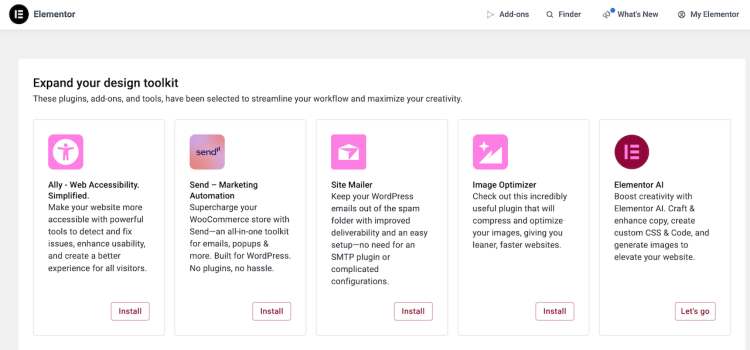
Elementor Pro often underpins this stage, but not because of individual features. Its value shows up in predictability. Templates, global styles, and dynamic layouts make it possible to adjust the site without rethinking structure each time.
🔥 What changes most at this point is perception. Elementor fades into the background. It is no longer the focus of decision-making, but part of the site’s infrastructure, similar to how themes, content models, or core plugins are treated within WordPress.
Top Tip: When Elementor stops drawing attention to itself, it’s often a sign that it has settled into the right role within your setup.
This stage also benefits teams. Designers work within established layout systems. Developers focus on integrations, performance, or custom logic. Content editors can update pages confidently without worrying about breaking structure. Elementor provides a shared visual layer that supports these roles without dominating them.
Importantly, reaching this stage does not imply permanence. Elementor remains a choice, not a dependency. The difference is that decisions about change are now driven by genuine requirements rather than early uncertainty or friction.
Learn how Elementor fits into long-term WordPress site workflows
How the Stages Fit Together
Seen individually, each stage reflects a specific moment in a site’s development. Taken together, they describe a pattern that appears repeatedly across WordPress projects using Elementor.
Sites typically begin by solving immediate layout problems, then encounter iteration as content grows. Structure becomes important, followed by the need for hybrid workflows and ecosystem-powered extensions. In mature setups, Elementor often settles into an infrastructure role rather than remaining a day-to-day focus.
Not every site moves through these stages in order, and many occupy more than one at the same time. A content-heavy site may rely on templates early, while a simpler site may never move beyond basic workflows.
Top Tip: The stages are best read as reference points. They help explain why Elementor feels different over time, not where a site is meant to end up.
This broader view makes it easier to interpret your own experience. If Elementor feels increasingly valuable or increasingly invisible, that shift often reflects where your site sits within this stages.
Stage 7: Why Elementor Continues to Add Value Over Time
For most long-term users, Elementor rarely becomes redundant. Instead, its role tends to expand or adapt as site requirements evolve. This is partly because Elementor is designed to sit at the centre of the WordPress experience, rather than operating as a narrow page-building tool.
As sites mature, new concerns often emerge around accessibility, content workflows, consistency, and ongoing optimisation. Elementor’s response to these needs has typically been additive. Rather than replacing the core plugin, additional capabilities are introduced in ways that build on existing layouts, templates, and workflows.
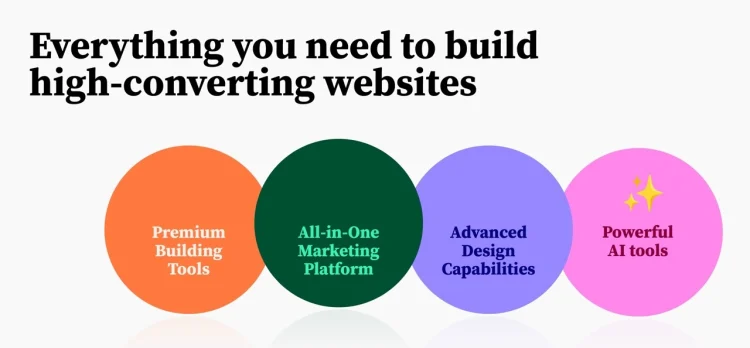
This is one reason many users continue with Elementor over long periods. The page builder remains responsible for layout and presentation, while complementary tools address adjacent needs without forcing a change in how sites are structured or maintained.
Elementor’s approach also accommodates users who rely on code. Custom CSS, JavaScript, shortcodes, and legacy WordPress widgets can be layered into visual layouts, allowing traditional development patterns to coexist with front-end editing. This flexibility reduces the likelihood that Elementor becomes a constraint as requirements become more complex.
Top Tip: Elementor tends to remain relevant when it adapts to new needs without requiring sites to abandon existing workflows.
In practice, this means Elementor often continues to fit even as sites change direction. Rather than reaching a point where it must be replaced, many users find that Elementor simply becomes one part of a broader, evolving WordPress setup.
Using Elementor with Clarity
Elementor is best understood as a layer within WordPress, not a commitment that defines every future decision. For many sites, it provides structure early on, flexibility as complexity grows, and stability once workflows mature.
📌 The value of viewing Elementor through stages is not in predicting outcomes, but in recognising patterns. When Elementor feels helpful, invisible, or occasionally restrictive, those signals usually reflect where a site sits in its lifecycle.
This perspective makes it easier to evaluate change calmly. Whether Elementor continues to play a central role or gradually becomes less important, the decision tends to work best when it’s grounded in context rather than assumption.
Top Tip: The most sustainable WordPress setups are rarely built around tools alone, but around workflows that adapt as the site grows.
If you’re exploring how Elementor fits into a broader WordPress setup, this article serves as a foundation. From here, more focused guides can explore specific site types, workflows, and long-term decisions in greater detail. You may find it useful to review design consistency practices or learn more about Elementor for business websites.
Frequently Asked Questions
Do all WordPress sites follow the same growth path when using Elementor?
No. WordPress sites grow in different ways depending on content, goals, and audience. The stages described in this article reflect common patterns, not a fixed sequence.
Is Elementor suitable for long-term WordPress projects?
Elementor is commonly used on long-running WordPress sites. Features such as templates, global styles, and reusable components can support ongoing maintenance as sites evolve.
At what stage do most users consider Elementor Pro?
Many users consider Elementor Pro when they encounter repeated layout needs, design consistency challenges, or requirements that extend beyond individual pages.
Can Elementor support more complex sites as they grow?
Elementor is used on a wide range of sites, including those with more complex layouts or content structures. Its visual editor can be combined with WordPress features and extensions as needs change.
Does using Elementor limit future design or development decisions?
Elementor operates within WordPress rather than replacing it. This generally allows sites to evolve incrementally without requiring immediate redesigns or migrations.
Can Elementor be used alongside custom code as sites mature?
Yes. Elementor supports hybrid workflows that include custom CSS, JavaScript, shortcodes, and legacy WordPress widgets, allowing visual editing and code-based development to coexist.
Is Elementor only suitable for beginners at early stages?
No. While Elementor is accessible to beginners, it is also used by developers and teams who value visual layout control alongside more traditional workflows.
How does Elementor handle design consistency as sites grow?
Elementor includes tools such as templates and global styles that can help maintain consistent design patterns across larger or more content-heavy sites.
Does Elementor need to be replaced as a site becomes more advanced?
In many cases, Elementor continues to be used as sites grow. Its role may change over time, but it does not automatically become redundant as requirements increase.
Is Elementor tied to a specific type of WordPress site?
No. Elementor is used across a range of WordPress site types, including blogs, business websites, and more structured content projects.