Best Elementor Themes for Blogging
The best Elementor themes for blogging are the ones that respect how blogs actually work: long-form content, clear typography, predictable post layouts, and reliable archives. Elementor adds visual flexibility for pages and custom sections, but the theme remains responsible for the reading experience—line length, spacing, headings, and how posts are presented across categories and tags.
Top Tip: For blogs, the theme sets readability and structure; Elementor refines layout and presentation.
This matters because blogging is different from building landing pages. A blog grows over time, accumulates hundreds of posts, and relies on consistent templates. Elementor integrates into this workflow without replacing WordPress’s core content system, which is why theme choice has a direct impact on performance, maintainability, and readability. If you are evaluating whether Elementor is a good fit for long-term blogging, see Is Elementor Good for Blogging.
Elementor itself is available as a free plugin and can be installed directly from Elementor on WordPress.org. This makes it easy to test how different blogging themes handle posts, archives, and page layouts before committing to a full site build.
While this guide focuses specifically on blogging, Elementor is also commonly used for other site types. If you are considering using Elementor for a business website, see Best Elementor Themes for Business Websites. For a deeper, practical overview of how Elementor works within WordPress, you can also read What Is Elementor.
Quick Comparison Overview
Top Tip: For blogs, focus on how a theme handles posts and archives first—homepage demos are secondary.
| Theme | Pricing | Blogging highlights |
|---|---|---|
| Hello Elementor | Free | Clean base for fully Elementor-driven layouts |
| Blocksy | Free or from $69/year | Advanced post, archive, and typography controls |
| Kadence | Free or from $69/year | Global typography and layout consistency |
| Astra | Free or from $69/year | Customizable blog layouts and archive options |
| Responsive | Free or from $59/year | Fast-loading posts and straightforward archives |
| OceanWP | Free or from $44/year | Modular blog layouts and display options |
| Stockist | Free or from $40/year | Styled post presentation with strong visual hierarchy |
| Zakra | Free or from $69/year | Starter blog layouts with basic customization |
| Inspiro | Free or from $69/year | Modern design with simple blog structure |
This comparison is designed to help you quickly narrow down Elementor themes that align with blogging priorities such as readability, archive consistency, and long-term content growth. Each theme listed below takes a different approach to balancing Elementor flexibility with WordPress’s native blogging structure.
Why Elementor Is Popular for Blogging
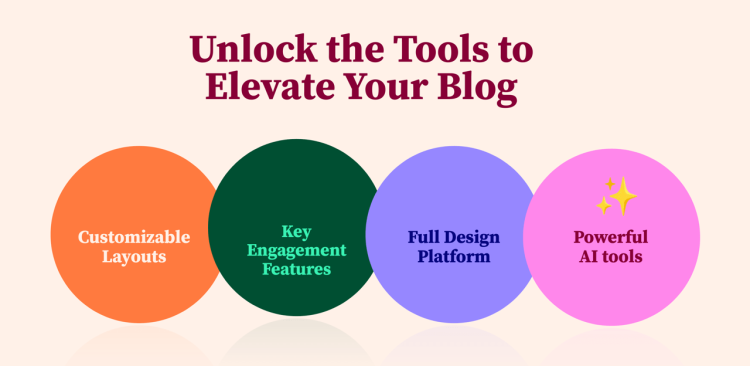
Top Tip: Elementor works best when used to strategically control layout and presentation alongside a lightweight theme.
Elementor has become a popular choice for bloggers because it adds visual layout control without replacing WordPress’s core content system. Blog posts remain standard WordPress posts, while Elementor is used where visual structure adds value, such as landing pages, category intros, or custom content sections.
This approach suits blogging workflows where content grows steadily over time. Posts, categories, and tags continue to function normally, and themes handle typography, spacing, and archives in a predictable way. Elementor complements this by allowing bloggers to refine presentation without locking content into rigid layouts.
For long-term blogging projects, stability matters as much as flexibility. How Elementor is used alongside a theme can affect maintainability, design consistency, and future changes. If you want a deeper look at how Elementor performs as sites grow, see Elementor Site Design Decisions That Prevent Future Breaks.
What Makes an Elementor Theme Suitable for Blogging

Top Tip: For blogging, a good Elementor theme should feel invisible to readers while staying predictable for writers.
An Elementor theme suitable for blogging starts with strong WordPress fundamentals. It should use standard post templates, respect the WordPress editor, and handle categories, tags, and archives without requiring heavy customization. Elementor enhances layout flexibility, but the theme defines the baseline reading experience.
Typography control is especially important for blogs. Font sizes, line height, and spacing should be consistent across posts and archives so long-form content remains easy to read. Themes that expose these settings globally reduce the need to style individual posts with Elementor.
Another key factor is how well the theme separates structure from design. Elementor works best when it is used to enhance pages and layouts, not to rebuild core blog templates from scratch. Themes designed with Elementor compatibility in mind reduce styling conflicts and make content easier to maintain over time.
If you are new to Elementor or want a clearer picture of how it fits into WordPress themes and templates, see What Is Elementor for a practical overview. You can also explore directly on the official Elementor website.
How These Elementor Blogging Themes Were Evaluated
Top Tip: Always test themes using real blog posts and categories, not just demo content.
The Elementor blogging themes in this guide were evaluated based on how effectively they support common blogging workflows. This includes how each theme handles standard WordPress posts, categories, archives, and typography when used alongside Elementor. Priority was given to themes that preserve clean structure and readability without requiring extensive layout rebuilding.
Evaluation focused on practical factors such as post layout consistency, archive behavior, global typography controls, and how predictably Elementor integrates with default theme templates. Performance characteristics and long-term maintainability were also considered, based on the themes’ adherence to WordPress best practices and the overall ease of setup.
Note: This evaluation reflects a limited hands-on test of specific features and workflows, rather than an exhaustive comparison of each theme.
Free vs Pro Elementor Blogging Themes: What to Expect

Top Tip: Start with the free version to validate readability and structure, then upgrade only if specific blogging features are missing.
Most Elementor-compatible blogging themes offer a free version through WordPress.org that is sufficient for launching and maintaining a basic blog. Free versions typically include standard post templates, archive layouts, and essential typography controls, allowing you to test how well the theme works with Elementor and real blog content.
Pro versions usually extend these foundations rather than replacing them. Common upgrades include additional blog layout variations, more granular typography and spacing controls, advanced header or archive options, and styling features aimed at improving consistency across large content libraries. For bloggers, these upgrades matter most when managing long-form content, multiple categories, or a growing archive.
The key distinction is not visual flair but control and efficiency. Pro features can reduce the need for per-post customization in Elementor and help keep blog layouts consistent as content scales. However, many blogs operate successfully on free themes for long periods before upgrading, making it practical to start free and evolve only when needed.
Hello Elementor
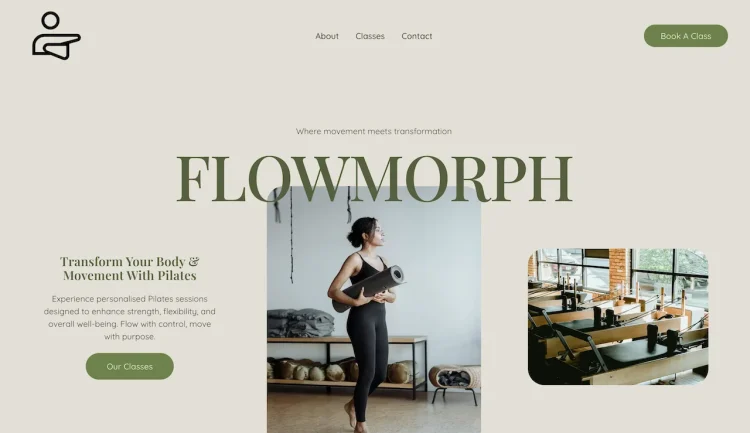
Top Tip: Hello Theme is ideal if you want a minimal foundation that gives Elementor full control over blog layouts.
How Hello Theme works for blogging
Hello Theme is a minimal, lightweight WordPress theme created by the Elementor team and optimized for use with the Elementor page builder. It provides a bare foundation that lets Elementor control most of the visual and layout decisions, which can benefit bloggers who prefer building every part of their site within Elementor.
Post and archive handling
Because Hello Theme includes almost no default styling, it defers to Elementor and WordPress core templates for post and archive layouts. This approach keeps the underlying theme lean and avoids unexpected layout overrides that can interfere with blog content presentation.
Typography and readability
Hello Theme does not include built-in typography systems, relying instead on Elementor or additional plugins to define fonts and spacing. For bloggers, this means typography choices and readability enhancements are handled within the Elementor editor.
Performance and scalability
Hello Theme’s minimal structure results in a lightweight theme layer, which can help maintain performance as blog content grows. Since there are few theme assets to load, server responses and page rendering remain streamlined.
Customization approach
Customization with Hello Theme happens primarily in Elementor and the WordPress Customizer for basic settings. The theme itself offers minimal options, encouraging users to build blog templates and layouts in Elementor.
Pros and cons
Hello Theme’s main advantage is its simplicity and compatibility with Elementor. Its minimal nature can be a limitation for bloggers who want theme-level layout controls without relying on Elementor.
Pro pricing overview
Hello Theme is available for free from the WordPress.org theme directory, and it does not include premium upgrades. Advanced layout and design features are added through Elementor or third-party extensions.
- Hello Elementor: Free theme
- Elementor Pro: Upgrade to Elementor Pro. Explore: Elementor Free vs Pro
Best fit for minimal blogs
Hello Theme is best suited for bloggers who want full creative control in Elementor and do not need built-in theme styling or layout presets.
Hello Theme provides a minimal starting point that gives Elementor near-complete control over layout and design. It removes most theme-level styling, allowing bloggers to build templates and layouts visually while keeping the underlying setup lightweight and predictable.
Blocksy
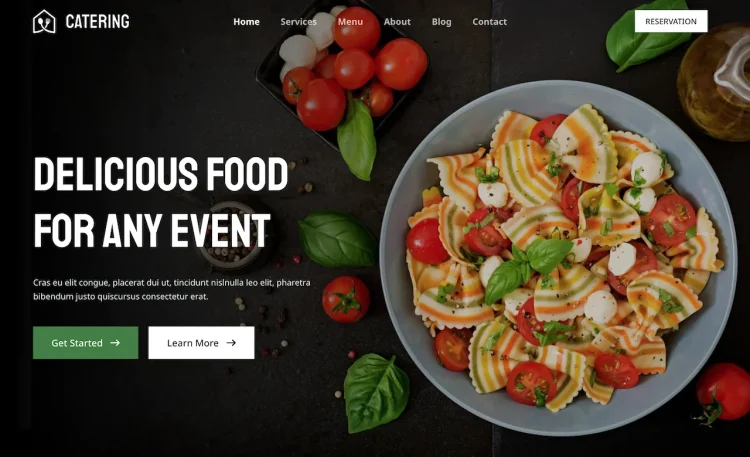
Top Tip: Blocksy is a strong option if you want detailed control over blog layouts without rebuilding templates in Elementor.
How Blocksy works for blogging
Blocksy is built with a modern WordPress architecture and works cleanly alongside Elementor. For blogging, the theme relies on standard WordPress post structures while allowing Elementor to be used for custom pages and layout enhancements. This separation helps keep blog content manageable as the site grows.
Post and archive customization
Blocksy provides built-in options for controlling blog post layouts and archive pages, including structure and spacing. These settings apply consistently across posts and categories, reducing the need to customize individual posts with Elementor.
Typography systems
Typography controls are available at a global level, making it easier to maintain consistent font sizes, headings, and spacing across long-form content. This is especially useful for blogs that prioritize readability and content depth.
Performance and scalability
Blocksy is designed to be lightweight and optimized for modern WordPress setups. Its modular approach allows bloggers to enable only the features they need, which helps maintain performance as content volume increases.
Customization depth
The theme offers extensive customization through the WordPress Customizer, covering layout, typography, and structural options. This allows bloggers to fine-tune presentation without relying heavily on page-level Elementor styling.
Pros and cons
Blocksy’s strengths include flexible layout controls and strong typography management. On the downside, the number of options may feel overwhelming for users who prefer minimal configuration.
Pro pricing overview
Blocksy offers both free and paid plans. The free version is suitable for many blogging setups, while paid plans unlock additional layout controls and advanced customization features.
- Blocksy: Free version available
- Blocksy Pro: Paid plans starting from $69 per year, with lifetime licensing options available
Best fit for design-conscious bloggers
Blocksy is best suited for bloggers who want precise control over blog structure and presentation while keeping Elementor usage focused on enhancement rather than core templates.
Blocksy is well suited to blogging projects that need strong layout control and modern typography without forcing Elementor into every post. Its theme-level options help maintain consistent post and archive presentation, while Elementor can be reserved for enhanced pages or custom sections. This makes Blocksy a strong choice for content sites focused on long-term readability and visual consistency.
Kadence

Top Tip: Kadence is a strong choice for blogs that need consistent global styling and flexible layouts.
How Kadence works for blogging
Kadence is a WordPress theme built for flexibility and performance, pairing well with Elementor’s page builder. It provides a structured foundation for blog layouts while letting Elementor manage individual page and custom content designs.
Post layout and archives
Kadence includes built-in controls for blog post structure and archive settings, which help maintain a consistent layout across content. These settings support readable, predictable presentation for both individual posts and archive pages.
Typography control
Global typography settings in Kadence allow you to define font sizes, line heights, and heading styles site-wide. When paired with Elementor, this helps keep text and headings uniform across blog posts, categories, and landing pages.
Performance and scalability
Kadence is designed to be lightweight and performance-oriented, minimizing unnecessary code. This helps maintain fast page load times as your blog grows in content and traffic.
Customization approach
Customizations in Kadence are handled through the WordPress Customizer, where you can adjust layout width, spacing, and color schemes. These global settings work alongside Elementor’s editor to ensure consistent branding across blog pages.
Pros and cons
Kadence’s strengths include robust global style controls and ease of integration with Elementor. A possible limitation is that some more advanced layout variations are reserved for premium upgrades.
Pro pricing overview
Kadence is available as a free theme from WordPress.org, with paid plans that unlock advanced header layouts, more detailed typography controls, and additional customization features useful for larger blogs.
- Kadence: Free version available
- Kadence Pro: Paid plans starting from $69 per year, with bundle options available
Best fit for growing blogs
Kadence works well for bloggers who want a combination of global style controls at the theme level and the visual flexibility of Elementor for individual layouts.
Kadence combines flexible layout controls with strong global styling options, making it easier to keep typography and spacing consistent across a growing blog. Elementor can be used for custom layouts while the theme handles structure and defaults at scale.
Astra
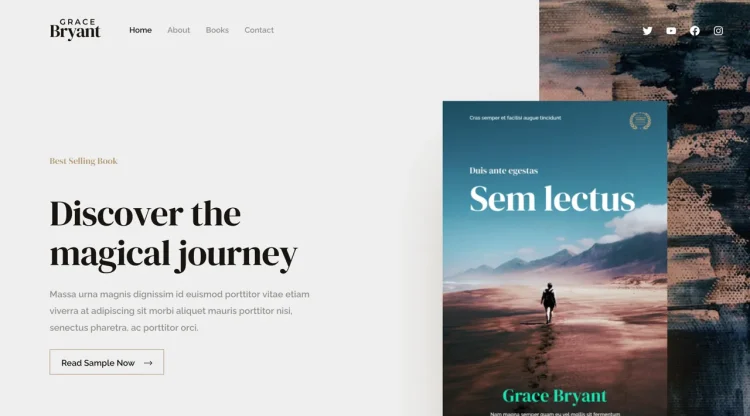
Top Tip: Astra is a versatile choice for blogs that want a balance of performance, customization, and compatibility with Elementor.
How Astra works for blogging
Astra is a popular lightweight WordPress theme designed to work smoothly with page builders like Elementor. For blogging, Astra provides clear post templates that let Elementor focus on layout enhancements without conflicting with core WordPress functionality.
Post and archive layouts
Astra includes several blog layout options in the WordPress Customizer, such as grid or list formats and sidebar placement. These built-in controls help maintain consistent structure for blog posts and archive pages before applying any Elementor page designs.
Typography controls
Astra offers global typography settings that let you define fonts, sizes, and heading styles across your site. These controls work alongside Elementor to help you maintain readable, consistent text across blog posts and landing pages.
Performance and scalability
Astra’s codebase is optimized for performance, making it suitable for blogs that expect growth in content and visitors. Its lightweight design keeps page load times low, which matters for reader engagement and search visibility.
Customization options
Astra provides layout and design settings through the WordPress Customizer, including container width, header behavior, and blog-specific elements. These controls give bloggers flexibility without requiring deep customization inside Elementor.
Pros and cons
Astra’s strengths include flexibility and performance with minimal overhead. A limitation is that some advanced blog layout features are available only in the Pro version.
Pro pricing overview
Astra is available as a free theme from WordPress.org, with optional Pro plans that unlock additional layout options, enhanced typography controls, and extended customization features.
- Astra: Free version available
- Astra Pro: Paid plans starting from $69 per year, with lifetime licensing options available
Starter templates for blogs
Astra offers starter templates that include blog-focused designs, which can help new bloggers launch quickly and refine layouts with Elementor as needed.
Astra offers a balanced approach for blogging with Elementor, providing reliable post templates and broad customization options. It works well for blogs that may evolve over time, allowing Elementor to enhance layouts without disrupting core content structure.
Responsive

Top Tip: Responsive is a practical choice for bloggers who want a clean, fast-loading foundation with straightforward customization options.
How Responsive works for blogging
Responsive is a lightweight WordPress theme built to integrate smoothly with Elementor. For blogging, it provides a minimal base that ensures posts and archives display clearly while allowing Elementor to handle custom page and section designs.
Post and archive layouts
Responsive includes simple blog structure options such as list and grid layouts, along with basic sidebar controls. These features help establish consistent layouts for blog posts and archive pages without requiring heavy page-builder adjustments.
Typography options
Responsive offers global typography settings via the WordPress Customizer that let you define fonts and text styles across your site. This helps ensure consistent readability for long-form content when combined with Elementor’s design tools.
Performance and scalability
Responsive is designed with performance in mind, offering a clean codebase and minimal theme overhead. This makes it a good fit for blogs that expect to grow in content and traffic while maintaining fast load times.
Customization options
Customization settings in Responsive’s WordPress Customizer include layout controls, header options, and color choices. These settings complement Elementor’s editor and help maintain design continuity across posts and archive pages.
Pros and cons
Responsive’s strengths include simplicity and reliable performance. A potential limitation is that more advanced blog layout features are available only through paid extensions or additional tools.
Pro pricing overview
Responsive is available as a free theme from WordPress.org, with optional Pro plans that unlock additional starter sites, blog templates, and enhanced customization controls.
- Responsive: Free version available
- Responsive Pro: Paid plans starting from $59 per year, with lifetime licensing options available
Starter sites for bloggers
Responsive offers starter sites that include blog-focused templates, which can help reduce setup time and provide a solid starting point for content-driven sites built with Elementor.
Responsive is designed to stay lightweight and fast, which benefits blogs focused on readability and performance. Its clean handling of posts and archives pairs well with Elementor for optional layout enhancements without unnecessary complexity.
OceanWP
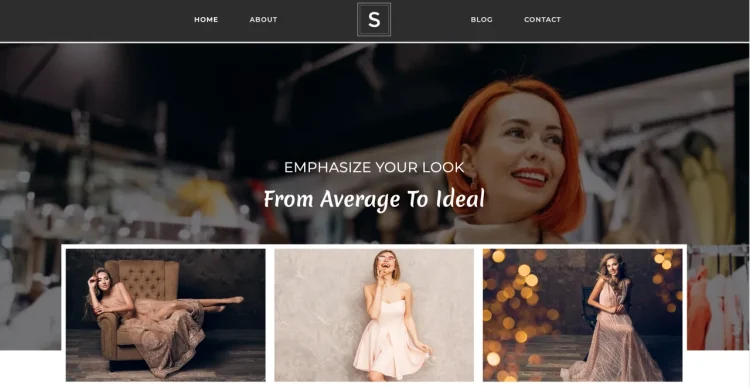
Top Tip: OceanWP is a versatile theme that works well for blogs when features are enabled selectively.
How OceanWP works for blogging
OceanWP is a flexible WordPress theme built to integrate with page builders such as Elementor. It provides a broad set of layout and structural options that support a variety of blog formats while letting Elementor handle visual design and custom sections.
Post layout options
OceanWP includes layout settings for blog posts and archive pages that can be adjusted through the WordPress Customizer. These options help bloggers structure content in list or grid formats and manage sidebar positions without extensive page-builder work.
Typography and readability
OceanWP’s global typography controls allow you to define fonts, sizes, and heading styles across your blog. Combined with Elementor’s editor, this helps keep heading and body text consistent on posts and category pages.
Performance and scalability
OceanWP uses a modular design that lets you enable only the features you need. This helps maintain performance as blog content grows, avoiding unnecessary scripts or styles on pages where they aren’t needed.
Customization controls
Customization is handled through the WordPress Customizer, offering settings for layout, colors, headers, and navigation. These theme-level options work alongside Elementor to maintain design continuity across a blog.
Pros and cons
OceanWP’s strengths include flexibility and a wide range of layout options. A potential limitation is that the number of available settings can feel complex for bloggers who prefer minimal theme configuration.
Pro pricing overview
OceanWP is available as a free theme from WordPress.org. Premium extensions and plans unlock additional layout controls, advanced customization options, and extra features that can benefit more complex blogs.
- OceanWP: Free version available
- OceanWP Pro: Paid plans starting from $44 per year, with bundle options available
Useful features for blogs
OceanWP’s modular extensions include additional blog layout features and display settings, enabling bloggers to tailor post and archive presentation without extensive custom code.
OceanWP provides a wide range of layout and customization options that can support different blogging styles when used selectively. Elementor integrates well for custom designs, while the theme’s modular approach helps manage complexity as content expands.
Stockist
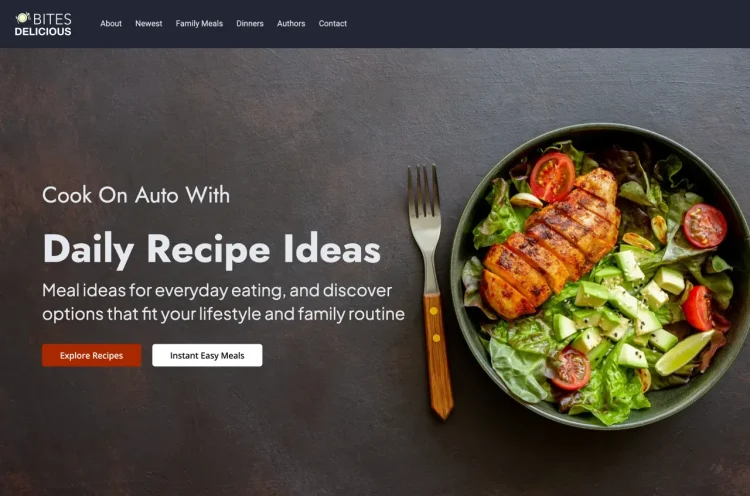
Top Tip: Stockist works best for blogs where visual presentation and brand identity matter as much as written content.
How Stockist works for blogging
Stockist is a WordPress theme designed with a strong emphasis on clean design and content presentation. When used with Elementor, it allows bloggers to enhance pages and custom sections while the theme maintains consistent post and archive layouts. A modern theme that has been recently refined with a focus on structure, typography, and performance. While it is not traditionally known as a blogging-first theme, its current design direction makes it an ideal choice for content-driven sites.
Recent updates have also improved the theme’s performance characteristics. The lighter structure and reduced overhead help ensure that blogs remain responsive as content volume increases and layouts evolve.
Post layout presentation
Stockist provides structured post layouts that focus on clarity and visual balance. These layouts are applied consistently across blog posts and archives, helping content remain readable and well-organized without relying heavily on page-builder customization.
Typography and spacing
The theme includes global typography and spacing controls that support long-form reading. These settings help ensure consistent font usage, line height, and spacing across posts and category pages.
Performance and scalability
Stockist is built with a streamlined design approach that avoids unnecessary visual clutter. This helps maintain stable performance as content libraries grow and blog archives expand.
Customization approach
Customization is handled primarily through the WordPress Customizer, where bloggers can adjust layout and design settings without altering individual posts. Elementor can then be used selectively for landing pages or enhanced layouts.
Pros and cons
Stockist’s strengths lie in its polished design and strong content presentation. A limitation is that it offers fewer layout variations compared to more feature-heavy blogging themes.
Pro pricing overview
Stockist is available as a free theme from WordPress.org, with optional premium upgrades that unlock additional styling and layout features.
- Stockist: Free version available
- Stockist Pro: Paid plans starting from $40 per year, with lifetime licensing options available
Best fit for visual blogs
Stockist is best suited for bloggers who value design consistency, brand presentation, and a clean reading experience over extensive layout experimentation.
Stockist focuses on clean design and strong visual presentation, making it appealing for blogs that rely on imagery and brand identity alongside written content. Its structured layouts support consistent post presentation while Elementor enhances selected pages.
Zakra

Top Tip: Zakra is a solid starting point for bloggers who want flexible starter layouts before refining content with Elementor.
How Zakra works for blogging
Zakra is a multipurpose WordPress theme that integrates easily with Elementor. For blogging, it provides a structured foundation where WordPress post templates and archives work predictably, and Elementor can be used to enhance layouts and individual content sections.
Post and archive layouts
Zakra includes basic blog layout options such as list and grid formats, along with sidebar controls. These built-in settings help establish a consistent reading experience across posts and category pages without immediate reliance on page-builder customization.
Typography settings
Global typography controls in Zakra allow you to define fonts, sizes, and heading styles through the WordPress Customizer. These settings promote consistency across blog content, making it easier to maintain readable layouts as posts accumulate.
Performance and scalability
Zakra is designed with performance in mind, offering a lightweight and responsive structure that supports blogs as they grow in content and traffic. Its flexibility suits a range of blogging use cases without adding unnecessary complexity.
Customization approach
Customization through the WordPress Customizer includes layout, color, and header options. These controls work alongside Elementor to help you refine design choices and maintain a cohesive look across blog pages.
Pros and cons
Zakra’s strengths are its flexibility and range of starter layouts. A limitation is that more advanced blog-specific features and layout controls are unlocked mainly through premium upgrades.
Pro pricing overview
Zakra is available as a free theme from WordPress.org, with optional premium plans that provide additional customization options and starter templates tailored to blogging and other site types.
- Zakra: Free version available
- Zakra Pro: Paid plans starting from $69 per year, with lifetime licensing options available
Best fit for Starter blogs
Zakra is a good choice for bloggers who want a flexible base and starter layouts, then plan to refine and expand content using Elementor as their site evolves.
Zakra offers flexible starter layouts that help new bloggers launch quickly. Its compatibility with Elementor allows gradual refinement over time, making it a practical option for bloggers who want structure first and customization later.
Inspiro

Top Tip: Inspiro is a good option for bloggers who want a clean, modern design with straightforward setup and layout structure.
How Inspiro works for blogging
Inspiro is a modern, multipurpose WordPress theme with compatibility for Elementor. For blogging, Inspiro provides a clear site structure where standard WordPress post templates and archives display reliably, while Elementor can be used to enhance page layouts and custom content sections.
Post layout handling
Inspiro includes simple blog layout options that ensure posts and archives appear consistently across the site. These built-in structures help maintain readability and provide a dependable baseline for long-form content.
Typography and design
Inspiro offers global typography controls through the WordPress Customizer, enabling bloggers to set fonts and text styles site-wide. This helps keep headings, body text, and spacing consistent across posts and category pages.
Performance and scalability
Inspiro’s responsive design and optimized code contribute to reliable performance as blog content grows. Its balanced feature set supports a range of blogging needs without unnecessary overhead.
Customization options
Customization is available through the WordPress Customizer, covering layout, colors, and header elements. These settings work alongside Elementor’s editor to refine design without overriding core blog templates.
Pros and cons
Inspiro’s strengths include a contemporary design and straightforward setup. A potential limitation is that advanced blog layout features and deeper customization controls are primarily available through paid upgrades.
Pro pricing overview
Inspiro is available as a free theme from WordPress.org, with optional Pro plans that unlock additional customization options and extended layout features that can benefit blogging sites.
- Inspiro: Free version available
- Inspiro Pro: Paid plans starting from $69 per year, with lifetime licensing options available
Best use cases for modern blogs
Inspiro is particularly well suited to personal or business blogs that value a modern aesthetic and simple configuration without complex theme settings.
Inspiro delivers a modern, approachable design that works well for personal blogs and smaller content sites. It provides clear post and archive structure, while Elementor can be used to highlight featured content or create custom layouts when needed.
Conclusion
Top Tip: Choose a theme that keeps your blogging workflow simple today and predictable as your content grows.
The best Elementor themes for blogging are not defined by visual flair, but by how well they support readable content, consistent post layouts, and long-term site maintenance. A strong theme should handle the structural foundations of a blog—posts, archives, typography, and navigation—while Elementor enhances layout flexibility where it adds real value.
As your blog evolves, decisions made early around themes and builders can affect performance, maintainability, and editorial efficiency. Elementor can be a powerful tool for bloggers when used intentionally, especially when paired with a theme that respects WordPress’s core content model. If you are unsure whether Elementor aligns with your specific use case, see Who Elementor Is Best For for a practical breakdown.
Some bloggers eventually explore more advanced layout and workflow features offered in Elementor Pro, particularly for custom templates and design consistency across large content libraries. If that becomes relevant, you can explore those capabilities via Elementor Pro. To better understand how Elementor compares to traditional WordPress building approaches, see Elementor vs Traditional WordPress Building.
Frequently Asked Questions
Q: Are Elementor themes good for blogging?
A: Yes. Elementor themes can work very well for blogging when the theme handles post templates, archives, and typography reliably, and Elementor is used to enhance layouts rather than replace core blog structure.
Q: Do I need Elementor Pro to run a blog?
A: No. Many bloggers successfully use free Elementor-compatible themes and the free version of Elementor. Elementor Pro becomes useful when you want advanced template control or site-wide design consistency.
Q: What should I test first when choosing an Elementor theme for blogging?
A: You should test single blog posts, category archives, tag pages, and typography defaults first. These areas affect readability and usability more than homepage layouts.
Q: Is a lightweight theme better for long-form blogging?
A: In most cases, yes. Lightweight themes tend to load faster and rely less on heavy styling, which helps maintain performance and readability as content libraries grow.
Q: Can I switch Elementor themes later without breaking blog content?
A: Blog content itself remains intact because it is stored in WordPress. However, theme-specific layouts and styling may change, which is why choosing a theme with predictable structure is important.
Q: Should bloggers use Elementor for every post?
A: Not necessarily. Many bloggers use the standard WordPress editor for posts and reserve Elementor for pages, templates, or special content sections where layout flexibility adds value.