Best Elementor Themes for Business Websites
Top Tip: A strong Elementor business theme should remain lean on Elementor-driven pages and support consistent design and performance.
Choosing the right Elementor theme for a business website is about more than visual design. A well-built theme defines the site’s structure, handles global styling, and ensures your pages remain consistent as content grows. Elementor works with standard WordPress themes, allowing you to design pages visually while the theme controls layout defaults, typography, and navigation.
The themes in this guide are designed to work smoothly with Elementor, providing a stable foundation for common business pages such as home, services, about, contact, and lead-focused landing pages. They rely on WordPress core standards and Elementor’s editor to deliver predictable layouts without locking you into proprietary systems.
Because Elementor operates as a page builder plugin, theme quality directly affects performance, maintainability, and long-term flexibility. A business-ready Elementor theme should load cleanly, respect WordPress template hierarchies, and allow Elementor to handle page-level customization without conflicts.
If your business website also includes ecommerce functionality, you may want to review how Elementor integrates with online stores. If you are considering using WooCommerce with Elementor for your business website, see Best WooCommerce Elementor WordPress Themes. If you are wondering whether Elementor itself is particularly suitable for business sites, see Elementor for Business Websites.
Elementor is available as a free plugin and can be installed directly from Elementor on WordPress.org, making it easy to test how different themes behave before committing to a long-term setup. If you later decide you need advanced features available in Elementor Pro, it can be added as an upgrade via Elementor Pro. For a full comparison between the two editions, see Elementor Free vs Pro.
Quick Comparison Overview
Top Tip: Use this comparison to eliminate themes that don’t align with your business goals before diving into detailed reviews.
| Theme | Pricing | Business site highlights |
|---|---|---|
| Hello Biz | Free | Lightweight base with Elementor-friendly defaults |
| Astra | Free or from $69/year | Custom layout controls with optimized performance |
| Blocksy | Free or from $69/year | Advanced layout and navigation options |
| Kadence | Free or from $69/year | Structured global typography and color systems |
| Stockist | Free or from $40/year | Visual-forward layouts with flexible sections |
| Zakra | Free or from $69/year | Multipurpose templates suitable for business pages |
| OceanWP | Free or from $44/year | Modular design options with broad customization |
| Sydney | Free or from $79/year | Business-oriented sections and typography |
| Inspiro | Free or from $69/year | Media-forward layouts for visual branding |
This table highlights how each theme approaches business-focused design, performance, and flexibility with Elementor. Use the links above to jump directly to the full review of any theme that matches your site goals.
Why Elementor Is a Popular Choice for Business Websites
Top Tip: Elementor works best when used to strategically control layout and presentation alongside a lightweight theme.
Elementor has become a popular choice for business websites because it allows page layouts to be built visually without replacing WordPress’s core theme system. Business owners and teams can design pages such as home, services, landing pages, and contact sections using a drag-and-drop editor, while the theme continues to manage global elements like headers, footers, typography, and navigation.
For business use, this separation is important. Elementor focuses on page-level customization, making it easier to iterate on messaging, layouts, and calls to action without touching code. At the same time, WordPress themes ensure site-wide consistency, which helps maintain a professional appearance as new pages are added.
Elementor also integrates with standard WordPress content types and follows WordPress editing conventions. This makes it suitable for business websites that need flexibility today without sacrificing maintainability later. Pages built with Elementor remain part of the WordPress ecosystem, rather than being locked into a proprietary system.
Because Elementor is widely adopted, many modern business themes are designed to work alongside it. These themes avoid conflicting styles, respect Elementor’s layout controls, and provide a stable foundation for growing business websites.
What Makes an Elementor Theme Suitable for Business Use

Top Tip: A business-ready Elementor theme should offer a stable foundation that Elementor can build on.
An Elementor theme suitable for business use is one that complements how Elementor works rather than competing with it. Elementor is responsible for page-level design, while the theme defines the underlying layout, typography defaults, and global styling. Understanding this division of roles is essential when choosing a theme that will scale with your business. If you want a deeper explanation of how the builder works, see what Elementor is and how it works.
From a business perspective, a good Elementor-compatible theme should offer clean baseline styling that does not override Elementor layouts or introduce unexpected spacing and typography issues. This allows teams to maintain design consistency across pages while still adjusting layouts and content as business needs change.
Header and footer flexibility is another key requirement. Business websites often evolve over time, adding new navigation items, calls to action, or trust elements. A suitable theme makes it easy to update these global sections without requiring a redesign of individual pages.
Finally, performance and maintainability matter. Business websites are long-term assets, and themes built to WordPress standards tend to remain easier to update, extend, and maintain as plugins, content, and team workflows grow.
How These Elementor Business Themes Were Evaluated
Top Tip: Evaluate themes using real business pages and content, not demo layouts designed for marketing screenshots.
These Elementor business themes were evaluated based on how well they support common business website workflows when used with Elementor. The focus was on practical considerations such as the page editing experience, layout consistency, and how smoothly each theme renders Elementor-designed pages.
Testing emphasized business pages, including home pages, service descriptions, contact sections, and lead-focused landing pages. Themes were reviewed for how they handle global styling, header and footer behavior, and responsiveness across screen sizes.
Performance characteristics and long-term maintainability were also considered, based on the themes’ adherence to WordPress best practices and the overall ease of setup.
Note: This evaluation reflects a limited hands-on test of specific features and workflows, rather than an exhaustive comparison of each theme.
Free vs Pro Elementor Themes for Business: What to Expect

Top Tip: Start with the free version to confirm layout behavior and workflow, then upgrade only when Pro features solve a clear business need.
Most Elementor-compatible themes offer a free version through WordPress.org, with optional Pro upgrades that unlock additional features. For business websites, the free version is often sufficient to build core pages, test layouts, and validate how the theme works with Elementor.
Free themes typically focus on providing a stable foundation. This includes basic layout controls, responsive design, and compatibility with Elementor’s editor. For many small and growing businesses, these capabilities are enough to launch and maintain a professional website.
Pro versions usually add advanced customization options such as additional layout controls, enhanced header and footer builders, global styling systems, and pre-built starter templates. These features can save time for teams managing multiple pages or client sites, but they are not always necessary at the start.
From a business perspective, upgrading to Pro makes sense when it directly reduces development time, improves consistency across pages, or supports more complex site structures. Starting free and upgrading later helps avoid paying for features that may never be used.
Hello Biz
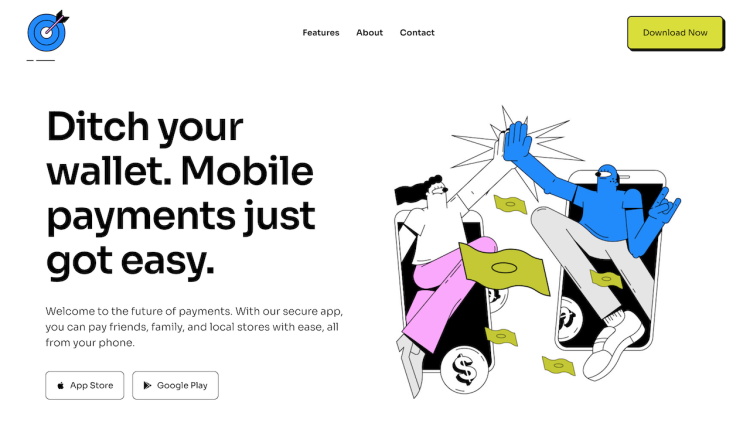
Top Tip: Hello Biz is best used when Elementor is responsible for most of the design, and the theme’s role is to stay lightweight and predictable.
How Hello Biz works with Elementor
Hello Biz is designed specifically to work with Elementor and follows a minimal theme structure. It provides a clean foundation that allows Elementor to control page layouts, sections, and widgets without interference from heavy theme styling.
Notable features in the free version
The free version of Hello Biz includes responsive design, basic layout support, and compatibility with Elementor’s editor. It is intended as a starting point for business websites that rely on Elementor for visual customization.
Performance and scalability
Hello Biz is built with performance in mind, using a lightweight codebase that minimizes unnecessary assets. This approach helps maintain fast load times as business websites grow in pages and content.
Customization and layout control
Customization is primarily handled through Elementor rather than theme settings. The theme avoids imposing design constraints, making it easier to maintain consistent layouts across pages created with Elementor.
Pros and cons
The main advantage of Hello Biz is its tight integration with Elementor and minimal overhead. A limitation is that it offers fewer built-in design options on its own, which means most styling work is done inside Elementor.
Pro pricing overview
Hello Biz is available as a free theme through WordPress.org. Additional functionality and advanced design capabilities are typically achieved through Elementor and related extensions rather than theme-based upgrades.
- Hello Biz: Free theme
- Elementor Pro: Upgrade to Elementor Pro. Checkout our Elementor Free vs Pro
Best fit for business site types
Hello Biz is well suited for service-based businesses, agencies, and professionals who want full control over page design using Elementor without added complexity from the theme layer.
Hello Biz is designed as a lightweight, business-focused foundation for sites built entirely with Elementor. It minimizes theme-level styling so landing pages, service pages, and marketing layouts can be controlled visually, making it suitable for businesses that want maximum design freedom with minimal overhead.
Astra
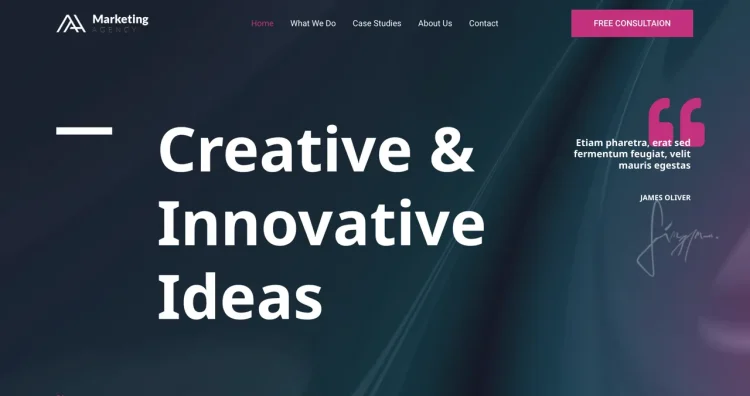
Top Tip: Astra works well for business websites that want strong layout control without sacrificing performance.
How Astra works with Elementor
Astra is built to integrate smoothly with Elementor by keeping its core styling lightweight and predictable. It allows Elementor to handle page-level layouts while the theme manages global structure, navigation, and typography defaults.
Notable features in the free version
The free version of Astra includes responsive layouts, multiple layout options, and compatibility with Elementor and other page builders. It provides enough flexibility to build professional business pages without requiring immediate upgrades.
Performance and scalability
Astra is designed with performance in mind and uses a streamlined codebase to reduce overhead. This makes it suitable for business websites that expect to grow in content, traffic, and functionality over time.
Customization and layout control
Customization is available through the WordPress Customizer, where users can adjust layout width, headers, footers, colors, and typography. These settings work alongside Elementor layouts to maintain consistent branding across the site.
Pros and cons
Astra’s strengths include flexibility, performance, and broad compatibility with Elementor. A potential limitation is that some advanced layout and design options are reserved for the Pro version.
Pro pricing overview
Astra is available as a free theme from WordPress.org, with optional Pro plans that unlock additional customization controls, layout options, and advanced features for business websites.
- Astra: Free version available
- Astra Pro: Paid plans starting from $69 per year, with lifetime licensing options available
Starter templates and setup speed
Astra offers starter templates designed for business use, which can speed up initial setup and provide a practical starting structure before refining layouts with Elementor.
Astra is a flexible and widely adopted theme for business websites that use Elementor for page building. Its structured defaults handle headers, layouts, and typography reliably, while Elementor is used to create custom sales pages, service sections, and conversion-focused content.
Blocksy

Top Tip: Blocksy is a strong option if your business website needs flexible headers and precise layout control alongside Elementor.
How Blocksy works with Elementor
Blocksy is designed to work smoothly with Elementor by providing a modern theme structure that avoids interfering with page-level layouts. Elementor handles content design, while Blocksy manages global elements such as headers, footers, and layout structure.
Notable features in the free version
The free version of Blocksy includes responsive layouts, advanced header options, and flexible layout controls. It provides a solid set of features for building professional business websites without requiring immediate upgrades.
Performance and scalability
Blocksy is built with performance in mind and uses a lightweight architecture. Its approach helps maintain fast load times and reliable behavior as business websites expand in size and complexity.
Customization and layout control
Customization is handled through the WordPress Customizer, offering granular control over layout spacing, headers, colors, and typography. These controls complement Elementor’s page builder without creating conflicts.
Pros and cons
Blocksy’s strengths include flexible header systems and modern layout controls that suit business websites. A potential limitation is that some advanced design and layout options are available only in the Pro version.
Pro pricing overview
Blocksy is available as a free theme from WordPress.org. Optional Pro plans unlock additional customization features, enhanced layouts, and advanced header and footer options.
- Blocksy: Free version available
- Blocksy Pro: Paid plans starting from $69 per year, with lifetime licensing options available
Header and navigation strengths
Blocksy’s header builder allows businesses to create clear navigation structures and calls to action, which is particularly useful for service-oriented and lead-focused websites.
Blocksy provides advanced layout and styling controls that translate well to professional business websites built with Elementor. Its theme-level design options help maintain visual consistency across pages, reducing the need for repetitive per-page adjustments.
Kadence

Top Tip: Kadence is a good choice when your business website needs consistent global styling alongside Elementor layouts.
How Kadence works with Elementor
Kadence is built to integrate cleanly with Elementor by keeping page-level design separate from global site structure. Elementor handles layout and content design, while Kadence manages headers, footers, and site-wide styling.
Notable features in the free version
The free version of Kadence includes responsive layouts, a flexible header builder, and core customization options through the WordPress Customizer. These features support professional business websites without requiring immediate upgrades.
Performance and scalability
Kadence uses a lightweight framework designed to maintain performance as content and functionality grow. This makes it suitable for business websites that need stability over time.
Customization and layout control
Customization options include global typography, color controls, layout spacing, and header configurations. These settings work alongside Elementor to ensure consistent branding across all pages.
Pros and cons
Kadence offers strong global design controls and a clean integration with Elementor. A limitation is that some advanced layout and design features are available only in the Pro version.
Pro pricing overview
Kadence is available as a free theme from WordPress.org, with optional Pro plans that unlock advanced layout options, additional header features, and extended customization controls.
- Kadence: Free version available
- Kadence Pro: Paid plans starting from $69 per year, with bundle options available
Global design controls for business sites
Kadence’s global styling system helps businesses maintain consistent typography, colors, and spacing across large sites built with Elementor.
Kadence is well suited to business sites that need consistent branding, typography, and spacing across many pages. It works smoothly with Elementor by handling global styles at the theme level, allowing Elementor to focus on page layouts and interactive sections.
Stockist
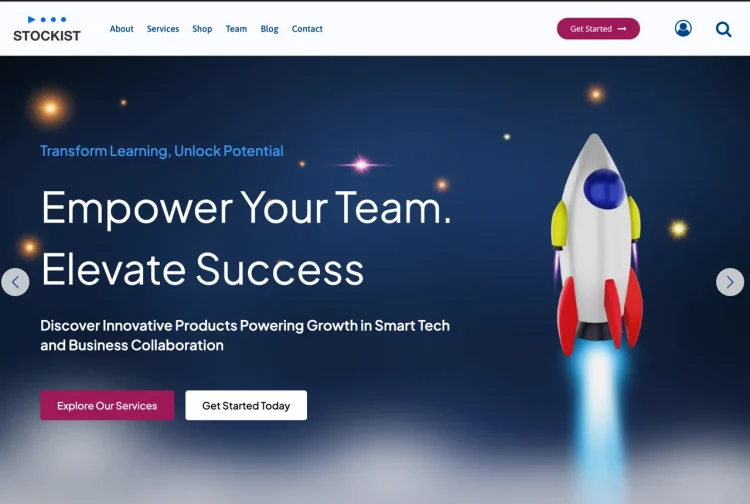
Top Tip: Stockist is a strong option for businesses that want a design-led presentation while using Elementor for page layouts.
How Stockist works with Elementor
Stockist is designed to work alongside Elementor by providing a structured but visually focused theme foundation. Elementor handles page-level layouts and content sections, while Stockist applies its design system to global elements such as typography and spacing.
Stockist is a modern WordPress theme that has recently been reworked with a stronger focus on structure, performance, and practical layouts. While it is less widely adopted than some long-standing themes, its current design direction aligns well with the needs of professional business websites.
Recent updates have improved Stockist’s performance profile and overall consistency. The theme now follows a more lightweight approach, which supports smoother page editing and predictable behaviour when layouts are adjusted using Elementor.
Notable features in the free version
The free version of Stockist includes responsive layouts, multiple starter designs, and compatibility with popular page builders, including Elementor. It provides a flexible starting point for business websites that prioritize visual presentation.
Performance and scalability
Stockist is built with a balanced approach to design and performance. Its structure supports business websites that grow in content without adding unnecessary complexity to the underlying theme.
Customization and layout control
Customization options are available through the WordPress Customizer and supported page builders. Users can adjust colors, typography, and layout spacing while relying on Elementor for detailed page design.
Pros and cons
Stockist’s strengths include polished design and flexibility for branding-focused business sites. A limitation is that it is not as minimal as some performance-first themes, which may matter for highly stripped-down builds.
Pro pricing overview
Stockist is available as a free theme from WordPress.org. Optional premium upgrades unlock additional layouts, enhanced design options, and extended customization features.
- Stockist: Free version available
- Stockist Pro: Paid plans starting from $69 per year, with lifetime licensing options available
Best fit for visual-first businesses
Stockist is well suited for creative businesses, studios, and brands that want a strong visual identity while retaining the flexibility of Elementor for page layouts.
Stockist emphasizes clean design and strong visual presentation, making it a good fit for brand-driven business websites. When paired with Elementor, it allows businesses to enhance key pages while maintaining a polished, consistent look across the site.
Zakra
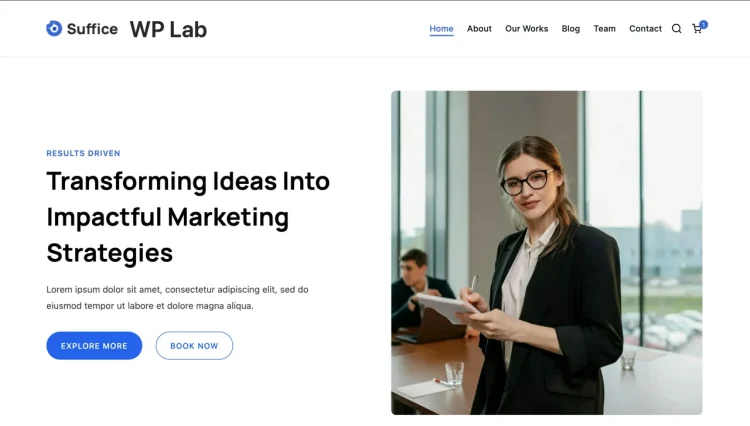
Top Tip: Zakra is a practical choice if you want starter layouts for business pages while relying on Elementor for detailed customization.
How Zakra works with Elementor
Zakra is built to integrate cleanly with Elementor by keeping its theme styling flexible and standards-based. Elementor manages page-level layouts and content sections, while Zakra handles global structure such as headers, footers, and typography defaults.
Notable features in the free version
The free version of Zakra includes responsive layouts, multiple starter sites, and compatibility with Elementor. These features provide a usable foundation for building professional business websites without immediate upgrades.
Performance and scalability
Zakra uses a lightweight framework designed to maintain stable performance as business sites grow in content and complexity. Its structure supports common business use cases without adding unnecessary overhead.
Customization and layout control
Customization options are available through the WordPress Customizer, including layout width, colors, typography, and header settings. These controls work alongside Elementor to maintain consistent branding across pages.
Pros and cons
Zakra’s strengths include flexibility through starter layouts and reliable Elementor compatibility. A limitation is that more advanced customization options and design controls are reserved for premium plans.
Pro pricing overview
Zakra is available as a free theme from WordPress.org. Optional Pro upgrades unlock additional layouts, advanced customization options, and extended design features.
- Zakra: Free version available
- Zakra Pro: Paid plans starting from $69 per year, with lifetime licensing options available
Starter templates for business use
Zakra’s starter templates make it easier to launch business websites quickly, providing a structured starting point that can be refined with Elementor as requirements evolve.
Zakra provides flexible starter layouts that can help businesses launch quickly. Its compatibility with Elementor allows teams to refine layouts and branding over time while keeping a stable and manageable site structure.
OceanWP
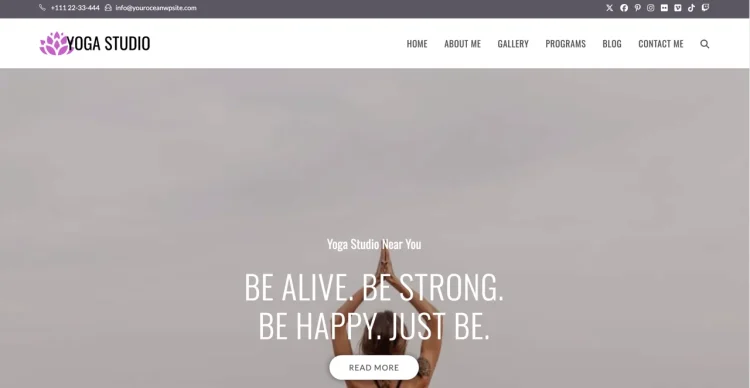
Top Tip: OceanWP works best when you activate only the features your business website actually needs.
How OceanWP works with Elementor
OceanWP is designed to integrate with Elementor by offering a flexible theme framework that avoids interfering with page-level layouts. Elementor handles visual design, while OceanWP provides global structure, navigation, and layout settings.
Notable features in the free version
The free version of OceanWP includes responsive layouts, basic header and footer options, and compatibility with Elementor. It provides a wide range of configuration options suitable for building professional business websites.
Performance and scalability
OceanWP uses a modular approach that allows features to be enabled or disabled as needed. This helps maintain performance and stability as business websites grow in size and complexity.
Customization and layout control
Customization is handled through the WordPress Customizer, offering controls for layout width, typography, colors, and navigation. These settings complement Elementor’s page builder without overriding page designs.
Pros and cons
OceanWP’s strengths include flexibility and a broad feature set. A limitation is that its wide range of options can feel complex for users who prefer a minimal setup.
Pro pricing overview
OceanWP is available as a free theme from WordPress.org. Premium extensions and plans are offered to unlock additional features, advanced customization options, and extended functionality.
- OceanWP: Free version available
- OceanWP Pro: Paid plans starting from $69 per year, with bundle options available
Useful extensions for business sites
OceanWP’s optional extensions allow businesses to tailor functionality to their needs, making it suitable for a wide range of business website types when configured carefully.
OceanWP offers extensive customization options that can support complex business websites when used selectively. Elementor integrates well for building custom pages, while the theme’s modular approach helps manage features as the site grows.
Sydney
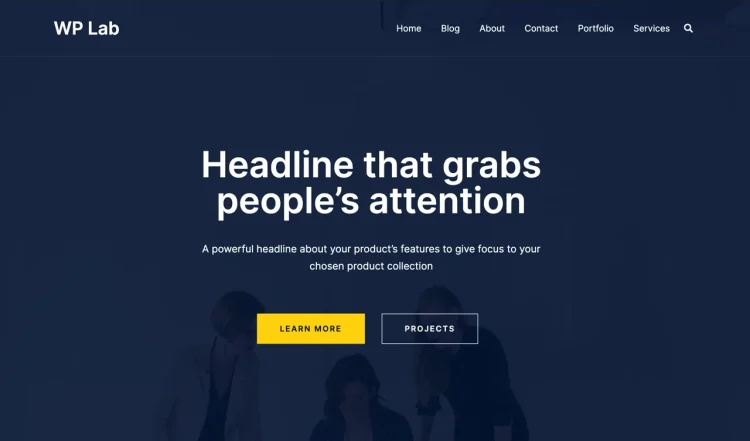
Top Tip: Sydney is a solid option for service-based businesses that want clear sections and straightforward layout control.
How Sydney works with Elementor
Sydney is designed to work alongside Elementor by providing a business-focused theme structure that supports visual page building. Elementor handles page layouts and content sections, while Sydney manages global styling and layout consistency.
Notable features in the free version
The free version of Sydney includes responsive layouts, basic header options, and compatibility with Elementor. It provides enough flexibility to build professional business websites without advanced configuration.
Performance and scalability
Sydney uses a streamlined structure intended to support reliable performance for standard business websites. Its layout approach remains stable as content and pages are added.
Customization and layout control
Customization is handled through the WordPress Customizer, with options for layout settings, typography, and colors. These controls complement Elementor’s page builder for consistent design.
Pros and cons
Sydney’s strengths include simplicity and business-oriented layouts. A limitation is that deeper customization options and advanced controls are available only in the Pro version.
Pro pricing overview
Sydney is available as a free theme from WordPress.org. Optional Pro upgrades unlock additional layout options, enhanced customization controls, and extended design features.
- Sydney: Free version available
- Sydney Pro: Paid plans starting from $69 per year, with lifetime licensing options available
Best fit for agencies and service businesses
Sydney is well suited for agencies, consultants, and service-based businesses that want a clean, professional structure without excessive theme complexity.
Sydney is designed for business and corporate websites, providing a strong structural foundation for Elementor-powered layouts. It supports clear page hierarchy and visual emphasis, which helps businesses communicate services and brand messaging effectively.
Inspiro
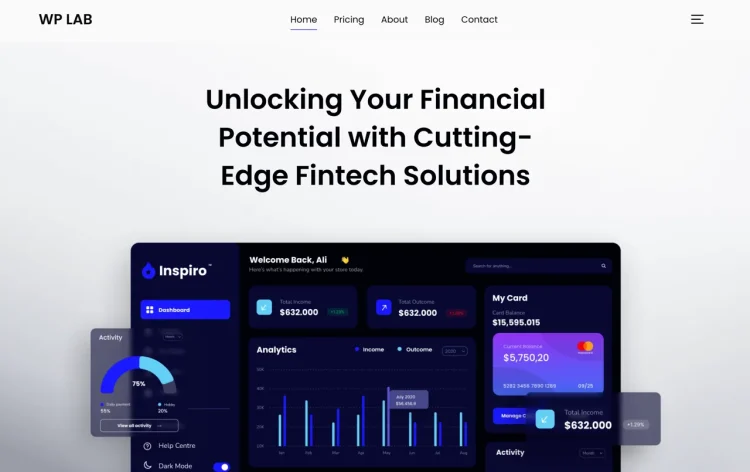
Top Tip: Inspiro is best suited for businesses that rely on strong visuals and want Elementor to handle custom page layouts.
How Inspiro works with Elementor
Inspiro is designed to integrate with Elementor by keeping page-level design flexible while the theme manages overall layout structure. Elementor is used to build custom sections and layouts, while Inspiro provides consistent styling and navigation.
Notable features in the free version
The free version of Inspiro includes responsive layouts, media-focused design elements, and compatibility with Elementor. It offers a solid foundation for business websites that emphasize visual presentation.
Performance and scalability
Inspiro is built to support visually rich websites while maintaining stable performance. Its structure allows business sites to grow in content and media without disrupting layout consistency.
Customization and layout control
Customization options are available through the WordPress Customizer, including layout settings, typography, and colors. These controls work alongside Elementor to maintain branding across pages.
Pros and cons
Inspiro’s strengths include strong visual presentation and flexible layouts for branding-focused businesses. A limitation is that some advanced design controls and layout options are available only in the Pro version.
Pro pricing overview
Inspiro is available as a free theme from WordPress.org. Optional Pro upgrades unlock additional design features, layout options, and extended customization tools.
- Inspiro: Free version available
- Inspiro Pro: Paid plans starting from $69 per year, with lifetime licensing options available
Best fit for visual and portfolio-driven businesses
Inspiro is well suited for creative agencies, studios, and businesses that rely on imagery and media to communicate their brand.
Inspiro is a visually oriented theme that works well for businesses that rely on imagery and media to tell their story. Combined with Elementor, it allows for engaging presentations while maintaining consistent page structure across the site.
How to Choose the Right Elementor Theme for Your Business Website
Top Tip: Choose a theme that handles structure and consistency well, then let Elementor manage page-level design.
Selecting the right Elementor theme for a business website starts with understanding the division of responsibilities. Elementor is designed for building page layouts and content sections, while the theme controls the site’s structure, navigation, and global styling. A good match keeps these roles clearly separated.
From a business perspective, look for a theme that provides clean defaults and predictable behavior. This includes stable headers and footers, sensible typography settings, and responsive layouts that work across devices without additional configuration.
Performance should also be part of the decision. Lightweight themes tend to scale better as business websites grow in content and functionality, especially when combined with a page builder. Avoid themes that add unnecessary styling or features you do not plan to use.
Finally, consider long-term maintainability. Business websites evolve over time, and themes that follow WordPress standards and integrate cleanly with Elementor are easier to update, extend, and manage as requirements change.
Conclusion
Top Tip: The best Elementor theme is the one that stays predictable as your business website grows and changes.
Choosing an Elementor theme for a business website is less about visual flair and more about long-term reliability. Elementor gives you flexibility at the page level, but the theme determines how consistently your site holds together as you add pages, refine messaging, and expand functionality.
The themes covered in this guide are all suitable starting points for business websites built with Elementor. Some prioritize performance and minimalism, while others offer more built-in structure and design controls. The right choice depends on how much you want the theme to do versus how much you plan to handle inside Elementor.
If you want to understand how Elementor fits into a professional WordPress setup over time, see How Elementor Fits into Professional WordPress Sites. For a broader look at theme choices beyond this list, you may also find Best WordPress Themes for Elementor Users in 2026 helpful.
Taking time to test themes with real business pages and workflows is usually the fastest way to identify the option that will remain stable, flexible, and easy to manage as your site evolves.
Frequently Asked Questions
Q: Can I build a professional business website using Elementor with a free theme?
A: Yes. Many free themes on WordPress.org are designed to work well with Elementor and provide enough structure to build professional business websites, especially for service pages, landing pages, and basic company sites.
Q: Do Elementor themes limit what I can design with the page builder?
A: A well-built Elementor-compatible theme should not limit page design. The theme handles global structure like headers and typography, while Elementor controls page layouts and content sections.
Q: Is a lightweight theme better for Elementor business websites?
A: In most cases, yes. Lightweight themes tend to introduce fewer styling conflicts and scale better as business websites grow in content and functionality.
Q: Should I choose a theme with built-in demos or start from a blank layout?
A: Both approaches work. Starter demos can speed up initial setup, while minimal themes offer more control if you prefer building layouts entirely with Elementor.
Q: Can I switch Elementor themes later without rebuilding my pages?
A: Elementor pages are stored as WordPress content, so switching themes usually preserves page layouts. However, headers, footers, and global styling may need adjustment after a theme change.
Q: What pages should I test before committing to an Elementor theme?
A: Test your homepage, a service or landing page, and any global elements like headers and footers to ensure the theme works smoothly with your Elementor workflow.