
Elementor for Business Websites: Is It Suitable?
Yes — Elementor is a solid fit for business websites when the goal is to build and maintain a professional WordPress site that supports real business activity over time. It is widely used in commercial contexts because it goes beyond visual editing and provides a mature capability layer for structure, workflows, and site-wide consistency.
From a business perspective, Elementor’s value comes from how it scales with complexity. As sites grow to include services, products, marketing campaigns, and team-managed content, Elementor supports consistent layouts, reusable templates, and structured user journeys without disrupting WordPress’s core publishing model.
Elementor has also demonstrated longevity within the WordPress ecosystem. Its ongoing development, broad adoption across agencies and businesses, and strong reputation among professional users contribute to its suitability for long-term projects where stability and support matter.
This makes Elementor especially relevant for business sites that expect change: evolving messaging, new offerings, expanded content, or collaboration across roles. Layout and experience can adapt without requiring a rebuild or a shift away from WordPress fundamentals.
If you want a deeper understanding of how Elementor works overall, see What Is Elementor. For a broader comparison of approaches, Elementor vs Traditional WordPress Building provides additional context. If your primary focus is content publishing, Is Elementor Good for Blogging explores Elementor in that use case.
Top Tip: Elementor is best evaluated as a long-term platform for business sites, not just a tool for designing individual pages.
For readers assessing whether Elementor’s advanced capabilities align with professional site requirements, reviewing the available feature set can help clarify scope and fit: Explore Elementor on the official website.
🎯 Who This Guide Is For: Business owners, agencies, and WordPress users evaluating Elementor as a long-term solution for professional, evolving websites.
⏸ Who This Guide May Not Be Ideal For: Sites that expect to remain static, rely entirely on theme defaults, or do not require structured layouts or ongoing updates.
What Defines a Professional Business WordPress Site
What “professional” means in practice: A professional business website emphasizes clarity, trust, and consistency. Visitors should quickly understand what the business offers and what action to take next.
Core requirements businesses tend to care about: Reliable performance, consistent branding, and predictable user experience all contribute to trust. Many businesses also evaluate sites using usability and accessibility fundamentals such as those outlined by the Nielsen Norman Group.
Where page builders fit into that picture: Page builders are often introduced when theme defaults become limiting. Their role is to provide shared layout control across key areas of the site.
Top Tip: Business sites feel more professional when layout decisions are centralized instead of handled page by page.
At this stage, tools that support reusable templates and site-wide updates are typically reviewed in more detail: view the available layout and template tools.
How Elementor Fits Into Modern Business Website Structures
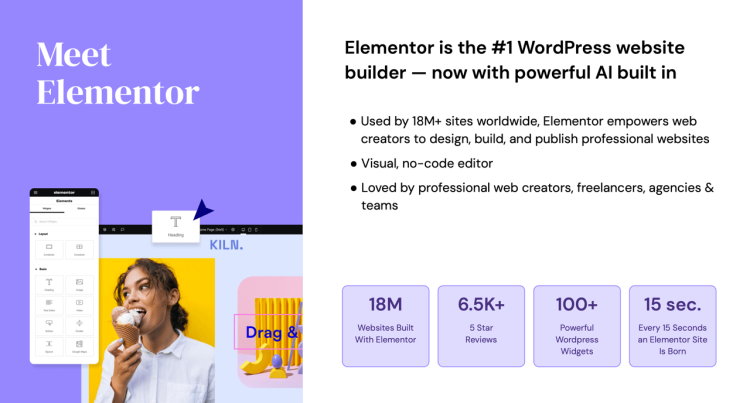
Elementor as a capability layer across the site: In professional WordPress sites, Elementor works as a layer that shapes how content, templates, and shared sections are presented. WordPress manages content and data, while Elementor helps standardize layout and structure across key areas of the site.
How advanced features support business needs: Theme Builder and Dynamic Content allow headers, footers, and templates to follow consistent rules while adapting automatically to WordPress data.
Marketing and interaction support: Built-in form and popup tools support lead capture, announcements, and contextual calls to action that remain aligned with the site’s layout.
Features that support growth and maintenance: Cloud templates, collaboration tools, custom code options, ecommerce integrations, and access to priority support become relevant as sites take on a more central business role.
Top Tip: These tools are most effective when they replace multiple separate plugins with a single, coordinated system.
For readers assessing whether these capabilities match their site structure, reviewing the complete toolset can help clarify fit: explore the full capability set.
What Businesses Actually Need From a Page Builder
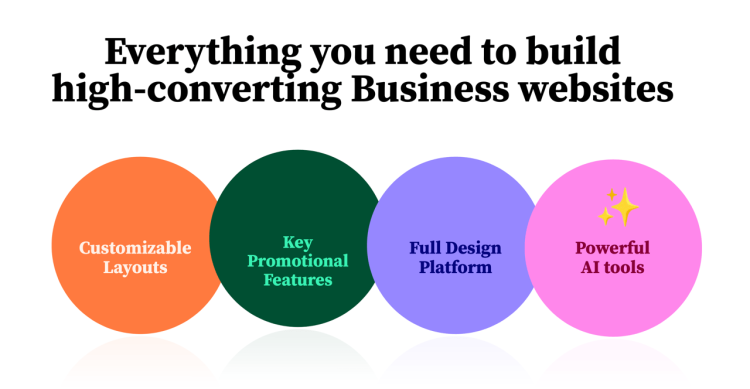
Marketing and lead-generation capabilities: Business websites frequently rely on integrated forms and on-site messaging to support contact capture, announcements, and campaign activity.
Commerce-focused page structures: Sites offering products, services, or subscriptions often pair Elementor with platforms such as WooCommerce to maintain consistent layouts across product and conversion-focused pages.
Dynamic and data-driven layouts: Connecting layouts to WordPress data allows listings, catalogs, and structured content to stay current without manual redesign.
Operational tools for collaboration and scale: Reusable templates, shared layout libraries, collaboration notes, controlled code access, and reliable support all contribute to smoother long-term operation.
As a concrete example, a service-based business might use shared templates for offering pages, dynamic content for case studies, and integrated forms for enquiries, allowing marketing updates without altering layout or structure.
Top Tip: A page builder adds the most value when it supports marketing, sales, and operations as part of one system.
If these use cases align with how your site operates, it can be helpful to review how they are handled within Elementor’s advanced tooling: see how these features are implemented.
Elementor Free vs Pro for Business Websites
Where the free version typically fits: The free version supports visual editing for individual pages and can work for simple sites that rely on theme-provided structure.
Where limitations appear as sites grow: As layout consistency, marketing tools, and reusable templates become important, managing everything manually becomes more difficult.
What the paid feature set adds: Full template control, dynamic content, marketing tools, ecommerce support, reusable cloud assets, and collaboration features support more structured business workflows.
How to evaluate fit: The decision usually depends on how central the website is to business operations and how often layouts, campaigns, or offerings change.
Top Tip: The paid version becomes more relevant as a site moves from static presence to an actively managed business platform.
For a clearer comparison between what’s included at each level, reviewing the official plan details can help set expectations: compare versions and features.
Team Workflows, Roles, and Usage
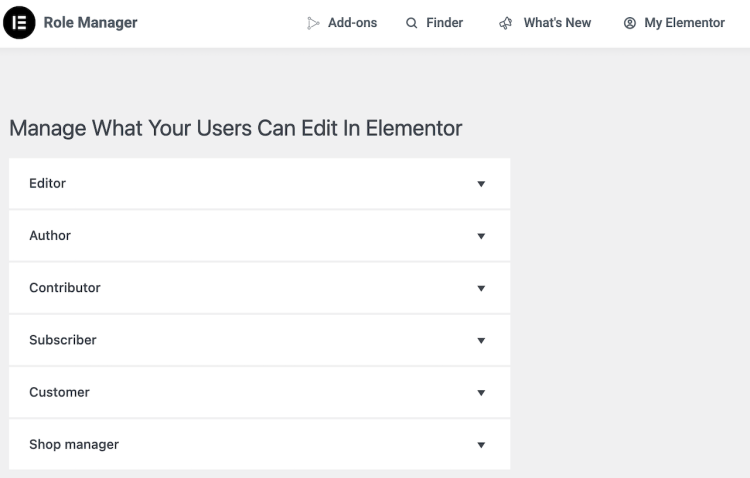
How different roles interact with the site: Business websites are often touched by more than one role over time. Content editors update pages and publish content, marketers adjust messaging and campaign elements, and developers or technical owners maintain structure and integrations.
Guardrails that help maintain consistency: Shared templates, global styles, and controlled editing areas make it easier to protect layout and branding as multiple people work on the site.
Practical collaboration over time: Reusable templates, collaborative notes, and centralized layout controls support clearer handoffs between roles.
Top Tip: Business sites tend to stay more stable when content updates and layout control are clearly separated.
For sites that involve multiple contributors or ongoing updates, it can be helpful to review how these collaboration and workflow features are handled: see how collaborative workflows are supported.
Performance, Scalability, and Maintenance Considerations
Performance as a product of structure and discipline: Performance outcomes are influenced by how layouts are structured and reused. Centralized templates and consistent patterns help keep front-end output predictable.
Scaling without multiplying complexity: Reusable templates and dynamic content allow new pages or sections to be added without increasing maintenance overhead.
An important constraint to consider: Elementor works best when layout rules are defined early and protected over time. Without clear guardrails, flexibility can introduce inconsistency and performance overhead.
Top Tip: Fewer, well-defined templates are usually easier to maintain and optimize than many custom layouts.
If performance and long-term maintenance are key concerns, reviewing how centralized update features work can help clarify expectations: explore performance and maintenance-related features.
How Elementor Compares Conceptually to Other Approaches
Visual-first versus block-first workflows: Elementor follows a visual-first approach, where layouts are adjusted in the context of how pages appear to visitors.
Flexibility versus opinionated structure: Elementor offers broader flexibility, allowing businesses to shape pages around specific goals when structure and consistency are defined intentionally.
How these choices affect long-term workflows: Visual-first systems adapt quickly as requirements change, while more opinionated systems emphasize predefined patterns.
Top Tip: The most suitable approach is usually the one that aligns with how the site will be updated and maintained over time.
If you are comparing different site-building philosophies, reviewing how Elementor’s approach maps to your workflow can help clarify fit: see how this approach is implemented in practice.
When Elementor Is a Strong Fit for Business Websites
Sites that rely on integrated marketing and conversion tools: Elementor aligns well with websites that actively support lead generation, communication, and on-site engagement through forms, popups, and dynamic elements.
Businesses managing structured offerings: Elementor fits best when products, services, or resources follow repeatable patterns that benefit from dynamic content and shared templates.
Websites with ongoing operational demands: Elementor is a strong option when a site supports onboarding flows, gated resources, client-facing areas, or campaign-driven updates that require reuse and coordination.
Top Tip: Elementor is most effective when a website is actively maintained and plays a direct role in business operations.
If your site depends on integrated marketing, dynamic content, and reusable systems, reviewing how these capabilities are handled can help validate alignment: explore the business-focused feature set.
Final Thoughts: Elementor as a Business Tool
Elementor as a platform with multiple systems: Elementor operates as a collection of connected tools. Layout control, dynamic content, marketing features, and reusable assets support how a site functions over time.
Where long-term value tends to come from: Templates, integrated forms, and centralized controls support regular updates to messaging, offerings, and workflows without rebuilding core structures.
Evaluating fit based on real usage: The decision often depends on how closely the website supports business activity across marketing, sales, communication, or operations.
For additional context, you may find it helpful to explore What Is Elementor, Elementor vs Traditional WordPress Building, and Is Elementor Good for Blogging.
Top Tip: Elementor delivers the most value when it supports how a site evolves over time.
If you want to explore the full range of business, marketing, and integration tools available, you can review Elementor’s feature set and pricing here: explore Elementor Pro features and plans.
Frequently Asked Questions
Q: Is Elementor suitable for business websites?
A: Elementor can work well for business websites that need consistent layouts, integrated marketing tools, and the ability to update structure over time.
Q: Do business websites need Elementor Pro?
A: Elementor Pro becomes relevant when a business site requires templates, dynamic content, forms, popups, ecommerce features, or reusable layouts.
Q: Can Elementor support marketing and lead generation?
A: Yes. Elementor includes tools such as forms and popups that are commonly used for contact capture, announcements, and gated resources.
Q: Is Elementor useful for product- or service-based businesses?
A: Elementor supports structured presentation of offerings through templates, dynamic content, and ecommerce-related features.
Q: How does Elementor handle performance and scalability?
A: Performance and scalability depend on how Elementor is used. Centralized templates and disciplined structure help keep sites easier to optimize.
Q: Does Elementor replace a WordPress theme?
A: No. Elementor works alongside a WordPress theme, which provides the foundation while Elementor controls layout and presentation.