Top Tip: A robust WooCommerce Elementor theme should feel invisible: fast-loading, layout-stable, and predictable across shop, product, and checkout pages.
What this guide helps you do. Choosing the right WooCommerce Elementor WordPress theme directly affects how quickly you can build, customize, and scale an ecommerce site. This guide compares themes that are designed to work cleanly with WooCommerce while giving Elementor the flexibility it’s known for — without layout conflicts, styling hacks, or unnecessary performance overhead.
WooCommerce and Elementor in practice. WooCommerce powers the ecommerce engine: products, cart, checkout, payments, shipping, and core store pages. Elementor focuses on visual design and layout. When a theme supports both properly, WooCommerce templates remain stable and Elementor edits stay consistent, making it easier to design product pages, landing pages, and promotional sections without breaking store functionality.
What “WooCommerce Elementor theme” actually means. In practice, the best WooCommerce Elementor WordPress themes provide clean WooCommerce templates, sensible defaults for typography and spacing, and enough layout control to keep your store visually consistent.
New to Elementor? If you want a quick, plain-English explanation of how the builder works and when it makes sense to use it, see What Elementor Really Is and Where It Fits in WordPress.
If Elementor isn’t your priority. If your focus is purely on WooCommerce and you’re less concerned with visual page building, you may prefer this comparison instead: Best WooCommerce WordPress Themes.
What’s coming next. The next section gives a quick comparison overview to help you narrow your shortlist, followed by detailed, side-by-side theme reviews using the same evaluation criteria throughout.
Quick Comparison Overview
The table below highlights how each theme approaches WooCommerce layout, structure, and styling at a high level for reference.
| Theme | Pricing | WooCommerce highlights |
|---|---|---|
| Astra | Free or from $69/year | Lightweight, modular WooCommerce foundation with predictable templates and strong long-term performance. |
| Kadence | Free or from $69/year | Structured WooCommerce layouts with strong theme-level controls for headers, typography, and global styling. |
| Woostify | Free or from $49/year | WooCommerce-focused theme designed to keep store layouts lean, fast, and conversion-friendly. |
| OceanWP | Free or from $44/year | Feature-rich WooCommerce support with flexible shop and product templates that can be extended as needed. |
| Stockist | Free or from $40/year | Clean, performance-focused WooCommerce layouts with an emphasis on clarity and product presentation. |
| Botiga | Free or from $79/year | Modern WooCommerce styling with clean product and shop layouts designed for clarity and presentation. |
| Blocksy | Free or from $69/year | Flexible WooCommerce templates with advanced layout and styling options built into the theme. |
| Zakra | Free or from $69/year | Multipurpose WooCommerce support with clean defaults and adaptable layouts for different store types. |
| Envo Royal | Free or from $49/year | WooCommerce-ready theme offering straightforward shop and product layouts for quick store setup. |
| Royal Elementor Kit | Free or from $39.99/year | WooCommerce-compatible theme designed to work smoothly with page builders while keeping store structure intact. |
- How to use this overview. Each theme supports WooCommerce and can be paired with Elementor, but they differ in how much layout and styling they handle at the theme level.
- What varies. Some themes provide more WooCommerce structure out of the box, while others stay lean and leave more decisions to page builders.
- Shortlisting. Use this table to narrow down themes that align with how you prefer to balance theme defaults and custom design work.
Top Tip: Start by deciding how much WooCommerce layout control you want the theme to provide before relying on Elementor for customization.
Why Theme Choice Matters for WooCommerce Elementor Sites

- Performance and buying flow. Your theme loads global styles, templates, and scripts that affect key WooCommerce pages such as the shop, product, cart, and checkout. Each of these best Elementor WooCommerce themes helps keep these pages fast, predictable, and easy to navigate, which supports smoother purchasing journeys.
- Design consistency and control. Elementor manages page-level layout, while the theme defines the underlying structure of WooCommerce templates. Themes that work cleanly alongside Elementor help preserve design consistency and reduce friction when customizing product and shop layouts.
- Long-term stability. Themes that follow standard WordPress and WooCommerce practices are easier to maintain as stores grow. This makes updates, refinements, and future changes more manageable as both WooCommerce and Elementor continue to evolve.
Top Tip: Even when Elementor is used for layout and design, the theme still plays a central role in how WooCommerce pages behave.
How to Choose the Right WooCommerce Elementor Theme for Your Store
- Clarifying your store requirements. Start with the core WooCommerce pages — shop, product, cart, and checkout—and confirm the theme handles these templates cleanly without forcing custom overrides or workarounds.
- Balancing Elementor flexibility with theme structure. Elementor manages page-level design, while the theme controls global layout and template behavior. A well-matched theme helps Elementor scale cleanly as WordPress sites grow, reducing friction when adding new products, pages, or features.
- Planning for growth and maintenance. Themes that follow standard WordPress conventions and integrate smoothly with WooCommerce and Elementor are easier to update, extend, and maintain over time.
Top Tip: Prioritize WooCommerce template compatibility first, then evaluate how the theme supports Elementor as your site evolves.
How These WooCommerce Elementor Themes Were Evaluated
- Testing environment and assumptions. Evaluation focused on standard WordPress setups using WooCommerce for core ecommerce functionality and Elementor for page building, without relying on proprietary builders or non-standard workflows. Where Elementor-specific WooCommerce features were referenced, it was assumed that the reader either uses or is considering Elementor Pro, as advanced WooCommerce widgets and template controls are available in the Elementor Pro edition.
- Core evaluation criteria. Themes were assessed on how cleanly they integrate with WooCommerce templates and whether they follow established WordPress theming practices.
- What was intentionally excluded. Demo content quality, marketing claims, and third-party add-ons were not used as primary decision factors.
Note: This evaluation reflects a limited hands-on test of specific features and workflows, rather than an exhaustive comparison of each theme.
Top Tip: The real value added by a WooCommerce theme shows up on e-commerce pages, not just on the homepage.
Elementor Free vs Pro - What to Expect From The Best WooCommerce Elementor Themes

- Capabilities of free versions. Free WooCommerce-compatible themes typically provide core store templates, basic styling, and compatibility with Elementor for page editing, making them suitable for small or early-stage stores.
- Typical Pro-only features. Pro versions often add advanced WooCommerce layout options, deeper customization controls, and extended design settings that reduce reliance on custom code or additional plugins.
- Deciding when to upgrade. Upgrading usually makes sense when the free version no longer supports a specific project requirement - for example, when you need greater control over third-party integrations, product pages, shop layouts, or global styling, or when Elementor’s advanced features, outlined in Elementor Free vs Pro, become part of your regular workflow.
Astra
Top Tip: Astra is a strong choice if you want a fast, well-structured WooCommerce theme that remains adaptable as your store and design needs change.
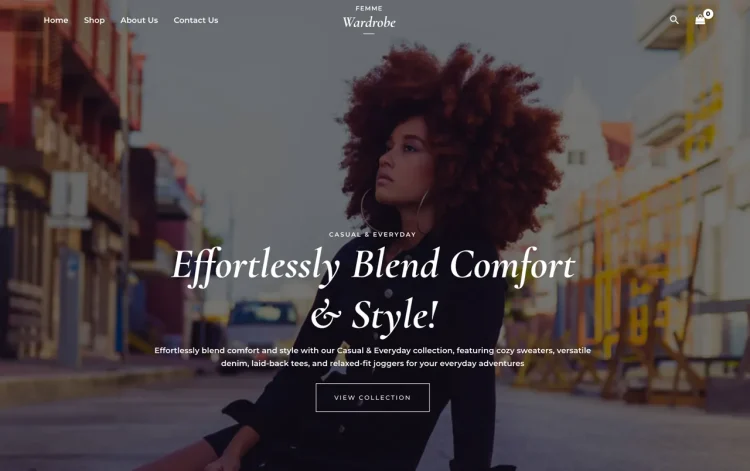
Astra is widely recognised for its lightweight build and modular approach to theme design. It provides a clean and predictable foundation for WordPress and WooCommerce sites, avoiding heavy styling or unnecessary complexity. This makes it suitable for a broad range of ecommerce projects, from straightforward product catalogs to more involved online stores.
In WooCommerce contexts, Astra delivers clear and consistent default layouts for shop archives and product pages. These layouts follow familiar conventions that support usability and readability, while remaining visually neutral enough to accommodate different branding directions. The emphasis is on structure, clarity, and performance rather than imposing a particular design style.
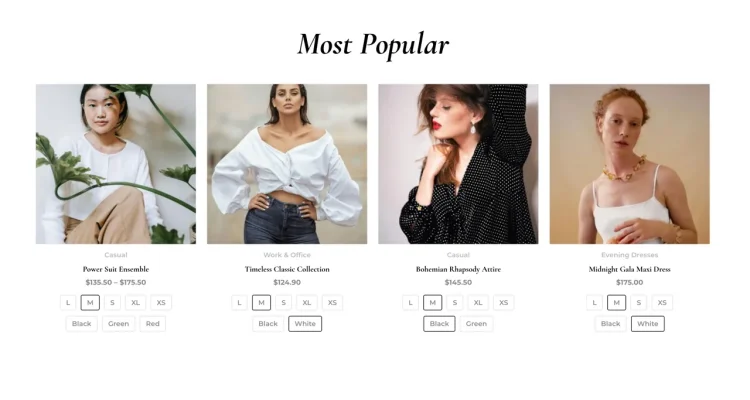
Because Astra is designed to be flexible and non-opinionated, it integrates smoothly with page builders such as Elementor. Store owners can adjust layouts, refine presentation, or introduce new design patterns without the theme becoming a limiting factor. This allows design decisions to evolve alongside business goals without requiring a change of theme.
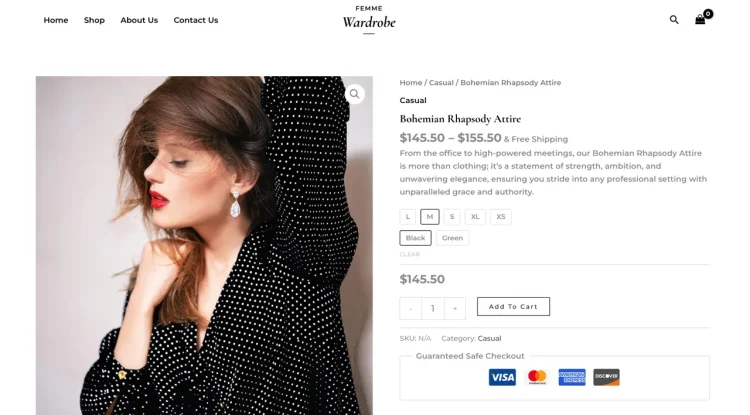
At the same time, Astra’s lightweight structure and modular controls help maintain consistency and performance as changes are made. Even as layouts become more customised, the theme continues to provide a stable base that supports predictable behaviour and manageable workflows over the long term.
Pros and cons Astra’s main strengths are its speed, modular design, and reliable WooCommerce foundations. It avoids visual lock-in and supports a wide range of use cases. The main consideration is that some deeper theme-level customisation options are available through Astra Pro, while advanced WooCommerce design control depends on using a page builder such as Elementor Pro.
Best for performance-focused WooCommerce stores
Astra is well suited to WooCommerce stores that prioritise performance, consistency, and long-term flexibility. It works particularly well for projects where the theme is expected to remain stable while design and presentation evolve over time.
If you want a WooCommerce theme that performs well on its own and continues to do so as your store’s design becomes more refined, Astra offers a dependable and adaptable foundation.
Astra pricing Astra is available as a free theme from the WordPress theme repository, making it easy to test and use for live projects. Astra Pro is offered as a premium upgrade, with pricing typically structured as an annual license or a one-time lifetime option, depending on the plan you choose.
- Astra: Free version available
- Astra Pro: Paid plans starting from $69 per year, with lifetime licensing options available
Kadence
Top Tip: Kadence is a strong option if you want a WooCommerce theme with more built-in structure and control, without sacrificing flexibility.
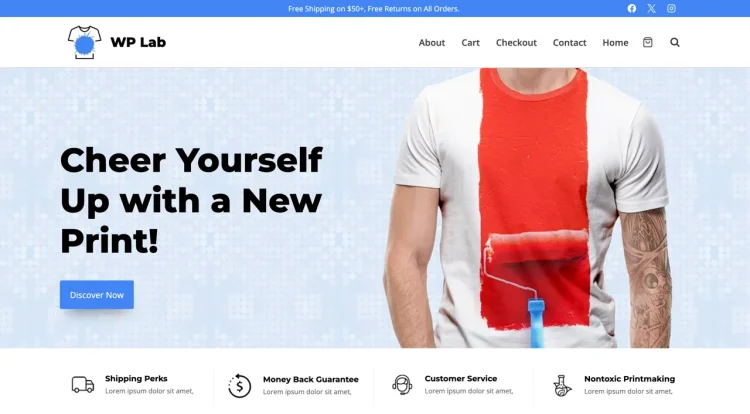
Kadence is known for offering a more feature-rich and design-oriented foundation while still maintaining solid performance. It provides extensive control over layout, typography, and global styling at the theme level, making it well suited to WooCommerce stores that need consistency across many pages and templates.
For WooCommerce use, Kadence delivers well-organized default layouts for shop archives and product pages. These layouts emphasize clear hierarchy and visual balance, helping stores present products in a structured and professional way from the outset. The theme’s defaults are polished without being overly prescriptive, allowing room for further customization.
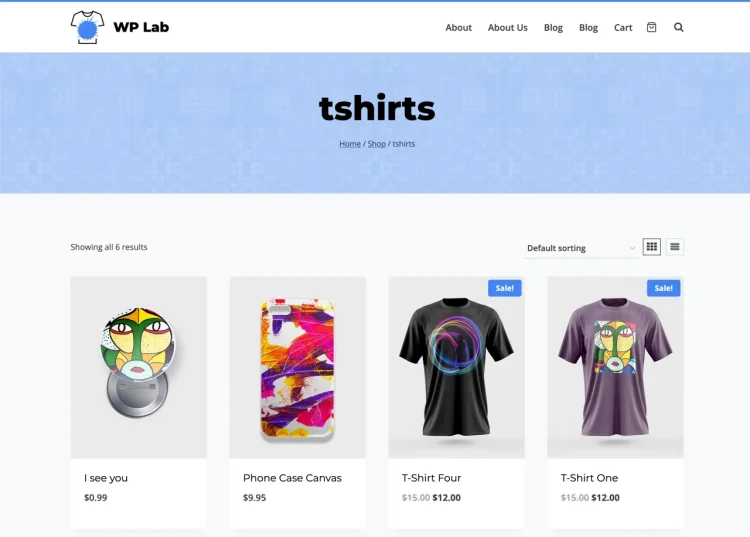
Kadence’s strength lies in how it centralizes design control. Global headers, footers, and layout settings are designed to remain consistent as the store grows, which helps reduce design drift and repetitive adjustments. This makes it easier to maintain a cohesive look across product pages, categories, and supporting content.
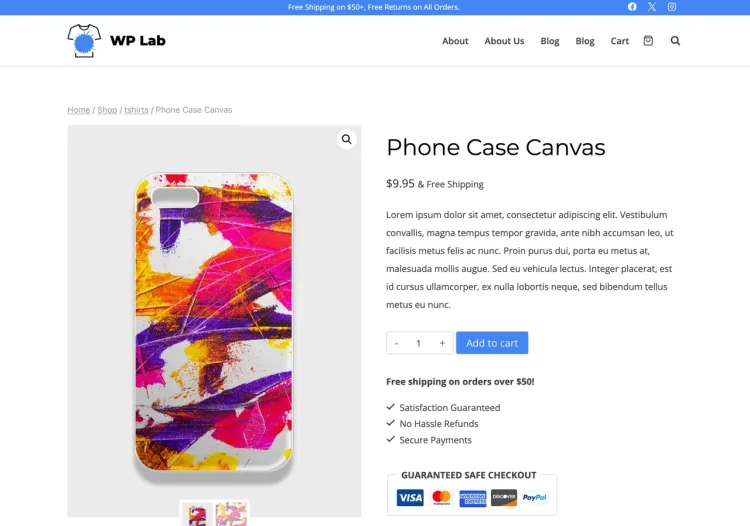
When a page builder such as Elementor is introduced, Kadence’s predictable structure and restrained defaults help ensure smooth integration. Layout changes and design refinements can be introduced without undermining the overall structure of the store, supporting both flexibility and long-term maintainability.
Pros and cons Kadence stands out for its strong theme-level design controls, consistent WooCommerce templates, and thoughtful defaults. The main consideration is that some advanced features and extended customization options are available through Kadence Pro, which may be needed for more complex store requirements.
Best for structured WooCommerce stores with consistent design needs
Kadence is well suited to WooCommerce stores that benefit from a clear design system and centralized styling control. It works particularly well for larger catalogs or stores where consistency across many pages is a priority.
If you want a WooCommerce theme that provides more control at the theme level while remaining flexible enough to support evolving layouts and workflows, Kadence offers a reliable and well-balanced foundation.
Kadence pricing Kadence is available as a free theme from the WordPress theme repository, making it accessible for testing and smaller projects. Kadence Pro is offered as a premium upgrade, with pricing typically available on an annual basis, alongside bundle options that include additional plugins and features.
- Kadence: Free version available
- Kadence Pro: Paid plans starting from $69 per year, with bundle options available
Woostify

Top Tip: Woostify is a strong option if you want a WooCommerce-focused theme that keeps performance and conversion efficiency front and center.
Woostify is designed with WooCommerce as a primary use case, placing emphasis on speed, lean layouts, and ecommerce-ready defaults. Its approach prioritizes efficiency over visual complexity, making it a good fit for stores that want to move quickly without carrying unnecessary design overhead.
For WooCommerce, Woostify provides clear product and shop layouts that focus on usability and conversion flow. Elements such as product grids, product details, and purchasing actions are presented in a straightforward way, helping stores avoid distractions while keeping the shopping experience focused.
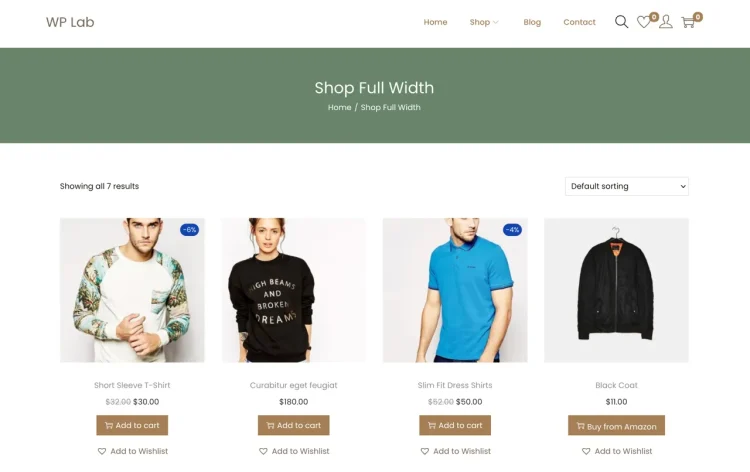
Because Woostify is lightweight and modular, it integrates cleanly with page builders such as Elementor. Layout changes and custom page designs can be introduced without disrupting the underlying store structure, allowing store owners to adjust presentation while preserving performance.
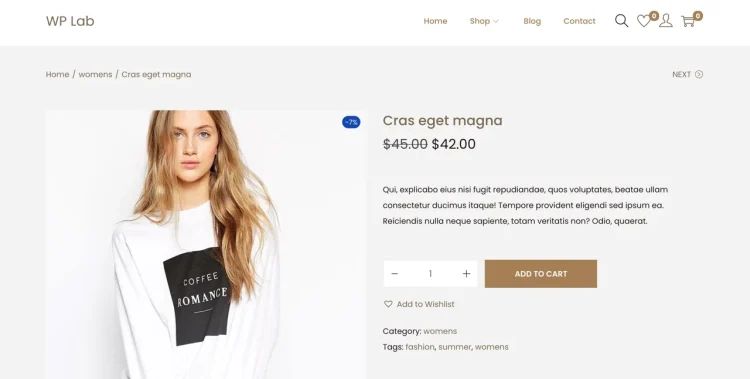
Woostify’s performance-oriented design helps ensure that additional customization does not come at the cost of responsiveness. This makes it easier to scale product catalogs or introduce more complex layouts while maintaining a smooth browsing experience.
Pros and cons Woostify’s strengths lie in its WooCommerce-first focus, lightweight footprint, and performance-conscious design. The trade-off is that its visual defaults are intentionally minimal, which may require more customization for stores aiming for highly expressive branding.
Best for speed-focused WooCommerce stores
Woostify is well suited to WooCommerce projects where performance, clarity, and conversion efficiency are priorities. It works especially well for stores that want a clean foundation and plan to layer in design selectively.
If your goal is a fast, focused store that remains flexible as layouts evolve, Woostify offers a practical and performance-friendly foundation.
Woostify pricing Woostify is available as a free theme, with Woostify Pro offered as a premium upgrade that adds additional ecommerce-focused features and layout controls.
- Woostify: Free version available
- Woostify Pro: Paid plans starting from $49 per year, with lifetime licensing options available
OceanWP
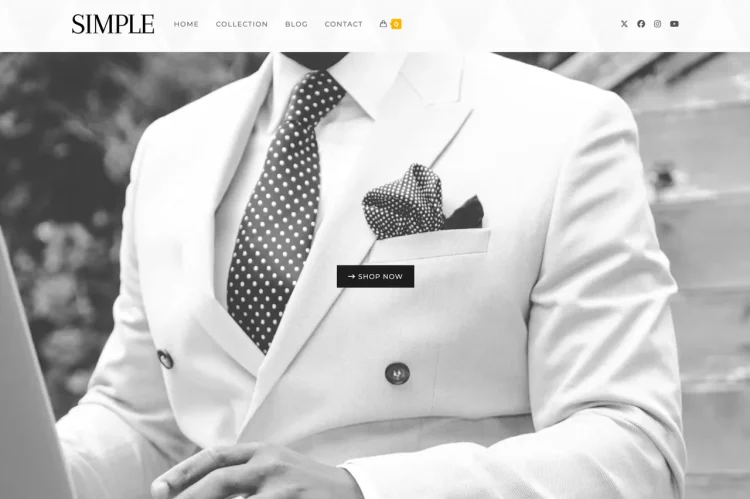
Top Tip: OceanWP is a flexible choice if you want a WooCommerce theme with a broad feature set and modular expansion options.
OceanWP is known for offering a wide range of features while maintaining a modular structure. It is designed to support many different site types, with WooCommerce being a core focus. Store owners can enable only the features they need, helping tailor the theme to specific project requirements.
In WooCommerce setups, OceanWP provides feature-rich shop and product layouts with additional options for navigation, styling, and layout behavior. These defaults are more configurable than many lightweight themes, giving store owners greater control without requiring immediate customization.
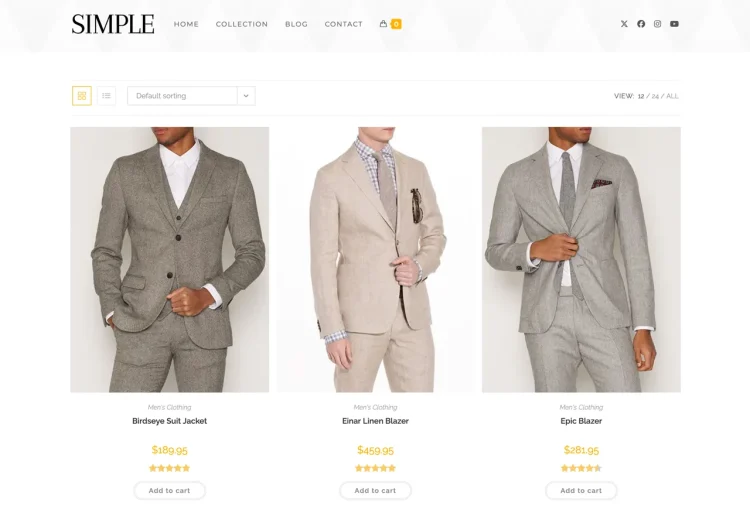
OceanWP works well with page builders such as Elementor because its features are modular and its layouts are predictable. Custom pages and redesigned templates can be introduced while the theme continues to handle store-wide structure and functionality.
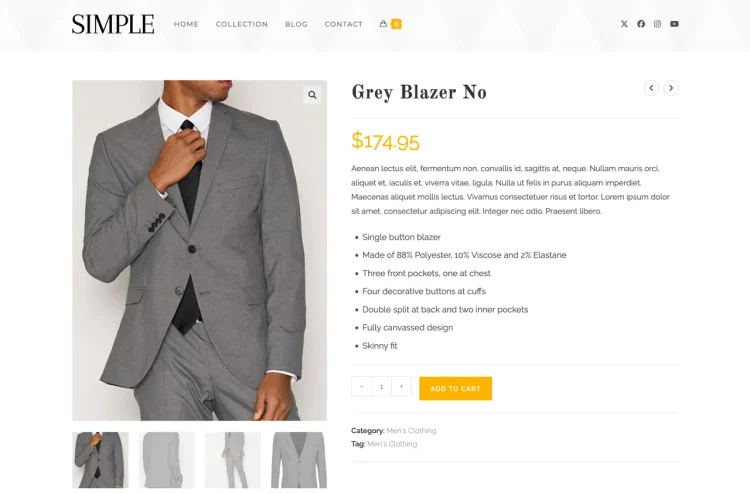
The trade-off for this flexibility is that OceanWP can feel more complex than minimal themes. Careful configuration is often required to avoid enabling unnecessary features, especially on performance-sensitive stores.
Pros and cons OceanWP stands out for its breadth of features, strong WooCommerce support, and modular design. The main consideration is that its flexibility comes with added configuration complexity compared to more minimal themes.
Best for feature-rich WooCommerce stores
OceanWP is well suited to WooCommerce projects that benefit from extensive customization options and built-in features. It works particularly well for stores with varied layout needs or more complex navigation requirements.
If you want a WooCommerce theme that offers depth and flexibility without locking you into a rigid design approach, OceanWP provides a versatile foundation.
OceanWP pricing OceanWP is available as a free theme, with premium extensions and bundles offered as paid upgrades to expand WooCommerce and design functionality.
- OceanWP: Free version available
- OceanWP Pro: Paid extensions and bundles starting from $44 per year
Stockist
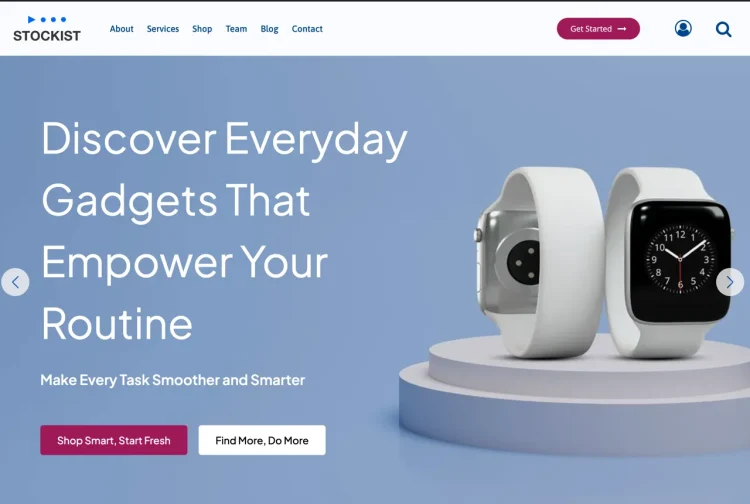
Top Tip: Stockist is worth considering if you want a modern WooCommerce theme that emphasizes clarity, performance, and product presentation.
Stockist is a WooCommerce-focused theme that has recently undergone a substantial redesign. The current version places greater emphasis on clean structure, performance, and practical store layouts, making it a reasonable alternative to more established themes in this category.
From a WooCommerce perspective, Stockist provides clear default layouts for shop and product pages, with an emphasis on readability and visual balance. The theme avoids heavy styling and instead focuses on presenting products in a straightforward, structured way that can be adapted to different branding needs.
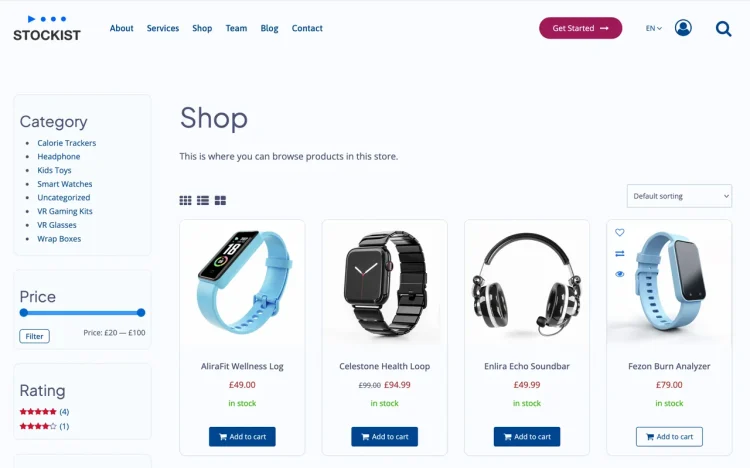
Stockist includes starter site templates that can be used as a foundation for new stores. These templates are designed to support common ecommerce layouts and workflows, helping reduce setup time while leaving room for further customization when needed.
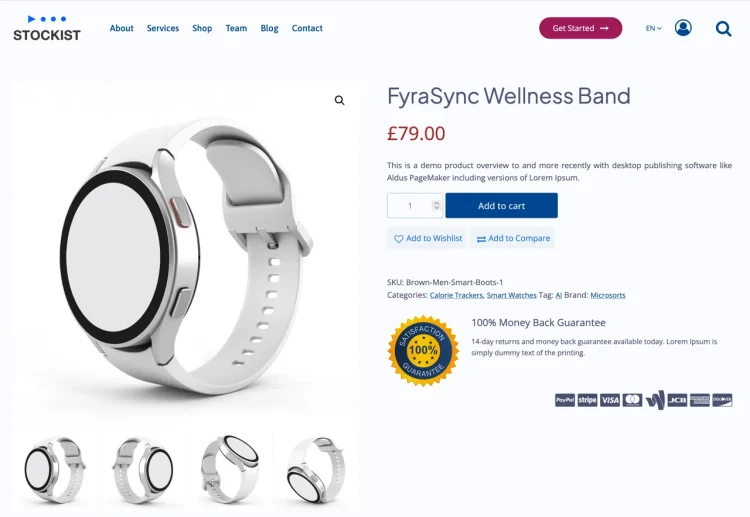
Recent updates have also improved Stockist’s performance characteristics. The theme now follows a more restrained, lightweight approach, which helps maintain responsiveness and consistency as store content and layouts evolve. This makes it suitable for projects where long-term maintainability is a priority.
Pros and cons Stockist’s strengths include its clean presentation, improved performance, and practical WooCommerce defaults. As a newer iteration of the theme, it does not yet have the same adoption history as some long-standing options, which may matter to users who prioritize large user bases.
Best for modern, presentation-focused WooCommerce stores
Stockist is well suited to WooCommerce stores that value clear product presentation, strong performance, and a contemporary design baseline. It works well for projects where visual clarity and efficiency are more important than extensive built-in complexity.
If you are looking for a newer WooCommerce theme that has been refined to meet current performance and design expectations, Stockist is a credible option to evaluate alongside more established alternatives.
Stockist pricing Stockist is available as a free theme, with a Pro version offered as a premium upgrade that expands layout options and styling controls.
- Stockist: Free version available
- Stockist Pro: Paid plans starting from $40 per year, with lifetime licensing options available
Botiga

Top Tip: Botiga is a solid choice if you want modern WooCommerce layouts with minimal setup.
Botiga is a modern WooCommerce theme focused on clean design and straightforward setup. It provides visually polished layouts that work well for stores looking to launch quickly without extensive configuration.
WooCommerce templates in Botiga are designed to feel contemporary and approachable, with attention to spacing, typography, and product presentation. This helps stores achieve a professional look early on.
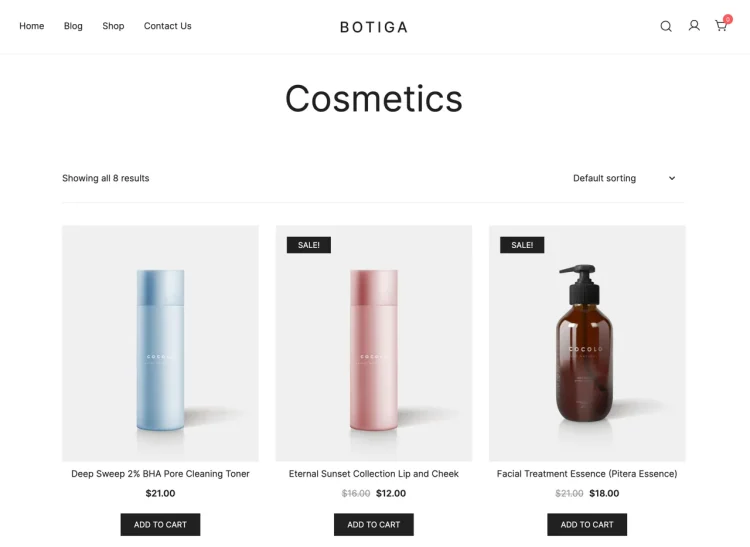
Botiga’s clear structure and restrained styling make it compatible with page builders such as Elementor. Custom layouts and design refinements can be added gradually without disrupting the overall store layout.
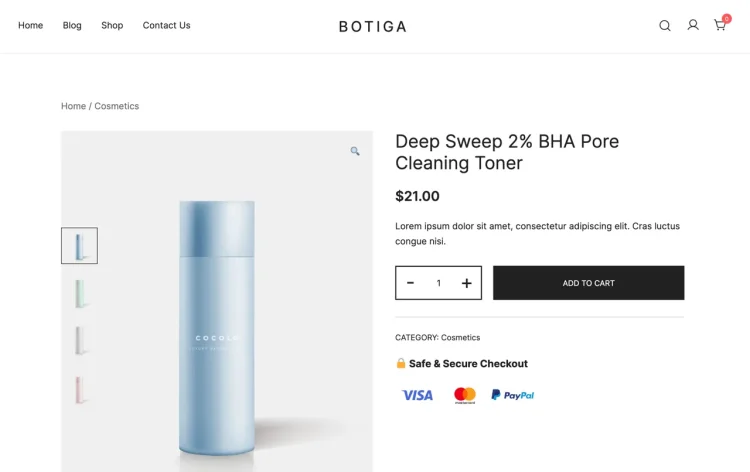
The theme balances visual appeal with maintainability, making it suitable for stores that want a modern look without overcomplicating their setup.
Pros and cons Botiga offers modern design and ease of use. The trade-off is that deeper customization options are limited without upgrading to the Pro version.
Best for modern WooCommerce storefronts
Botiga is well suited to stores that want a contemporary design and a faster path to launch. It works best for small to medium-sized catalogs.
Botiga pricing Botiga is available as a free theme, with Botiga Pro offering additional layout and styling options through paid plans.
- Botiga: Free version available
- Botiga Pro: Paid plans starting from $79 per year, with lifetime licensing options available
Blocksy
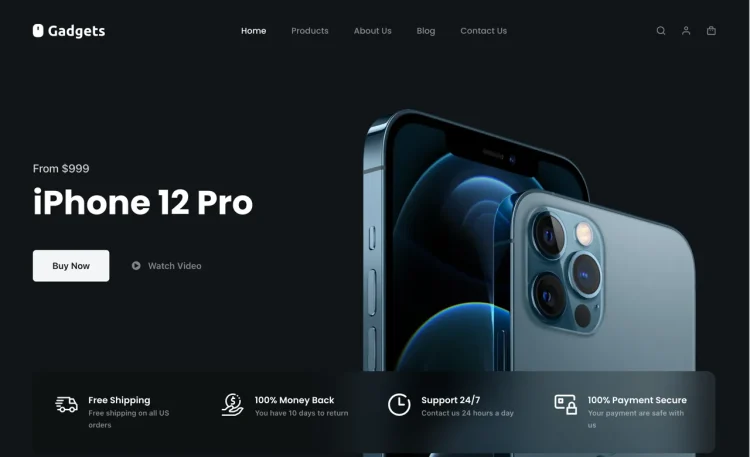
Top Tip: Blocksy is a strong choice if you want a modern WooCommerce theme with deep layout control and a design system that scales cleanly.
Blocksy is designed with a modern development approach that emphasizes flexibility, performance, and visual consistency. Its architecture provides extensive control over layout and styling while keeping the theme lightweight, making it suitable for WooCommerce stores that need both polish and scalability.
For WooCommerce, Blocksy delivers well-structured defaults for shop archives and product pages, with a strong focus on spacing, typography, and hierarchy. These layouts feel intentional and refined out of the box, which helps stores present products clearly without relying on heavy customization from the start.
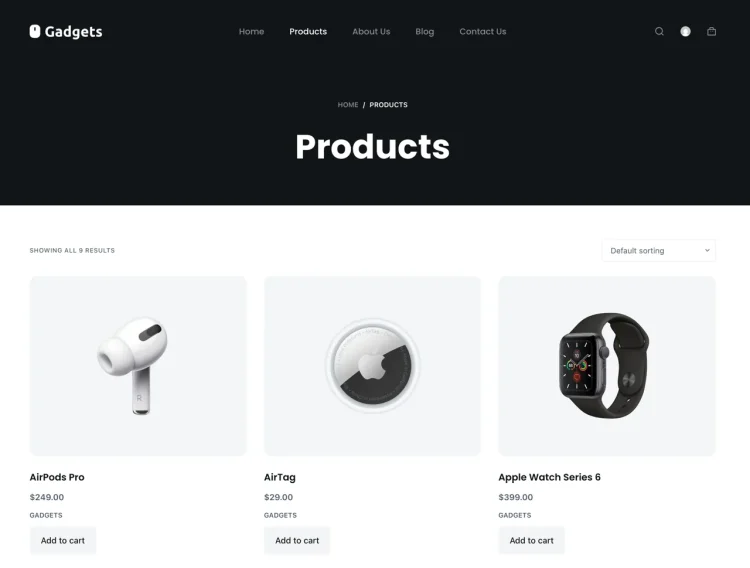
A defining strength of Blocksy is its granular control over global layout elements. Headers, product archives, and page structure can be adjusted in a coordinated way, helping maintain consistency across the store. This is particularly useful for stores that want a cohesive visual system rather than one-off page designs.
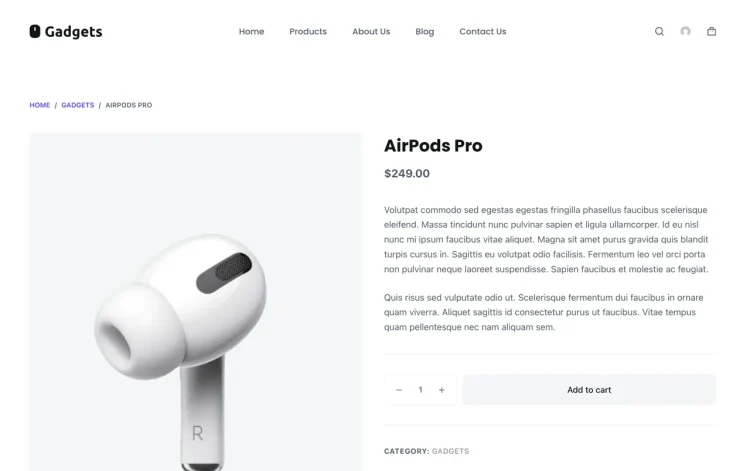
Because Blocksy is built to be flexible and standards-compliant, it works smoothly alongside page builders such as Elementor. Design changes can be introduced without disrupting core WooCommerce behavior, allowing stores to refine presentation and layout while preserving performance and predictable structure.
Pros and cons Blocksy’s strengths include its modern design controls, strong WooCommerce layout options, and performance-conscious foundation. The main consideration is that many advanced customization features are part of the Pro offering, which may be necessary for stores with more specific design requirements.
Best for modern WooCommerce stores with strong visual identity
Blocksy is well suited to WooCommerce stores that place a high value on visual consistency and layout precision. It works especially well for brands that want a contemporary look without sacrificing performance or long-term maintainability.
If you want a WooCommerce theme that offers fine-grained control over layout and styling while remaining flexible enough to support evolving design needs, Blocksy provides a well-balanced and forward-looking foundation.
Blocksy pricing Blocksy is available as a free theme, with a Pro version that expands layout, styling, and WooCommerce-related options. Pro plans are typically offered on an annual basis, with higher tiers unlocking more advanced features.
- Blocksy: Free version available
- Blocksy Pro: Paid plans starting from $69 per year, with lifetime licensing options available
Zakra
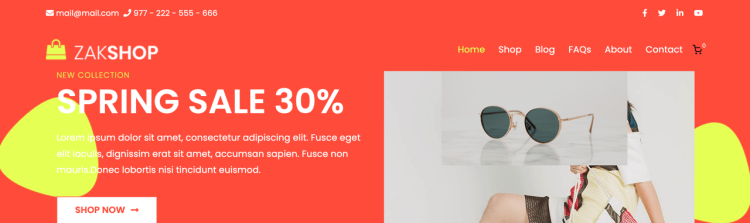
Top Tip: Zakra is a practical choice if you want a reliable, flexible theme that can support WooCommerce without overcomplicating setup.
Zakra is a multipurpose theme designed to be lightweight, adaptable, and easy to configure. It's one of the best Elementor WooCommerce themes. It aims to provide a clean foundation for a variety of site types, including ecommerce, making it a sensible option for store owners who want a straightforward theme that remains flexible as requirements change.
For WooCommerce stores, Zakra provides consistent default layouts for shop archives and product pages that follow familiar patterns. The theme’s approach tends to favour clarity and usability, supporting a stable store experience while leaving room for refinement as the store develops.
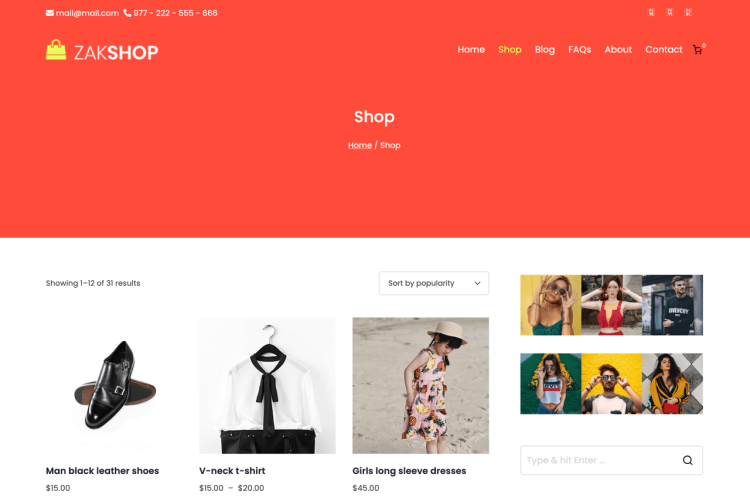
Because Zakra is designed to stay flexible and non-restrictive, it generally integrates well with page builders such as Elementor. This makes it easier to adjust design, introduce new landing pages, or customise layouts without the theme becoming difficult to work around.
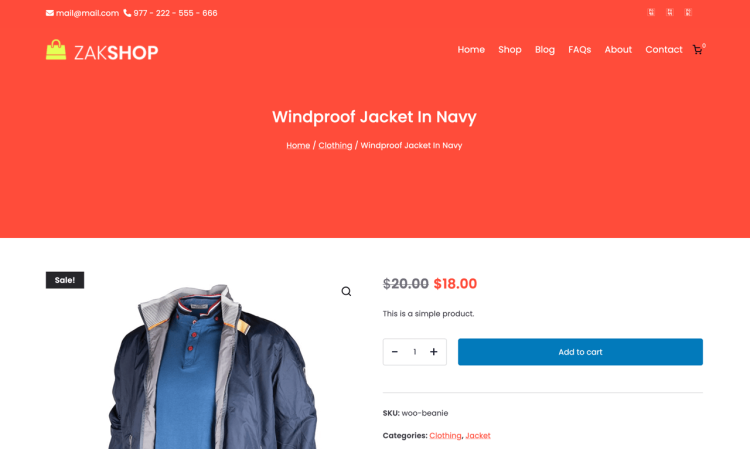
Zakra is often strongest when used as a stable base that stays out of the way. Its maintainability benefits come from keeping templates predictable and configuration manageable, which can help store owners avoid unnecessary complexity as catalogs and content expand.
Pros and cons Zakra’s strengths are its simplicity, flexibility, and clean foundation for WooCommerce. It is approachable for many store owners and supports a wide range of use cases. The main consideration is that some advanced options and extended features are typically available through Zakra Pro.
Best for straightforward WooCommerce stores with flexible design plans
Zakra is best suited to stores that want a dependable theme foundation without investing heavily in complex configuration. It works well for small to medium catalogs and for projects where design may evolve gradually over time.
If you want a WooCommerce-ready theme that stays easy to manage and works smoothly with Elementor when you need extra layout flexibility, Zakra is a practical option to consider.
Zakra pricing Zakra has a free version available, with Zakra Pro offered as a premium upgrade for stores that need additional features and deeper customization options. Pricing is typically structured as an annual license, with plan options depending on the included features.
- Zakra: Free version available
- Zakra Pro: Paid plans starting from $69 per year, with lifetime licensing options available
Envo Royal
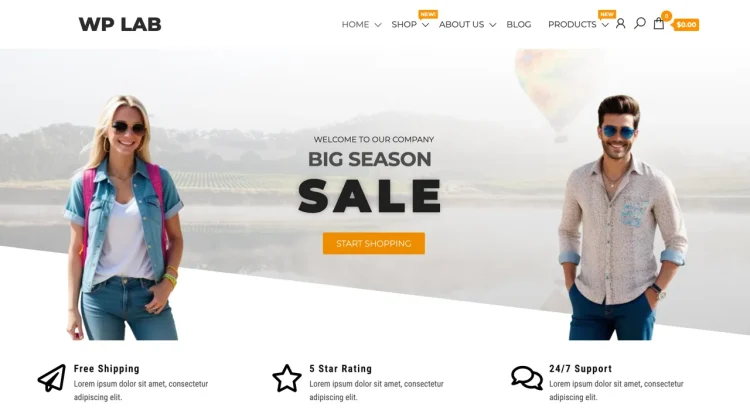
Top Tip: Envo Royal is a practical choice if you want a WooCommerce-ready theme that prioritizes quick setup and clear storefront presentation.
Envo Royal is designed with ecommerce use in mind, focusing on providing a ready-to-use storefront layout that works well for smaller to medium-sized WooCommerce stores. Its approach emphasizes clarity and usability, making it easier to get a functional store online without extensive configuration.
For WooCommerce, Envo Royal provides predefined shop and product layouts that follow familiar ecommerce patterns. Product grids, navigation, and page structure are straightforward, helping stores present products clearly while minimizing the need for early customization.
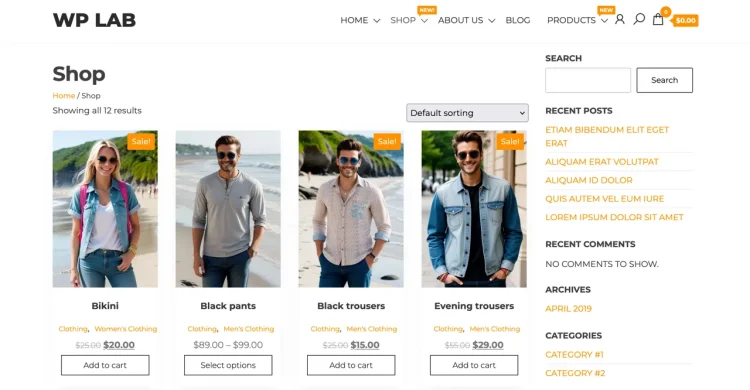
Because Envo Royal avoids heavy design abstraction, it remains flexible when page builders such as Elementor are introduced. Store owners can refine layouts, adjust presentation, or add custom sections without the theme becoming restrictive. This makes it possible to evolve the store’s design gradually as needs change.
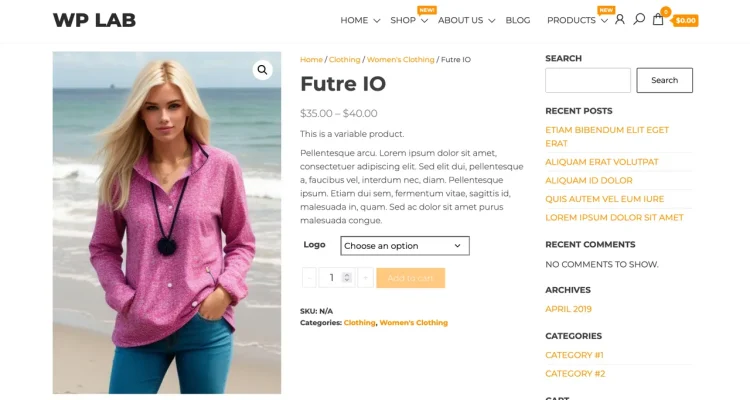
From a maintenance perspective, Envo Royal keeps things simple. Its focused feature set and restrained defaults help reduce complexity, which can be an advantage for store owners who prefer predictable behavior and a straightforward workflow.
Pros and cons Envo Royal’s strengths include its ecommerce-focused layout, ease of setup, and compatibility with common WooCommerce workflows. The trade-off is that its design options are more limited compared to larger, more feature-rich themes, which may matter for stores with advanced customization needs.
Best for straightforward WooCommerce stores and quick launches
Envo Royal is well suited to WooCommerce stores that want to get online quickly with a clean, usable storefront. It works particularly well for projects where simplicity and clarity are more important than deep design systems or extensive theme-level controls.
If you are looking for a WooCommerce theme that delivers a functional starting point and continues to work reliably as layouts are refined using tools like Elementor, Envo Royal offers a simple and practical foundation.
Envo Royal pricing Envo Royal is available as a free theme, with optional premium upgrades that unlock additional features and design options. Pricing for the Pro version is typically offered on an annual basis.
- Envo Royal: Free version available
- Envo Royal Pro: Paid plans starting from $49 per year, with lifetime licensing options available
Royal Elementor Kit

Top Tip: Royal Elementor Kit is best suited to stores that want a visually driven setup with minimal theme complexity.
Royal Elementor Kit takes a different approach compared to more traditional WooCommerce themes. Instead of offering extensive theme-level controls, it provides a lightweight base designed to work alongside a library of pre-built layouts and design assets. The emphasis is on visual presentation and rapid setup rather than deep structural customization.
For WooCommerce stores, Royal Elementor Kit offers clean default templates that are intentionally simple. This allows store owners to focus on presentation and layout without first undoing heavy theme styling. The result is a flexible starting point that can be shaped to match a wide range of branding and store concepts.
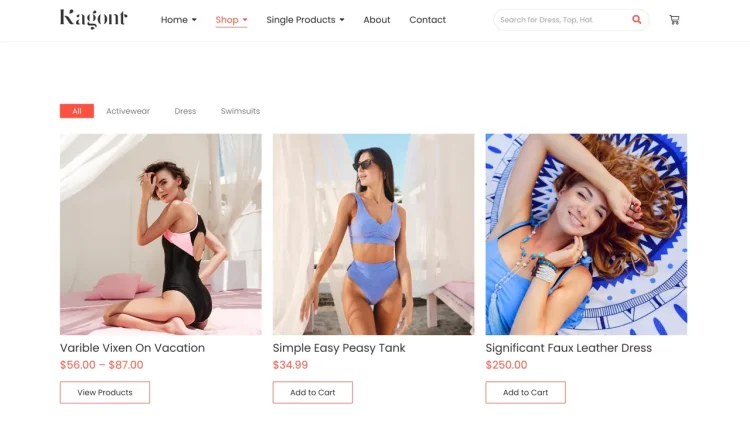
Because the theme itself remains minimal, it integrates naturally with Elementor-driven workflows. Layout changes, design adjustments, and page restructuring can be made without the theme becoming a constraint. This makes Royal Elementor Kit appealing for projects where visual design and rapid iteration are priorities.
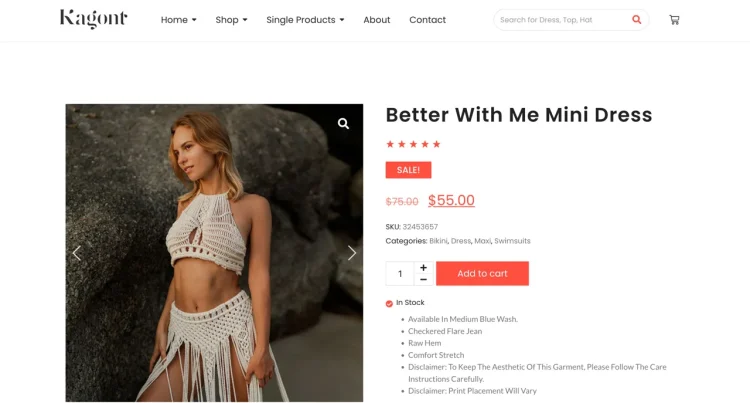
At the same time, the theme’s simplicity means that long-term consistency and structure depend more heavily on how layouts are managed. When used thoughtfully, this approach can remain performant and cohesive, but it places greater responsibility on maintaining design discipline as the store grows.
Pros and cons Royal Elementor Kit’s main strengths are its lightweight footprint and design-oriented approach. It avoids visual lock-in and supports rapid layout changes. The trade-off is that it offers fewer theme-level controls than more traditional WooCommerce themes, making it less suited to stores that prefer structure to be handled primarily by the theme.
Best for design-led WooCommerce stores
Royal Elementor Kit is best suited to WooCommerce stores that prioritize visual presentation and flexibility over deep theme configuration. It works well for projects where layouts are expected to change frequently or where design experimentation is part of the business strategy.
If you want a WooCommerce theme that stays minimal and allows design decisions to be driven primarily by page-level layout tools, Royal Elementor Kit provides a clean and adaptable starting point.
Royal Elementor Kit pricing Royal Elementor Kit is available with a free version for basic use. Premium plans unlock additional templates, widgets, and design assets, with pricing typically offered on an annual basis.
- Royal Elementor Kit: Free version available
- Royal Elementor Kit Pro: Paid plans starting from $39.99 per year
Our Thought: Best WooCommerce Elementor WordPress Themes
Choosing the right WooCommerce Elementor WordPress theme is less about chasing features and more about alignment. Throughout this guide, themes were compared based on how they integrate with WooCommerce’s core templates and how cleanly they work alongside Elementor for layout and page building. The goal was to focus on real-world behavior: predictable WooCommerce pages, stable Elementor editing, and customization options that don’t rely on fragile workarounds.
A consistent theme foundation becomes even more important when deciding how far to go with Elementor’s feature set. Your theme choice directly affects whether Elementor’s free tools are sufficient or whether upgrading makes sense, especially when weighing Elementor Free vs Pro in the context of WooCommerce stores.
Top Tip: The best theme is the one that supports your current workflow and doesn’t limit how Elementor and WooCommerce work together as your store grows.
If you’re considering unlocking advanced layout control, dynamic templates, or deeper WooCommerce customization, it’s also worth reviewing Elementor Pro pricing, plans, costs, and value to understand how those features fit into your overall stack.
Ultimately, a well-matched theme gives WooCommerce a stable storefront and lets Elementor do what it does best - design and iterate, without friction. That balance is what makes long-term store management simpler and more predictable.
Frequently Asked Questions
Q: Can I use Elementor with any WooCommerce theme?
A: Elementor works with most WordPress themes, but themes that are built to support WooCommerce templates tend to offer cleaner layouts, fewer styling conflicts, and a smoother editing experience when designing shop and product pages.
Q: Do I need Elementor Pro to build a WooCommerce store?
A: Not necessarily. Many WooCommerce stores work well with Elementor’s free version and a compatible theme. Elementor Pro becomes useful when you want custom WooCommerce templates, advanced layout control, or dynamic content.
Q: What matters more for WooCommerce performance: the theme or Elementor?
A: Both play a role. The theme sets the foundation for layout, assets, and WooCommerce templates, while Elementor affects how pages are built and rendered. A lightweight theme combined with disciplined Elementor usage usually delivers the best results.
Q: Are WooCommerce-focused themes better than multipurpose themes?
A: WooCommerce-focused themes often include better default shop and product layouts, while multipurpose themes offer broader flexibility. The better choice depends on whether you prefer ready-made store styling or full control through Elementor.
Q: Should I choose a theme before deciding on Elementor Free or Pro?
A: Yes. Your theme influences how much control you need from Elementor. Some themes reduce the need for Elementor Pro features, while others work best when paired with advanced Elementor tools.
Q: How can I safely test a WooCommerce Elementor theme?
A: The safest approach is to test themes on a staging site using the same products, plugins, and Elementor setup. Focus on shop, product, cart, and checkout pages rather than demo homepages.