Why Consistency Sometimes Breaks in Page Builders
🔥 Elementor design consistency often becomes one of the areas most sensitive to workflow changes as a website grows. This is not unique to Elementor, but page builders can make inconsistency easier to introduce when design decisions are handled page by page rather than system-wide.
One common pattern is isolated styling. When each page is designed independently, small differences in spacing, colors, or typography tend to appear. These differences are rarely intentional, but they accumulate as new pages are added.
Another contributing factor often emerges when multiple people work on the same site. Designers may focus on visual refinement, while editors prioritise speed and publishing cadence. Without shared design rules, these priorities can gradually pull layouts in different directions.
In many Elementor setups, this situation develops when local styles are used more frequently than shared settings. Local overrides can feel efficient in the moment, but they often make long-term maintenance harder than expected.
Top Tip: If similar pages require different styling solutions, consistency is usually starting to drift.
Over time, these small inconsistencies can slow updates and increase the effort required to publish new content. Even modest design changes may require manual fixes across several pages.
From a practical standpoint, design consistency is less about visual perfection and more about supporting repeatable, low-friction workflows.
🎯 Who This Guide Is For: Site owners, creators, and teams who want to understand how design consistency affects long-term maintenance, publishing efficiency, and user experience when working with Elementor.
⏸ Who This Guide May Not Be Ideal For: Small or short-lived projects where long-term reuse, shared workflows, and structured design systems are not a priority.
Elementor’s Approach to Consistent Design
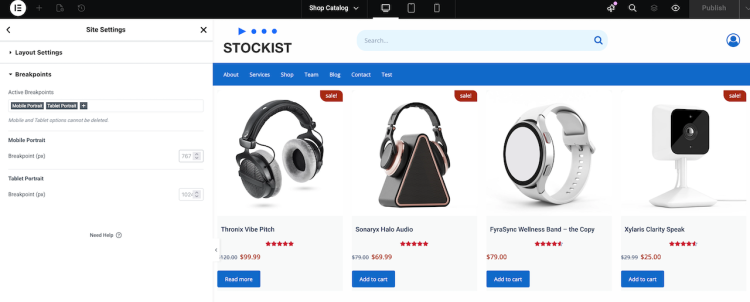
An ideal use case for Elementor is a site where design decisions are treated as shared rules rather than repeated choices. Instead of styling each page independently, Elementor encourages design logic to live at a global level.
ℹ In practice, this often means defining typography, colors, spacing, and layout behaviour once, then allowing individual pages to focus on structure and content. When applied consistently, visual patterns tend to remain stable as the site evolves.
Beyond global design controls, Elementor also supports consistency through roles and permissions. In collaborative environments, this allows contributors to work within clearly defined boundaries instead of having unrestricted access to every design setting.
Designers can retain control over templates and global styles, while editors focus on content updates without unintentionally overriding layouts or visual rules. This separation does not remove flexibility, but it reduces the likelihood of unapproved changes reaching production.
When combined, global settings and role-based access tend to create more predictable workflows. Design decisions influence content safely, rather than being repeatedly redefined at the page level.
Top Tip: Design consistency is easier to maintain when global rules and editing permissions reinforce each other.
This approach reflects how Elementor fits into WordPress as a design system rather than just a visual editor. For broader context, see what Elementor is and where it fits in WordPress.
Using Global Styles Effectively
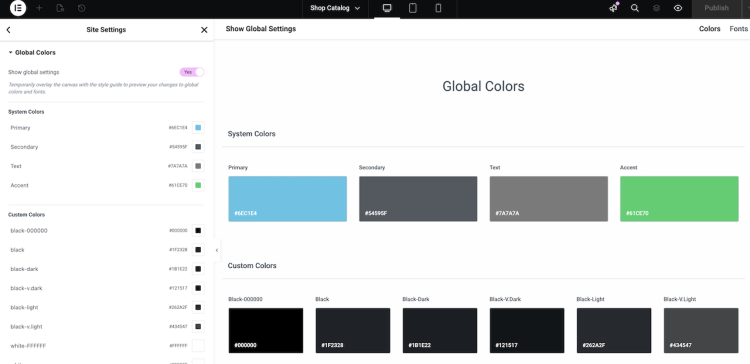
Global styles are commonly used to support design consistency in Elementor. They define shared rules that apply across pages instead of relying on individual widget settings.
When global styles are used intentionally, many visual updates can be handled centrally. This reduces the need to revisit older pages for routine adjustments.
Typography is often where consistency becomes most noticeable. Shared font choices, sizes, and line heights help headings and body text behave predictably across the site.
Color systems follow a similar logic. A limited, intentional palette makes it easier to avoid one-off color choices that slowly fragment a design.
Spacing rules tie layouts together. Consistent margins and padding can make pages feel cohesive even as content evolves.
Top Tip: A smaller, well-used global style set is usually easier to maintain than an overly broad one.
Over time, global styles often act as a stabilising layer, particularly as WordPress sites grow and change.
See how Elementor global styles support long-term consistency
Templates as Consistency Anchors
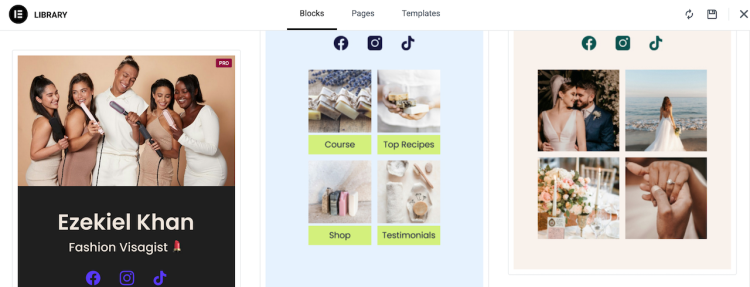
Templates play a central role in maintaining consistency over time. Instead of rebuilding layouts repeatedly, templates allow established structures to be reused where they make sense.
Section templates are often used for repeated elements such as feature blocks or calls to action. Page templates help standardise full layouts across similar content types.
🔥 Where this becomes more than an internal efficiency gain is in user experience. When visitors move between pages that share familiar structures and visual cues, the site feels easier to understand and navigate.
Elementor’s Theme Builder and display conditions extend this further. Templates can be applied selectively based on content type or context, allowing different user journeys to feel intentional without fragmenting the overall design.
From a user perspective, this balance matters. Pages feel unified but not repetitive, supporting clarity without sacrificing relevance.
Top Tip: Strong user journeys often emerge when structural consistency is paired with context-aware templates.
This approach aligns with broader guidance from WordPress.org on managing complex, template-driven sites.
Explore Elementor templates and display conditions for consistent user journeys
Managing Multiple Content Editors
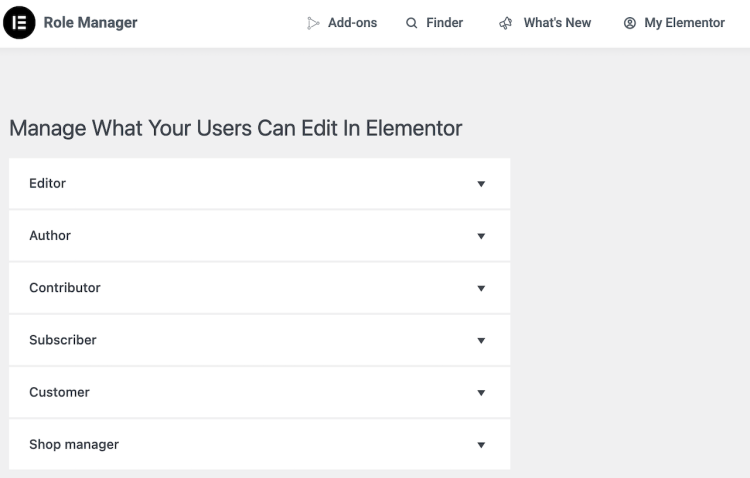
Design consistency often becomes more fragile as more people contribute to a site. Differences in editing habits and priorities can introduce small variations that accumulate over time.
In many team-based Elementor setups, the challenge is not creativity but coordination. Editors need freedom to publish efficiently, while designers and site owners need confidence that core layouts remain intact.
Roles and permissions help support this balance by limiting who can modify templates, global styles, and structural elements. This reduces the likelihood of unintended overrides affecting live pages.
Over time, these boundaries tend to create clearer workflows. Editors focus on content, designers maintain the system, and changes move forward deliberately rather than incrementally.
Top Tip: Publishing workflows are usually more reliable when permissions reflect real responsibilities.
Rather than slowing teams down, defined roles often make collaboration smoother and reduce post-publish corrections.
Review Elementor features that support structured team workflows
Signs Your Elementor Design Is Consistent
Design consistency is not always immediately obvious. In many cases, it becomes clearer through how easily a site can be updated, extended, and maintained over time.
Visual cohesion is one indicator. Pages feel related, with predictable typography, spacing, and colour usage, even when content types differ. This often reflects effective use of global styles rather than repeated page-level adjustments.
Another sign is reduced effort during updates. When templates and Theme Builder layouts are working together, small design changes can be applied without revisiting every page individually.
📌 In practice, strong Elementor design consistency usually reflects how well global styles, templates, and editorial workflows reinforce one another over time. When these systems are aligned, consistency emerges naturally rather than being enforced manually.
Consistency also shows up in how teams work. Editors can publish confidently without affecting layout, while designers can adjust shared elements without disrupting content. This usually indicates that roles, permissions, and design rules are clearly defined.
Top Tip: When new pages look correct with minimal styling, global styles, templates, and workflows are likely working together as intended.
Over the long term, these characteristics tend to separate short-term builds from sites designed to evolve. This relationship between structure and sustainability is explored further in Elementor site longevity and design decisions and in how Elementor fits as WordPress sites grow.
See how Elementor Pro supports consistent publishing and long-term site management.
Frequently Asked Questions
Q: What does design consistency mean in Elementor?
A: It generally refers to using shared styles, layouts, and templates so pages behave predictably across a site.
Q: Why does Elementor design drift over time?
A: Drift often occurs when page-level styling replaces shared settings or when multiple editors work without common design rules.
Q: Do I need Elementor Pro for consistent design?
A: Elementor Pro is not required, but it can make consistency easier to manage by centralising design controls.
Q: Is Elementor suitable for teams?
A: Elementor can work well for teams when templates and global styles are used as guardrails for content editing.