What “Long-Term” Really Means for Elementor Site Longevity
In practical terms, longevity reflects how a site behaves over time. Content expands, layouts are adjusted, and design refinements are introduced. Sites that remain manageable typically accommodate these changes without triggering widespread rework.
Elementor-based websites that age well usually treat design as a shared system. Typography, spacing, layout patterns, and templates are defined centrally and reused, helping maintain coherence as new pages and sections are added.
This perspective becomes more visible as sites mature. Teams guide updates through existing structure instead of redesigning pages individually. The result is a site that evolves gradually while retaining visual and functional stability.
For websites expected to support long-term publishing, marketing, or commercial activity, this predictability carries weight. Over time, it can reduce maintenance effort and lower the likelihood of incremental design breakdown.
Top Tip: Long-term resilience often reflects how early design decisions anticipate future change.
🎯 Who This Guide Is For: Elementor users planning websites that are expected to evolve through regular updates, expanding content, and gradual design refinement.
⏸ Who This Guide May Not Be Ideal For: Projects with a short lifespan, minimal updates, or no requirement for reusable layouts or long-term design systems.
Explore Elementor tools designed to support long-term site planning
Updates, Compatibility, and Long-Term Stability
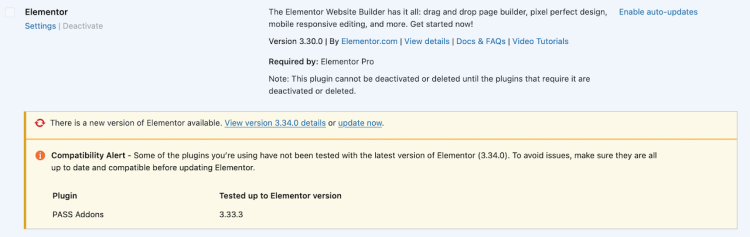
Updates are unavoidable in the WordPress ecosystem, and Elementor-based sites evolve according to how teams manage those updates. Long-term stability depends on preparing sites to absorb them predictably.
In many Elementor projects, update resilience correlates with how closely layouts and features align with supported, core functionality. Sites that rely on global styles, templates, and theme-level structures often adapt more smoothly as both WordPress and Elementor evolve.
Compatibility issues surface more often when sites depend on experimental features, extensive page-level customization, or a growing collection of third-party add-ons. Each additional dependency introduces uncertainty during update cycles.
From a workflow perspective, long-term Elementor sites usually treat updates as a managed process. This includes staging changes, maintaining backups, and reviewing design systems periodically instead of reacting after issues appear.
WordPress itself encourages this approach. The official documentation outlines update and maintenance best practices, including staging environments and rollback planning, in its WordPress update guidelines and backup recommendations.
Top Tip: Update processes tend to remain more reliable when teams treat them as routine maintenance rather than exceptional events.
As sites grow, update behaviour often becomes part of a broader scalability discussion. How structure, design systems, and maintenance workflows evolve together is explored further in how Elementor fits as WordPress sites grow.
Review Elementor features that support update-safe site structures
Design Decisions That Shape Long-Term Maintenance
Design decisions made early in an Elementor project can influence how much effort teams invest in maintenance later. Over time, patterns emerge that either support ongoing change or gradually increase friction during updates.
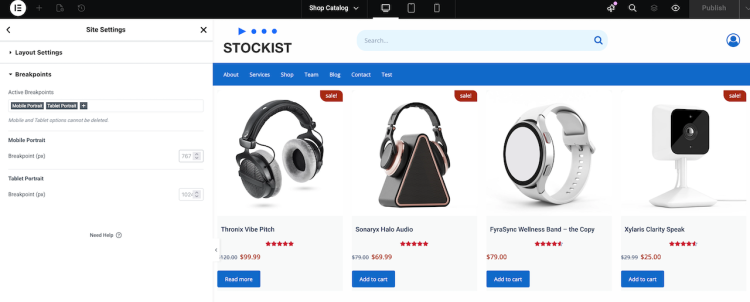
One recurring factor is layout reuse. When sections and page structures follow consistent patterns, teams can apply changes in fewer places. This limits duplication and reduces the likelihood of inconsistencies as content grows.
⚠ Designs built primarily through page-level customization often introduce friction over time. While this approach can feel flexible initially, it tends to bind layouts tightly to specific content or contexts.
This is where Elementor Pro takes on a different role from the free version. Elementor Free functions effectively as a page builder, but it reaches practical limits when design decisions need consistent, site-wide application. Features such as global styles, templates, and theme-level controls help teams treat design as a system rather than a collection of pages. A broader comparison appears in Elementor Free vs Pro.
From a conceptual standpoint, this approach aligns with established design principles outside of WordPress. Reusable design patterns support systems that scale without constant reinvention. An overview of this concept appears in the design patterns reference by Refactoring Guru.
Applied to Elementor, pattern-based layouts help preserve structure as sites grow. Templates, shared sections, and centralized styling create a framework that supports future change without locking content into fragile designs.
Top Tip: Layout decisions that cannot be reused elsewhere often increase maintenance effort later.
Over time, sites built with reusable Elementor structures typically require fewer corrective changes. Design adjustments become intentional updates instead of reactive fixes.
Explore Elementor Pro tools that support reusable design systems
Content Growth and Layout Resilience Over Time
As websites mature, layout demands change. Content volumes increase, new page types appear, and business priorities evolve. Layout resilience reflects how well a site continues to function as these pressures accumulate.
In long-running Elementor projects, resilience often reflects how design decisions scale. Sites that establish flexible layout frameworks early typically adapt more smoothly as content expands or direction shifts.
Advanced Elementor capabilities support this adaptability when teams align them with a broader design strategy. Theme-level structures, reusable templates, dynamic content, and display conditions allow layouts to respond to new requirements without fragmenting the system.
Business-facing elements such as lead capture, ecommerce components, and interactive content also place pressure on layout consistency. When these elements follow shared design rules, they evolve alongside the site without introducing visual or structural tension.
Custom enhancements, display conditions, and structured editorial workflows contribute most when they extend existing systems and preserve clarity as complexity increases.
Top Tip: Layout resilience often reflects clear design intent established early in a project.
Explore Elementor tools that support resilient, scalable layouts
Workflow, Roles, and Design Governance
As Elementor sites grow beyond individual ownership, workflow structure becomes more visible. Additional contributors, increased content volume, and frequent updates reveal whether teams govern design decisions consistently or apply them informally.
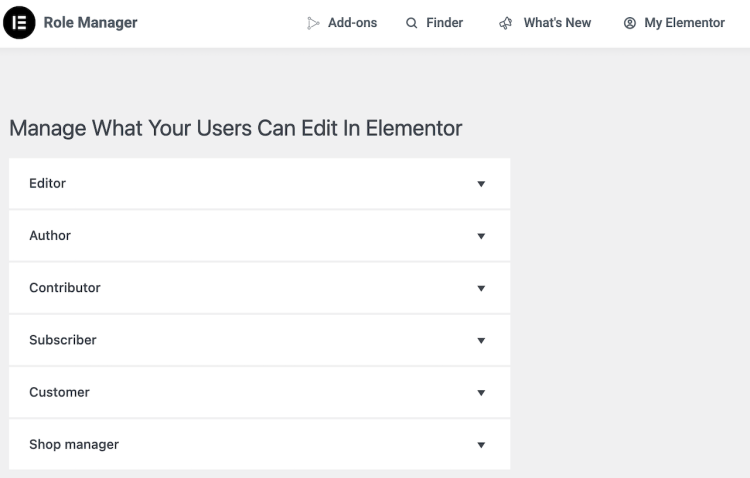
In long-term projects, design governance emerges as a practical concern. Teams define who can modify layouts, where changes occur, and how visual consistency is preserved across contributors.
Separating design authority from routine content editing often supports stability over time. When teams manage layout rules and templates centrally, publishing continues without introducing unintended variation.
Permission-aware workflows shape how confidently contributors work within the system. Clear boundaries help updates remain focused and reduce the chance of unintended site-wide effects.
Top Tip: Design governance often becomes most valuable once multiple contributors are involved.
Review Elementor tools that support structured workflows and design governance
Designing Elementor as a Long-Term Asset
Elementor site longevity rarely results from a single decision. It develops through how design systems, workflows, and content structures reinforce one another over time.
Elementor often enters projects as a visual builder, but its longer-term value becomes clearer when teams treat it as part of a broader site strategy. As projects mature, managing the system takes precedence over assembling individual pages.
Websites that remain manageable usually reflect aligned choices. Design consistency, update readiness, content adaptability, and workflow clarity work together to reduce maintenance pressure.
📌 Viewing Elementor through a system-focused lens shifts attention toward structure. Templates, global styles, and theme-level layouts guide future change while preserving cohesion.
Over extended timelines, these decisions compound. Sites designed with longevity in mind tend to accommodate change with fewer disruptive revisions, even as scope and complexity increase.
Top Tip: Long-term value often emerges when design decisions reduce future decision pressure.
Frequently Asked Questions
Q: Can Elementor support websites over the long term?
A: Elementor can support long-term websites when teams manage layouts, templates, and workflows as a system rather than isolated pages.
Q: Do Elementor updates create risks for established sites?
A: Updates introduce change, but risk levels usually reflect how sites are built and maintained over time.
Q: What design choices matter most for long-term maintenance?
A: Reusable layouts, centralized styling, and consistent workflows typically reduce maintenance effort as sites grow.
Q: Is Elementor suitable for content-heavy or growing websites?
A: Elementor can suit growing sites when layouts adapt to change and content expansion remains predictable.
Q: Does Elementor work well for teams and multiple contributors?
A: Elementor supports collaboration when teams define roles, permissions, and design governance clearly.