
Elementor for WooCommerce websites often comes into play when store owners want more control over how their store works across different parts of the customer journey. While WooCommerce handles products, orders, and payments, many stores eventually look for additional flexibility around presentation, interaction, and content structure.
This usually happens gradually. A store might begin by refining how product information appears, then move on to improving how campaigns are presented, how customers interact with content, or how supporting pages connect back to products.
Elementor is commonly used to support these needs. Its features allow WooCommerce data to be displayed in more flexible ways, enable additional customer touchpoints, and support store-specific workflows, all within the same WordPress environment.
The appeal is range. WooCommerce users apply Elementor across product presentation, marketing pages, customer communication, and operational refinement, depending on what the store needs at a given stage.
Top Tip: When evaluating Elementor for a WooCommerce store, map customer interactions across the entire site before deciding where additional flexibility would be most valuable.
🎯 Who This Guide Is For: WooCommerce users, developers, and site owners who want to understand how Elementor supports real ecommerce needs across an entire store, not just individual pages.
⏸ Who This Guide May Not Be Ideal For: Readers looking for a quick setup tutorial or a fixed checklist. This guide focuses on understanding capabilities and practical fit.
If you’re also evaluating Elementor outside of ecommerce use cases, you may find additional context helpful in our guide on how Elementor fits business websites. You may also want to review Elementor Design Decisions That Prevent Future Breaks. For stores planning to unlock WooCommerce-related features, many users review plans via Elementor pricing and features before committing.
How Elementor Benefits WooCommerce Websites
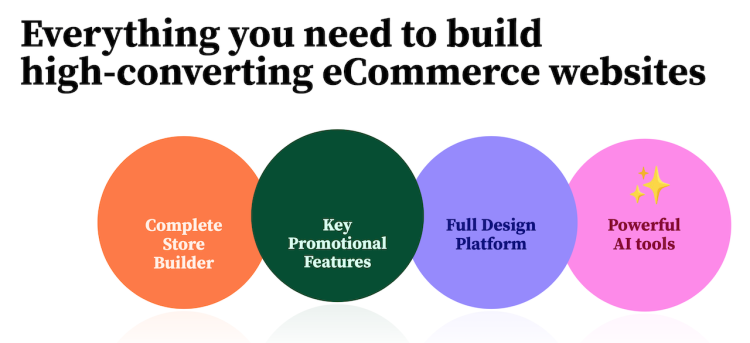
WooCommerce websites often benefit from having more control over how store elements are presented, connected, and managed. Elementor adds flexibility across many parts of a store, helping site owners shape how products, content, and customer interactions come together.
This flexibility shows up in several practical ways. Stores gain more options for presenting product information, connecting content to commerce, introducing customer touchpoints, and refining how different parts of the site work together.
Elementor also supports broader store workflows. Features related to ecommerce components, dynamic data, forms, popups, extensibility, shared assets, collaboration, and support give WooCommerce users additional tools to work with as their needs expand.
WooCommerce stores often require a broad range of capabilities beyond basic selling. As stores grow in content, products, and operational complexity, site owners tend to look for tools that can support different needs across the same platform.
Elementor offers a wide capability surface for WooCommerce websites. These capabilities span how store content is structured, how product data is surfaced, how customers interact with the site, how teams manage updates, and how stores integrate with other tools.
The value lies in coverage. WooCommerce users gain access to multiple types of functionality within a single environment, allowing different parts of the store to be shaped and refined as needed.
Top Tip: Instead of evaluating Elementor page by page, assess how its capabilities affect consistency and control across the full store experience.
For many WooCommerce users, these benefits make Elementor a practical companion for managing the evolving needs of an online store. Related considerations are explored further in our guide on Elementor workflow fit and scalability.
Elementor for Shop and Product Touchpoints
Shop and product touchpoints shape how customers discover, evaluate, and act. In WooCommerce stores, these touchpoints extend across product listings, individual product views, related content, and contextual calls to action.
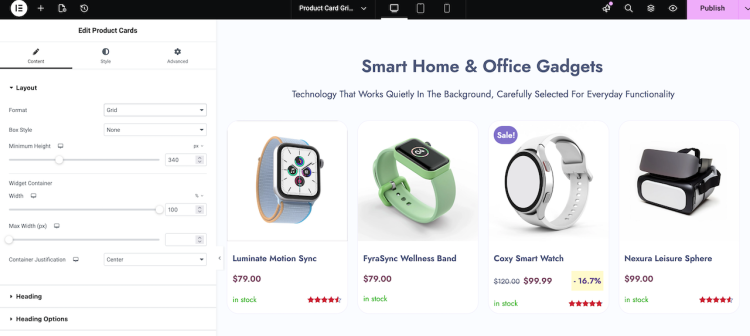
Elementor helps bring coherence to these moments. Product information, pricing cues, availability signals, and actions can be surfaced consistently wherever customers encounter them, creating a smoother path through browsing and decision-making.
This consistency supports both clarity and intent. When shop and product touchpoints feel aligned, customers spend less time interpreting the interface and more time engaging with the offer itself.
Top Tip: Review shop and product views together to ensure key information and actions remain recognizable across different browsing contexts.
For WooCommerce sites with growing catalogs or content-driven traffic, this alignment across shop and product touchpoints becomes an important contributor to overall store usability.
Elementor for Ecommerce Journeys
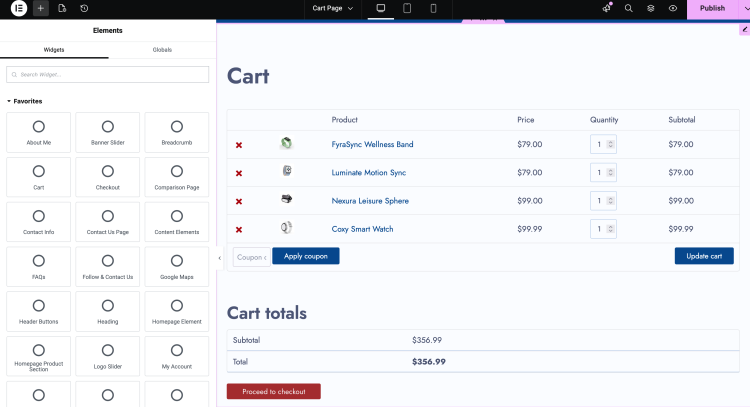
Ecommerce journeys extend beyond individual pages. Customers move through a sequence of interactions that can include discovery, evaluation, account management, post-purchase actions, and support-related touchpoints.
Elementor helps WooCommerce users maintain continuity across these journeys. Content, messaging, and interface patterns can remain aligned as customers move between different stages of engagement.
This continuity supports usability and conversion. When journeys feel consistent, customers are less likely to lose context as they progress.
Top Tip: Walk through a full customer journey periodically to confirm that expectations, messaging, and actions remain aligned at each stage.
For WooCommerce stores with repeat customers or longer decision cycles, refining these journeys often contributes to a more dependable overall experience.
Creating Promotional and Campaign Pages With Elementor
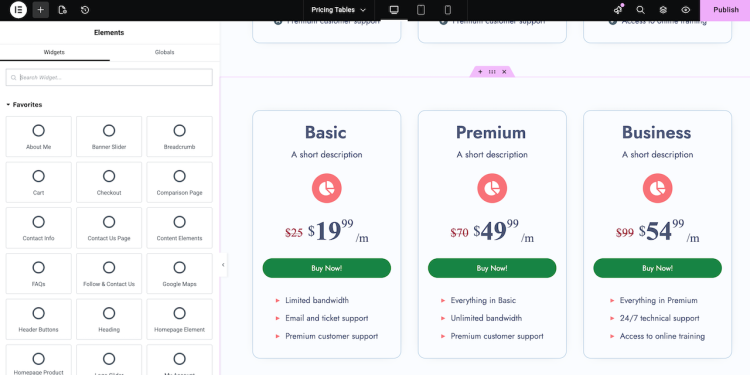
Promotional and campaign pages play a distinct role in WooCommerce stores. They are often used to highlight offers, launches, collections, or seasonal activity that sits outside the day-to-day shopping flow.
Elementor gives store owners flexibility in how these pages are assembled and updated. Campaign-specific messaging, product highlights, and supporting content can be brought together without disrupting the rest of the store.
This makes campaigns easier to manage over time. Pages can be adapted, reused, or retired as promotions change, while maintaining consistency with the broader site.
Top Tip: Define the purpose of a campaign page clearly before building it, so structure and messaging remain focused.
For WooCommerce sites that rely on regular promotions or launches, this flexibility helps campaigns stay focused without adding long-term complexity.
Performance Considerations for Elementor Ecommerce Websites
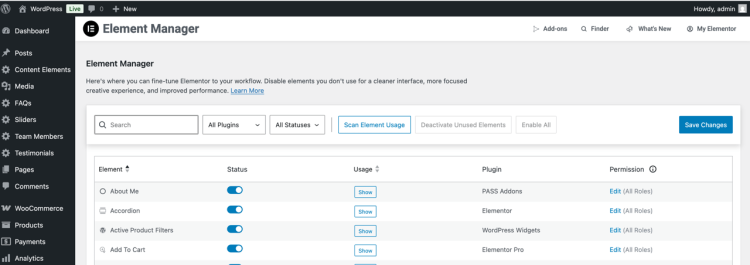
Performance plays a direct role in how WooCommerce stores are experienced. Page speed, interaction responsiveness, and consistency across devices all influence how easily customers browse and complete actions.
Elementor provides a flexible environment that can support performant setups. How features are applied, how many elements are introduced, and how the wider WordPress stack is configured all contribute to real-world results.
WooCommerce sites often benefit from a balanced approach. Thoughtful use of functionality helps stores maintain clarity and responsiveness as catalogs, content, and traffic grow.
Top Tip: Use real customer browsing paths as the basis for performance testing, not just headline pages.
For many WooCommerce websites, performance outcomes reflect a combination of design choices, feature usage, and infrastructure decisions working together.
Understanding Elementor’s Capabilities Within Ecommerce Workflows
Ecommerce workflows involve multiple interconnected activities across a store. These include content updates, product presentation, customer communication, and ongoing refinement.
Elementor provides capabilities that can support different workflow needs. Its tools allow store teams to adjust, extend, and coordinate site elements as requirements change.
Clarity comes from alignment. When Elementor’s capabilities match how a store operates, workflows remain easier to manage and evolve.
Top Tip: Identify where workflows feel constrained or repetitive, and assess whether Elementor offers capabilities that could simplify those areas.
This perspective helps WooCommerce sites apply Elementor in ways that remain manageable as complexity increases.
Common Capability Areas for Elementor in Ecommerce Projects
Elementor offers a broad range of capabilities that can support different aspects of a WooCommerce project. These capabilities are available across the site and can be applied wherever additional control or flexibility is needed.
The feature set covers several key areas. This includes shaping how products and shop elements appear, introducing structured content and interaction points, supporting promotional activity, and extending store-related workflows beyond default pages.
Elementor also provides capabilities that support ongoing management. Tools related to extensibility, shared assets, collaboration, and support contribute to how a WooCommerce site can be maintained over time.
Top Tip: Review capability areas against your store roadmap to see which ones are likely to matter most over time.
Taken together, these capability areas make Elementor a flexible option for WooCommerce projects with varied requirements.
Elementor for WooCommerce Websites: Key Takeaways
Elementor offers a wide set of capabilities that can support WooCommerce websites across many dimensions. These capabilities extend beyond individual pages and influence how products, content, interactions, and supporting experiences are presented throughout a store.
The value of Elementor lies in its overall capability range. WooCommerce users gain access to tools that support shop and product touchpoints, ecommerce journeys, promotional activity, and ongoing site management within a single environment.
Fit ultimately depends on alignment. Elementor works best when its capabilities match the priorities and expectations of a specific ecommerce project.
Top Tip: Before committing long-term, evaluate whether Elementor’s capabilities align with both current needs and foreseeable store growth.
If you’re exploring Elementor beyond ecommerce, you may find additional perspective in our guide on how Elementor fits business websites, our breakdown of Elementor workflow considerations, and our overview of Where Elementor Fits in WordPress. For stores planning to unlock WooCommerce-related capabilities, many site owners review options via Elementor pricing and feature access as part of their decision process.
Frequently Asked Questions
Q: Does Elementor support WooCommerce features out of the box?
A: Elementor includes a range of ecommerce-related capabilities that integrate with WooCommerce, allowing store elements and data to be surfaced and managed across the site.
Q: Is Elementor suitable for larger WooCommerce stores?
A: Elementor provides capabilities that can support stores of different sizes. Suitability depends on how its features align with catalog size, content needs, and operational expectations.
Q: Can Elementor be used beyond product and shop pages?
A: Yes. Elementor’s capabilities extend across many parts of a WooCommerce site, including supporting pages, promotional areas, and customer-facing journeys.
Q: How does Elementor affect ongoing store management?
A: Elementor includes tools that support updates, collaboration, extensibility, and refinement over time, which can help manage a WooCommerce site as it evolves.
Q: Is Elementor focused only on design?
A: Elementor offers a broader set of capabilities that influence how ecommerce content, interactions, and workflows are presented and coordinated across a WooCommerce website.