Best Free WordPress Themes for Elementor Users
Top Tip: The best free WordPress themes for Elementor users are the ones that interfere least with your Elementor-driven designs and layouts, not the ones with the longest feature lists.
Choosing the best free WordPress themes for Elementor users should reflect how reliably a theme works with Elementor in practice. While Elementor provides powerful design control, the theme still defines key structural elements such as headers, footers, content width, and global styling behavior for templates that are not under the control of the page builder.
Understanding what Elementor actually does helps clarify why theme choice still matters. Even when every page is built visually, a poorly aligned theme can introduce layout friction, inconsistent spacing, or unexpected styling conflicts.
The free Elementor-compatible themes featured in this guide follow a similar philosophy: they provide a lightweight, stable foundation and allow Elementor to drive designs and presentation to its full capacity. They also support easy onboarding for Elementor users, typically through free starter sites, prebuilt templates, or companion addons designed to work alongside the page builder. Together, these shared characteristics result in smoother editing, more predictable page behavior, and better long-term maintainability.
Your ideal theme choice will also depend on who Elementor is best suited for and how much control you want the theme to handle versus the page builder.
This article assumes the reader is interested in a combination of a free WordPress theme and the free version of Elementor. However, if you want full control over pages and templates, including site headers, footers, advanced templates, and other Pro features highlighted in Elementor Free vs Pro, you can optionally check out Elementor Pro for WooCommerce. That said, this guide can be used effectively with the free version of Elementor.
Why Theme Choice Matters for Elementor Users

Top Tip: Elementor gives you design freedom, but the theme determines how smoothly that freedom works across your entire site.
Elementor is often described as a way to build WordPress pages visually, without touching theme code. While that’s largely true, understanding what Elementor actually does also reveals why the underlying theme still plays an important role.
Even when every page is designed with Elementor, the theme controls key structural defaults. These include default page and content structures, how global typography is inherited, and how templates are activated across user journeys. When a theme applies strong styling or layout opinions, those defaults can conflict with Elementor layouts, often requiring additional styling options or, in some cases, code-based solutions.
This is why “Elementor-friendly” themes tend to focus on predictability rather than visual complexity. A well-aligned theme stays out of the way, allowing Elementor sections, columns, and responsive controls to behave consistently.
Theme choice becomes even more important as a site grows. As layouts become more complex and additional plugins are introduced, predictable theme behavior helps Elementor pages remain stable and easier to maintain. This is especially relevant for users thinking beyond the initial build and considering how Elementor-based sites scale over time.
For developers, a compatible theme reduces the need for overrides and custom fixes. For beginners, it usually means fewer layout surprises and a smoother editing experience. In both cases, the theme quietly shapes how reliable and enjoyable Elementor feels in day-to-day use.
How These Themes Were Evaluated
Top Tip: A theme that behaves predictably with Elementor is often more reliable than one that simply offers more features.
Testing environment and assumptions. The themes included in this guide were evaluated using criteria that reflect practical Elementor workflows. The goal was to understand how each theme supports Elementor users, with particular attention paid to layout behavior and overall design stability. Maintaining design consistency in Elementor depends not only on the builder itself, but also on how the theme handles styles, typography inheritance, and spacing defaults.
What was intentionally excluded. Demo content quality, marketing claims, and third-party add-ons were not used as primary decision factors.
Note: This evaluation is based on focused, hands-on testing of specific features and workflows, rather than an exhaustive feature-by-feature comparison of every theme.
Quick Comparison Overview
The themes listed below are all free WordPress themes that work with Elementor and were included in this guide based on hands-on evaluation. This section is intended as a quick reference to help you move between theme sections easily.
Top Tip: Use this overview to navigate the guide and quickly jump to themes you want to evaluate in more detail.
- Astra
- Hello Elementor
- OceanWP
- Kadence
- Blocksy
- Responsive
- Royal Elementor Kit
- Zakra
- Stockist
- Sydney
- Inspiro
While all of these themes support Elementor layouts, the differences between them are best understood by reviewing each theme individually. The sections that follow focus on how each theme behaves with Elementor in practice.
Astra
Top Tip: Astra is a strong choice if you want a theme that stays visually neutral and lets Elementor handle most design decisions.
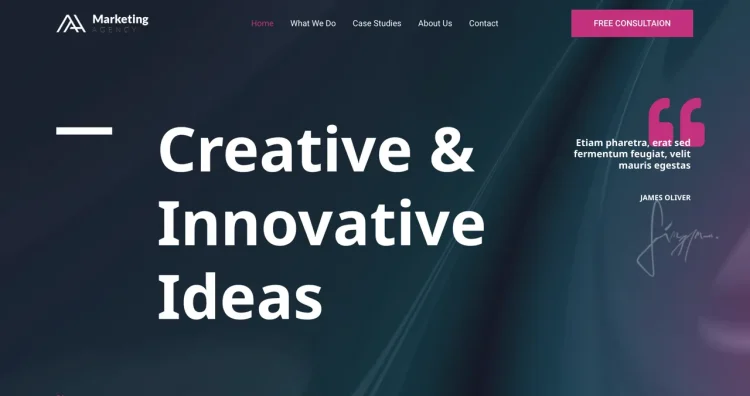
Astra is widely used by Elementor users who want a clean, lightweight starting point. Rather than pushing a specific design style, it provides a simple structural base that works well for pages built primarily with Elementor.
This approach makes Astra especially suitable for most website types, including landing pages, business sites, ecommerce sites, and content-driven projects where layout flexibility and predictable behavior matter alongside built-in theme styling.
Why Astra works well with Elementor
Astra offers practical control over page structure, including content width and sidebar behavior, without interfering with Elementor’s layout system. This makes it easier to create full-width sections and custom designs without additional setup.
Elementor can be used immediately, and pages built with it remain consistent across different areas of the site.
What you get with the free version
The free version focuses on the essentials: a lightweight layout framework, sensible defaults, and enough customization to support site-wide consistency while allowing detailed page design in Elementor.
Common use cases
As a multipurpose WordPress theme, this theme can be used across most website types. This includes:
- Small business and service websites
- Elementor landing pages
- Blogs and content-driven sites
Why some users choose Astra Pro
Alongside the free version, Astra also offers a Pro edition with more advanced features. Some users explore this option when they want access to a broader collection of starter templates, additional building options, and premium customer support.
Free vs upgrade overview
- Astra: Free version available
- Astra Pro: Paid plans starting from $69 per year, with lifetime licensing options available
Wondering what’s available beyond the free version? Explore Astra Pro features.
Hello Elementor
Top Tip: Hello Elementor is best suited for users who want Elementor to take full control while the theme does the bare minimum.
Hello Elementor is a minimal WordPress theme built specifically for use with Elementor by the developer of Elementor. It does not ship with traditional theme styling or layout logic, allowing Elementor to take full control of page structure and design.
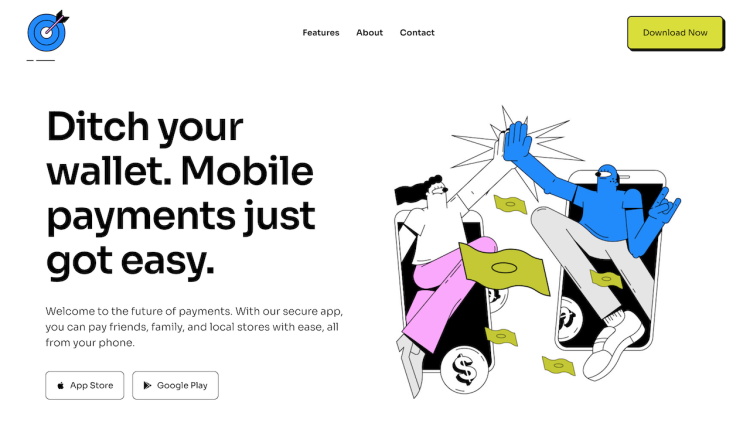
This stripped-back approach makes Hello Elementor feel more like a blank canvas, which can be appealing if you plan to design all pages visually inside the Elementor editor.
Why Hello Elementor works well with Elementor
Hello Elementor is designed to stay out of the way. It does not enforce its own layout constraints, which reduces the chances of conflicts when building custom Elementor layouts.
Because of this, page designs created in Elementor tend to look and behave exactly as intended, without needing adjustments to align with theme defaults.
What you get with the free version
The free version provides a bare-bones theme framework with essential WordPress support. There are no built-in layout options, design presets, or visual extras, which keeps the focus entirely on Elementor.
Common use cases
- Elementor landing pages and funnels built entirely from scratch
- Design-focused projects where Elementor manages all styling
- Developers and advanced users who prefer full design control
Why some users pair it with Elementor Pro
Because Hello Elementor includes very few built-in features, some users combine it with Elementor Pro to manage headers, footers, templates, and dynamic content more efficiently.
This setup is often chosen when Elementor is expected to handle not just page content, but also global site structure.
Free vs upgrade overview
- Hello Elementor: Free theme
- Elementor Pro: Upgrade for advanced features including the premium Shoptimizer Theme
Wondering what’s available beyond the free setup? Explore Elementor Pro for WooCommerce.
OceanWP
Top Tip: OceanWP is a good fit if you want more built-in flexibility alongside Elementor, without committing to a fully blank theme.
OceanWP is a flexible multipurpose theme that appeals to Elementor users who want a balance between theme-level options and page builder control. Compared to more minimal themes, it includes additional layout and styling features that can be useful for certain site types, bundled as compatible plugins.
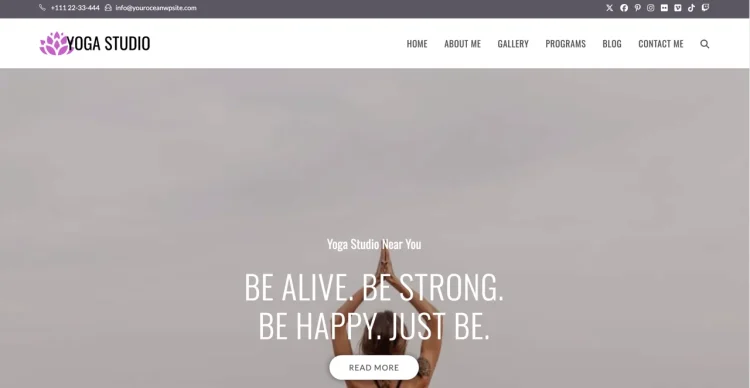
This makes OceanWP a practical choice for users who want Elementor for page design but still appreciate having theme options available for achieving additional project goals.
Why OceanWP works well with Elementor
OceanWP offers a range of layout controls that complement Elementor, including page-level options for content width, sidebars, and container behavior. These settings can help fine-tune how Elementor pages are displayed without needing custom CSS.
The theme is often used when users want more control at the theme level while still relying on Elementor for detailed page layouts.
What you get with the free version
The free version includes a solid set of customization options covering layout structure, basic styling, and navigation behavior. This allows users to configure much of the site’s framework while continuing to build custom pages with Elementor.
Common use cases
As a multipurpose WordPress theme, this theme can be used across most website types. This includes:
- Business websites with multiple page layouts
- Marketing and promotional pages
- Portfolio and personal sites
Why some users choose OceanWP extensions
OceanWP also offers optional extensions that add more advanced features. Some users explore these when they want additional control over headers, footers, or specific layout components.
These extensions are typically used to enhance site elements and and features, while Elementor continues to function as a page builder.
Free vs upgrade overview
- OceanWP: Free version available
- OceanWP Extensions: Paid add-ons for advanced layout and site features
Wondering what’s available beyond the free version? Explore OceanWP extensions.
Kadence
Top Tip: Kadence is a strong option if you want more layout and styling control at the theme level while still using Elementor for page design.
Kadence is a flexible WordPress theme that appeals to Elementor users who want a bit more built-in structure without giving up page builder freedom. It sits between ultra-minimal themes and feature-heavy multipurpose themes.

This balance makes Kadence suitable for projects where you want Elementor but still want a noticeable theme influence.
Why Kadence works well with Elementor
Kadence provides useful layout controls that affect how Elementor pages are displayed, such as content width, spacing, and structural options. These settings can help streamline page creation and reduce the need for repeated adjustments inside Elementor.
The theme is often chosen by users who prefer to define consistent layout rules at the theme level and then build pages more efficiently with Elementor.
What you get with the free version
The free version includes a solid set of customization options covering layout structure, typography, and basic styling. This allows users to establish a cohesive site appearance while still relying on Elementor for detailed page design.
Common use cases
As a multipurpose WordPress theme, this theme can be used across most website types. This includes:
- Service-based business websites
- Content-focused sites with structured layouts
- Elementor landing and campaign pages
Why some users choose Kadence Pro
In addition to the free version, Kadence also offers a Pro edition with more advanced layout and design controls. Some users explore this option when they want additional flexibility for headers, footers, or reusable design elements.
The Pro edition is typically used to enhance global site structure, while Elementor remains the primary tool for building individual pages.
Free vs upgrade overview
- Kadence: Free version available
- Kadence Pro: Paid upgrade with advanced layout and design features
Wondering what’s available beyond the free version? Explore Kadence Pro features.
Blocksy
Top Tip: Blocksy works well if you want a modern theme that pairs clean layouts with Elementor-built pages.
Blocksy is a modern WordPress theme that appeals to Elementor users who want a clean visual foundation without starting from a completely blank slate. It provides a contemporary look while keeping layouts flexible for page builder use.

This makes Blocksy a good fit for users who want Elementor to handle page layouts, while the theme contributes a polished baseline for typography, spacing, and structure.
Why Blocksy works well with Elementor
Blocksy offers layout controls that influence how Elementor pages are displayed, including content width and spacing behavior. These settings can help ensure consistency across pages built with Elementor.
The theme is often chosen when users want to combine Elementor’s flexibility with a modern, well-structured theme foundation.
What you get with the free version
The free version includes a range of customization options for layout and styling. This allows users to define global design choices while continuing to build detailed page content with Elementor.
Common use cases
As a multipurpose WordPress theme, this theme can be used across most website types. This includes:
- Modern business and startup websites
- Portfolio and showcase sites
- Blogs using custom Elementor layouts
Why some users choose Blocksy Pro
Alongside the free version, Blocksy also offers a Pro edition with more advanced design options, several prebuilt templates, and additional layout controls. Some users explore this option when they want greater control over global elements or advanced customization features.
The Pro edition is typically used to enhance site-wide design capabilities, while Elementor continues to manage layouts and presentation.
Free vs upgrade overview
- Blocksy: Free version available
- Blocksy Pro: Paid upgrade with advanced customization features
Wondering what’s available beyond the free version? Explore Blocksy Pro features.
Responsive
Top Tip: Responsive is a solid option if you want a practical, no-frills theme that works smoothly with Elementor.
Responsive is a long-standing WordPress theme that focuses on flexibility and broad compatibility. For Elementor users, it offers a straightforward foundation that supports custom page layouts without adding unnecessary complexity.

The theme’s general-purpose approach makes it suitable for a wide range of projects, especially when Elementor is used to handle the main page design.
Why Responsive works well with Elementor
Responsive provides layout settings that help control how Elementor pages are displayed, including content width and sidebar behavior. These options make it easier to align Elementor layouts with the overall site structure.
It’s often chosen by users who want a dependable theme that stays predictable when building pages with Elementor.
What you get with the free version
The free version includes essential customization options for layout and basic styling. This allows you to set global defaults while continuing to design individual pages using Elementor.
Common use cases
As a multipurpose WordPress theme, this theme can be used across most website types. This includes:
- General-purpose business websites
- Informational and brochure-style sites
- Elementor landing pages
Why some users choose Responsive Pro
Responsive also offers a Pro edition with additional layout and customization features. Some users consider this when they want more control over site-wide design elements.
The Pro edition is typically used to expand global customization, while Elementor continues to manage page-level layouts.
Free vs upgrade overview
- Responsive: Free version available
- Responsive Pro: Paid upgrade with additional customization features
Wondering what’s available beyond the free version? Explore Responsive Pro features.
Royal Elementor Kit
Top Tip: Royal Elementor Kit is best suited for users who want a third-party theme designed specifically around Elementor and pre-built template kits.
Royal Elementor Kit is a WordPress theme built specifically for Elementor users. Instead of acting as a neutral structural base, it is designed to work alongside Elementor by providing access to pre-built templates, sections, and widgets that can be used directly inside the Elementor editor.
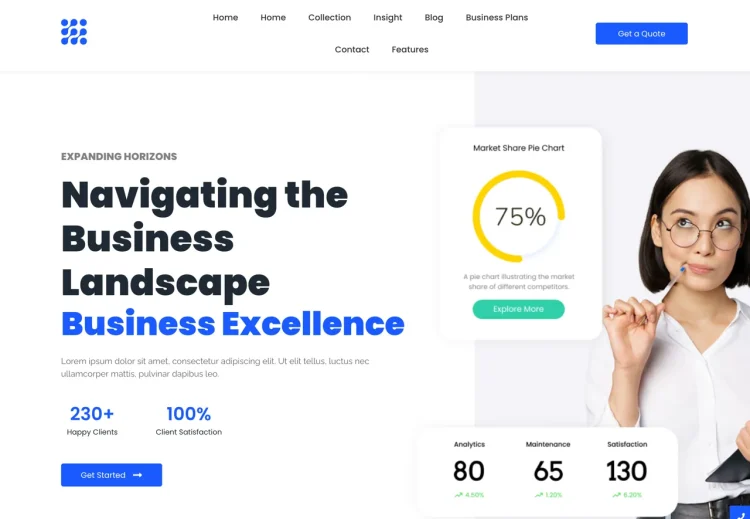
This approach positions Royal Elementor Kit as a theme for users who prefer faster setup and guided page creation. Rather than starting from a blank layout, pages can be assembled using ready-made building blocks that are already structured for Elementor.
Why Royal Elementor Kit works well with Elementor
The theme is designed to integrate closely with Elementor and is typically used alongside the Royal Elementor Addons plugin. Together, they extend the Elementor editor with additional widgets, templates, and layout elements that can be inserted and customized visually.
This setup appeals to users who prefer working from predefined sections and layouts rather than designing every page element from scratch.
What you get with the free version
The free version of the theme can be used in combination with the free Royal Elementor Addons plugin. This provides access to a selection of Elementor widgets and starter templates, enabling complete page builds without requiring additional theme-level features.
Common use cases
As a multipurpose WordPress theme, this theme can be used across most website types. This includes:
- Elementor sites built primarily from templates and sections
- Marketing pages and homepage layouts
- Business websites using modular, reusable content blocks
Why some users upgrade Royal Elementor Addons
Royal Elementor Kit itself does not have a Pro theme version. Instead, users who want access to a broader collection of widgets, templates, and advanced design elements typically upgrade the Royal Elementor Addons plugin.
This upgrade expands the design tools available inside the Elementor editor, while the theme continues to serve as a lightweight wrapper around Elementor-based layouts.
Free vs upgrade overview
- Royal Elementor Kit theme: Free version available
- Royal Elementor Addons: Optional paid upgrade for additional widgets and templates
Download Royal Elementor Kit Free
Want access to more widgets and templates? Explore Royal Elementor Addons.
Zakra
Top Tip: Zakra is a good choice if you want a flexible, multipurpose theme that works comfortably alongside Elementor.
Zakra is a lightweight, general-purpose theme that suits Elementor users looking for a balance between theme structure and page builder freedom. It provides a stable base without pushing heavy visual styling.
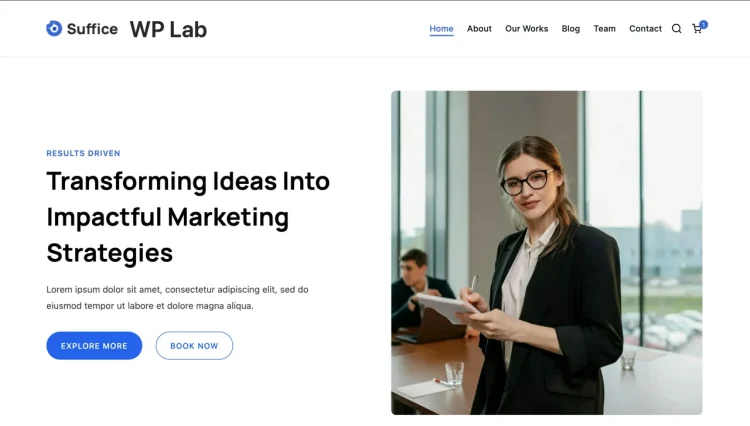
This makes Zakra suitable for projects where Elementor handles page layouts, while the theme contributes sensible defaults for overall site structure.
Why Zakra works well with Elementor
Zakra includes layout options that help control how Elementor pages appear, such as content width and sidebar placement. These controls make it easier to maintain consistency across pages built with Elementor.
The theme is often chosen for sites that need flexibility without the complexity of more feature-heavy themes.
What you get with the free version
The free version provides essential customization options for layout and styling. This allows you to set basic site-wide rules while continuing to rely on Elementor for detailed page design.
Common use cases
As a multipurpose WordPress theme, this theme can be used across most website types. This includes:
- Business and service websites
- Blogs and content publishing sites
- Portfolio and personal websites
Why some users choose Zakra Pro
Zakra also offers a Pro edition with additional layout and design features. Some users explore this option when they want more advanced control over global site elements.
Free vs upgrade overview
- Zakra: Free version available
- Zakra Pro: Paid upgrade with additional customization options
Wondering what’s available beyond the free version? Explore Zakra Pro features.
Stockist
Top Tip: Stockist is a good fit if you want a clean, content-first theme that pairs well with simple Elementor layouts.
Stockist is a minimalist WordPress theme that focuses on clarity, readability, and straightforward layouts. For Elementor users, it provides a calm, uncluttered base that works well for content-driven sites.

Rather than offering extensive built-in design options, Stockist keeps things simple, allowing Elementor to be used selectively where custom layouts are needed.
Why Stockist works well with Elementor
Stockist’s minimal structure makes it easy to introduce Elementor sections without struggling against heavy theme styling. Elementor layouts tend to blend naturally into the theme’s overall design.
This makes it a practical option for users who don’t need Elementor on every page, but still want the flexibility to create custom sections when required.
What you get with the free version
The free version focuses on clean typography, simple layouts, and a distraction-free reading experience. It provides a solid base for content while leaving room for Elementor-enhanced pages.
Common use cases
As a multipurpose WordPress theme, this theme can be used across most website types. This includes:
- Blogs and editorial-style websites
- Personal sites using Elementor sections
- Simple business and service sites
Why some users choose Stockist Pro
Stockist also offers a Pro edition with additional layout and styling options. Some users explore this when they want more control over visual presentation while keeping the overall minimalist approach.
Free vs upgrade overview
- Stockist: Free version available
- Stockist Pro: Paid upgrade with additional design and layout options
Wondering what’s available beyond the free version? Explore Stockist Pro features.
Sydney
Top Tip: Sydney is a strong option if you want a business-ready theme that combines starter layouts with Elementor flexibility.
Sydney is a business-focused WordPress theme that works well with Elementor, especially for users who prefer starting from a structured layout rather than a blank canvas. It provides a more guided starting point while still allowing customization through Elementor.
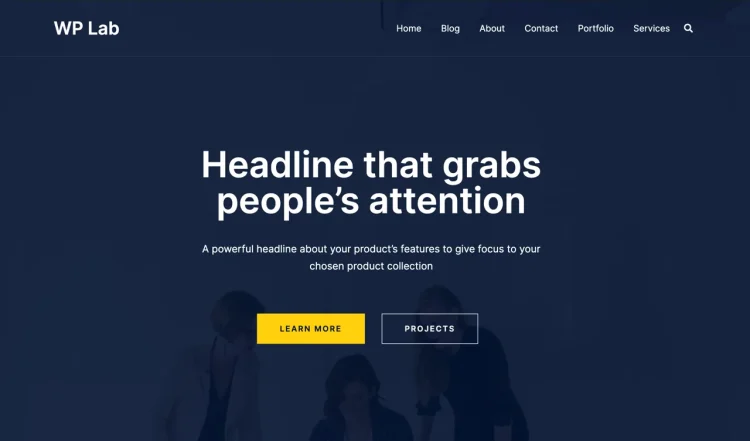
This makes Sydney particularly appealing for users who want to move quickly, using pre-designed sections and layouts as a foundation for their Elementor pages.
Why Sydney works well with Elementor
Sydney offers layouts and sections that integrate smoothly with Elementor, making it easier to customize homepage sections, service blocks, and call-to-action areas without rebuilding everything from scratch.
The theme strikes a balance between providing structure and allowing Elementor to handle detailed layout and content decisions.
What you get with the free version
The free version includes access to starter layouts, basic customization options, and Elementor-friendly sections. This allows users to launch professional-looking sites without needing extensive design work.
Common use cases
As a multipurpose WordPress theme, this theme can be used across most website types. This includes:
- Business and agency websites
- Service websites with structured homepages
- Elementor landing pages
Why some users choose Sydney Pro
Alongside the free version, Sydney also offers a Pro edition with additional layout options and customization features. Some users explore this when they want more control over design details or expanded layout flexibility.
Free vs upgrade overview
- Sydney: Free version available
- Sydney Pro: Paid upgrade with additional customization and layout options
Wondering what’s available beyond the free version? Explore Sydney Pro features.
Inspiro
Top Tip: Inspiro is a good choice if you want a visually polished theme that still gives Elementor room to customize layouts.
Inspiro is a visually oriented WordPress theme that combines a clean design style with flexibility for page builders like Elementor. It’s often chosen by users who want a more refined look out of the box, without sacrificing layout control.
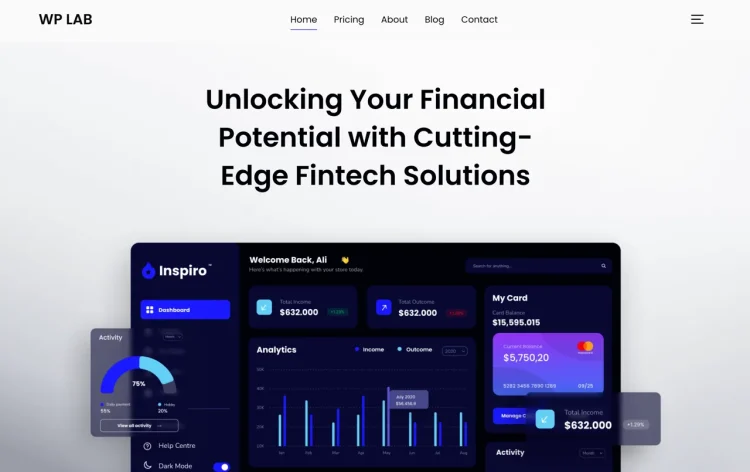
This makes Inspiro suitable for projects where presentation matters, but where Elementor is still used to customize page structure and content.
Why Inspiro works well with Elementor
Inspiro provides a structured visual foundation that Elementor layouts can build on. Page sections created with Elementor tend to integrate smoothly with the theme’s overall design, reducing the need for extensive styling adjustments.
The theme is often used when users want Elementor flexibility without starting from a completely minimal or blank theme.
What you get with the free version
The free version includes core layout options and a polished visual baseline. This allows users to launch attractive sites quickly while still customizing pages using Elementor.
Common use cases
As a multipurpose WordPress theme, this theme can be used across most website types. This includes:
- Portfolio and creative showcase sites
- Business websites with visual sections
- Landing pages and campaign sites
Why some users choose Inspiro Pro
Inspiro also offers a Pro edition with additional layout and visual features. Some users explore this option when they want more advanced presentation options or expanded design flexibility.
The Pro edition is typically used to enhance the theme’s visual capabilities, while Elementor continues to manage page-level layout and content.
Free vs upgrade overview
- Inspiro: Free version available
- Inspiro Pro: Paid upgrade with additional design and layout features
Wondering what’s available beyond the free version? Explore Inspiro Pro features.
Choosing the Best Free Elementor Theme
The best free WordPress themes for Elementor users share one key trait: they work with Elementor, not against it. Rather than adding heavy styling or complex layout logic, these themes provide a stable foundation that allows Elementor to control page structure and design.
Some free Elementor themes focus on minimalism and flexibility, making them ideal for users who want complete design freedom. Others offer more structure, starter layouts, or predefined sections that help speed up the build process. Neither approach is inherently better—the right choice depends on how you prefer to work with Elementor.
Every theme in this guide is available for free and can be used to build Elementor sites in production without immediate upgrades. For many blogs, business websites, landing pages, and portfolio projects, the free version can be adequate to get started and validate your workflow.
Practical takeaway: Shortlist one or two free Elementor-friendly themes, install them, and build an actual page with Elementor. That hands-on experience is the fastest way to determine which theme feels right for your project.
Conclusion
Top Tip: The best Elementor theme is the one that supports how you actually build and maintain your site over time.
Choosing a WordPress theme for Elementor is less about finding a single “best” option and more about understanding how different themes can support your project’s workflows. When Elementor handles most layout and design decisions, the role of the theme naturally shifts from visual driver to structural support.
Some users may prefer themes that stay out of the way and give Elementor maximum control, while others may benefit from themes that provide stronger structure or starter layouts. This distinction becomes especially relevant depending on site type—whether you are building a portfolio, exploring Elementor themes suited for blogging, or browsing top business themes for Elementor.
Lightweight WordPress themes for Elementor are often an excellent place to start. They allow you to validate your workflows, experiment with layouts, and understand how Elementor behaves within a given context before committing to upgrades or more complex setups. These early decisions can have a lasting impact on maintainability, performance, and flexibility, as discussed in Elementor site longevity and design decisions.
Ultimately, the right choice depends on your goals, experience level, and how much control you want to delegate to Elementor. The most reliable way to decide is still the simplest: install a free theme, build a real page, and progress from there.
Frequently Asked Questions
Do I need a special theme to use Elementor?
No. Elementor works with most WordPress themes. However, themes that are designed or optimized for page builders tend to offer fewer layout conflicts and a smoother editing experience, especially when building full-width or custom layouts.
Is a free WordPress theme enough for building a professional Elementor site?
In many cases, yes. Free themes can be more than sufficient for landing pages, business websites, blogs, and portfolios. Many users only consider upgrades when they need additional site-wide controls or want to reduce repetitive setup across pages.
What’s the difference between a lightweight theme and a feature-rich theme for Elementor?
Lightweight themes focus on staying out of the way and letting Elementor handle most design decisions. Feature-rich themes provide more built-in layout and styling options at the theme level, which can be helpful for structure but may reduce flexibility.
Should I choose a theme with Elementor starter sites?
Starter sites can be helpful if you want to launch quickly or learn by modifying existing layouts. That said, they are not required. Many users prefer starting from a clean slate and building layouts directly with Elementor.
When does it make sense to upgrade to a Pro version?
Upgrades usually make sense when you need more control over global site elements, reusable layouts, or advanced customization. It’s often best to start with the free version, build real pages, and upgrade only if you clearly see the benefit.